Chapter 7 – Controls
20 S1930E/S1932E/S2632E – 1360460
Upper Controls
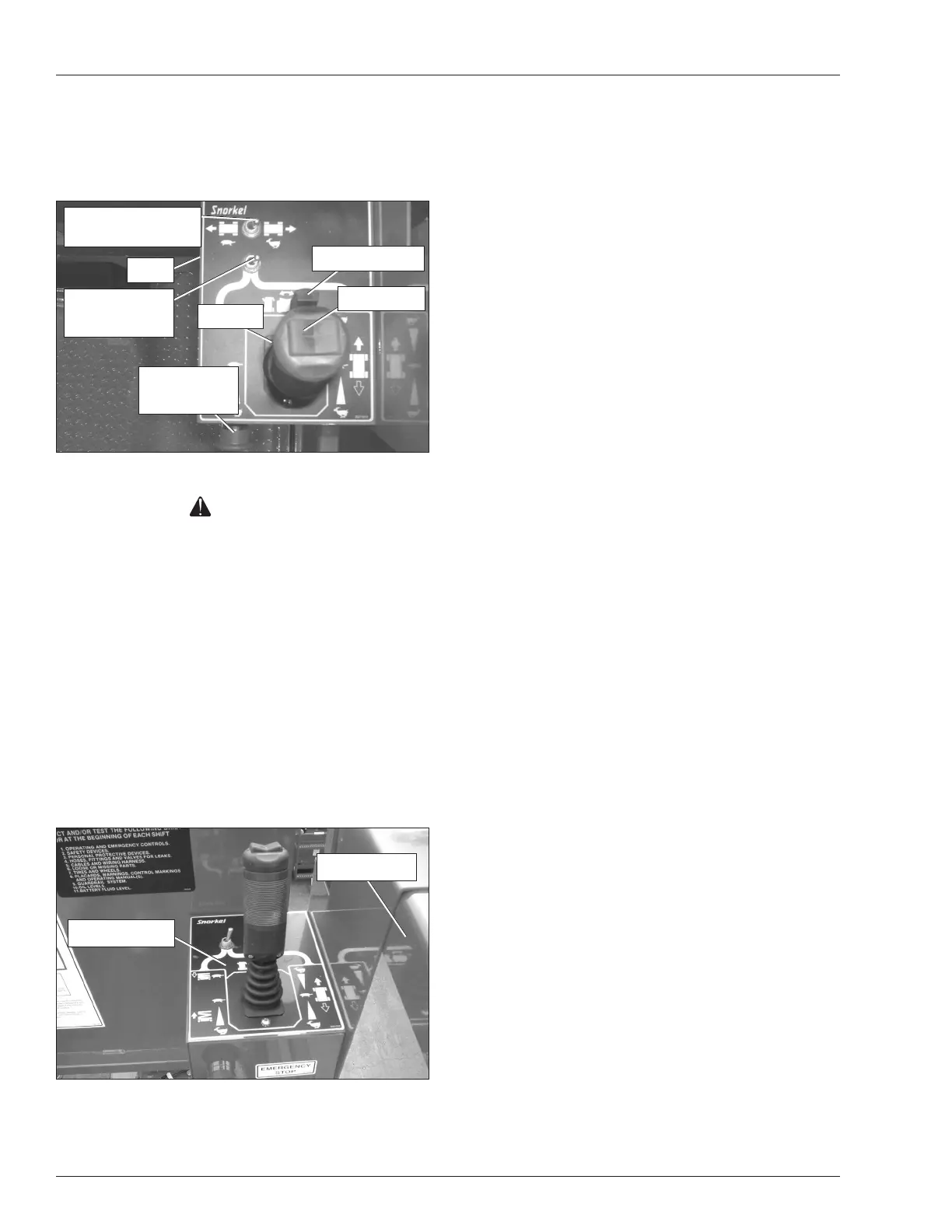
The upper controls (refer to Figure 7.3) are located on the
control panel at the platform. Platform and drive functions
can be operated from the upper controls.
Figure 7.3 – Upper Controls
Warning
The potential for an accident increases from improp-
erly driving or steering the aerial platform. Death
or serious injury could result from such accidents.
Make sure the upper control panel is at the front of
the platform, hooked on the guardrail, and hanging
inside the platform.
Avoid driving the platform with the upper controls facing
the rear or side of the machine. In this position the ma-
chine is difcult to control because the drive and steer
control movements and their resulting machine move-
ments will not correspond.
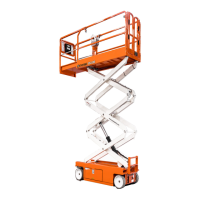
Only operate the upper controls when the panel is at
the front of the platform, hooked on the guardrail inside
the platform, and facing the front of the machine (refer
to Figure 7.4).
Figure 7.4 – Upper Control Operating Position
The following controls are located on the upper control
panel:
Emergency stop button
Drive/lift selector switch
Drive range switch – S2632E only
Joystick to control platform lift, drive, and steer
The horn button and battery condition indicator gauge
may also be located at the upper control station.
Emergency Stop Button
The emergency stop (refer to Figure 7.3) is a two-position,
red push button on the front of the upper control panel.
Push the button inward to disconnect power from all
control circuits at the upper controls.
Pull the button outward to restore power.
Push the emergency stop button inward when the
upper controls are not in use to protect against unin-
tentional operation.
Note
The lower controls override the upper controls. If the up-
per control emergency stop is engaged the lower controls
can still be used to operate the aerial platform.
Push the button in when the upper controls are not in use
to help protect against unintentional platform operation.
Drive/Lift Selector Switch
The drive/lift selector switch (refer to Figure 7.3) is used
to select either machine drive or lift functions. Both func-
tions can not be operated at the same time.
Place the drive/lift selector switch in the drive position
to drive the aerial platform using the joystick. The
platform will not raise or lower while driving.
Place the drive/lift selector switch in the lift position to
raise and lower the platform using the joystick.
Joystick
Use the joystick (refer to Figure 7.3) to operate the fol-
lowing functions:
Aerial platform steering
Aerial platform drive and speed
Platform raise/lower and speed
Movement of the joystick in a given direction produces
a corresponding movement of the aerial platform. The
steering and drive functions may be operated separately
or simultaneously.
Top Guardrail
Upper Controls
Joystick
Emergency
Stop Button
Steer Switch
Interlock Switch
Horn
Drive Range Switch
S2632E Only
Drive/Lift
Selector Switch


 To Next Page