10
iPDU - Ref.: IOMPDUXXXX02-GB 00
3. GETTING STARTED
3.4-1
The following procedure describes the basic steps needed to set up the iPDU:
1. To set up the hardware, connect power to the power inlet and output devices to the power outlets. Connect devices with normally
open or normally closed conditions to the digital output ports, and an EMD to the console port.
2. To configure the iPDU, users can use the console or LAN port. Connect the iPDU to a console and a LAN to enable its configura-
tion via the console or browser menu.
3. After connecting to a console, use a console application such as Telnet or HyperTerminal to access the console menu. Select
the System Group submenu under the iPDU Configuration to set up the IP address and the system date/time. This IP address
will be used while accessing the web interface to configure the iPDU parameters.
4. After connecting to a LAN, open a browser from a PC on the network and use the iPDU’s IP address specified through the console
menu to open the web interface for system configuration.
The following sections provide instructions on how to make various connections.
3.4. Making Connections
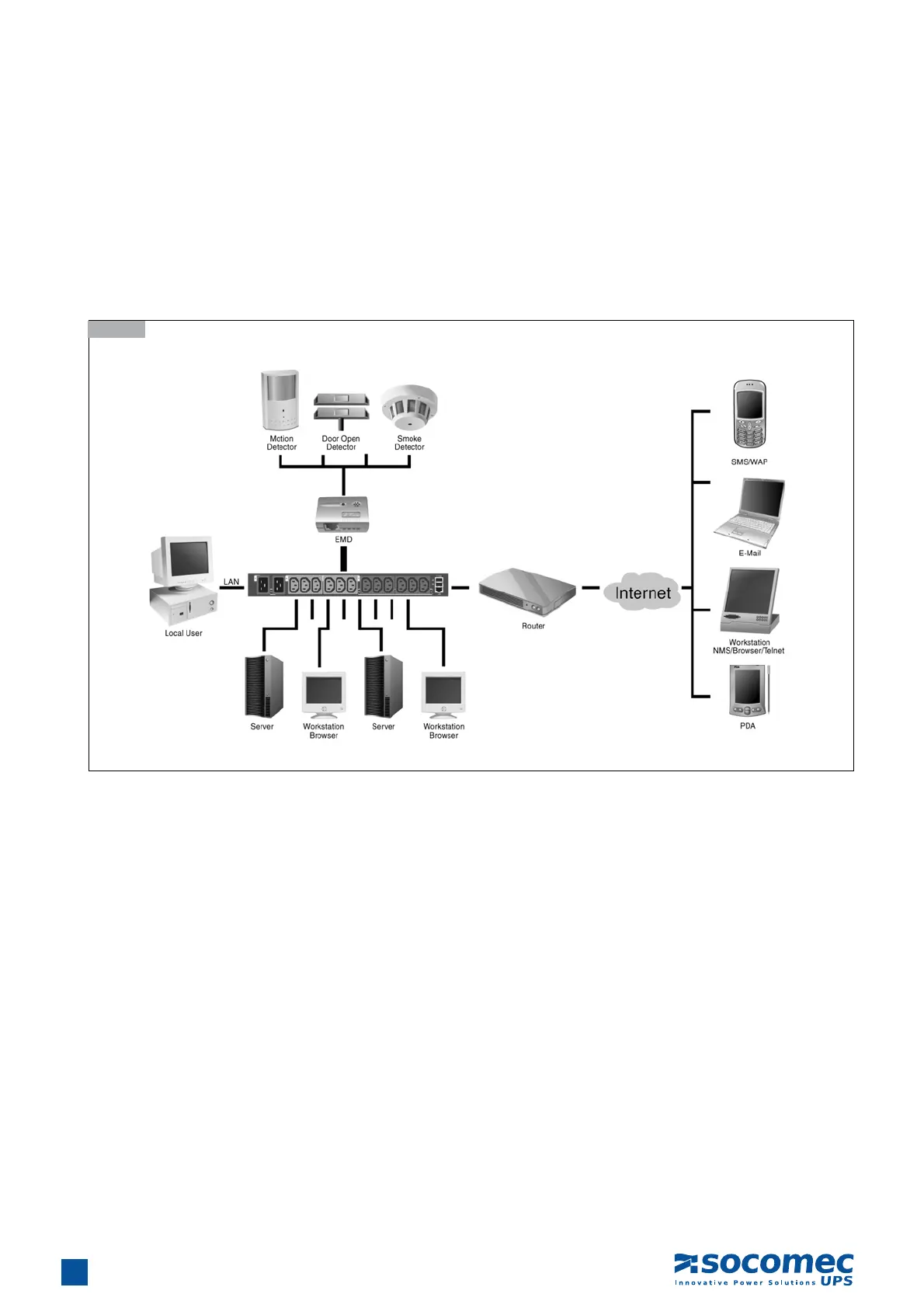
The iPDU is a versatile product that can be connected to several different types of input and output devices. This makes it a useful
tool for connecting devices to it and controlling their power on/off status through its user interface.
The iPDU can be attached to twelve output devices whose power status can be controlled remotely. It also supports an EMD
(Environmental Monitoring Device) connected with sensors for detecting environmental conditions as well as digital outputs to enable
devices with normally open or normally closed conditions. Moreover, the iPDU supports a serial port (console) and Ethernet (LAN/
WAN) connection that lets users control the iPDU outputs remotely.


 To Next Page