12
iPDU - Ref.: IOMPDUXXXX02-GB 00
3. GETTING STARTED
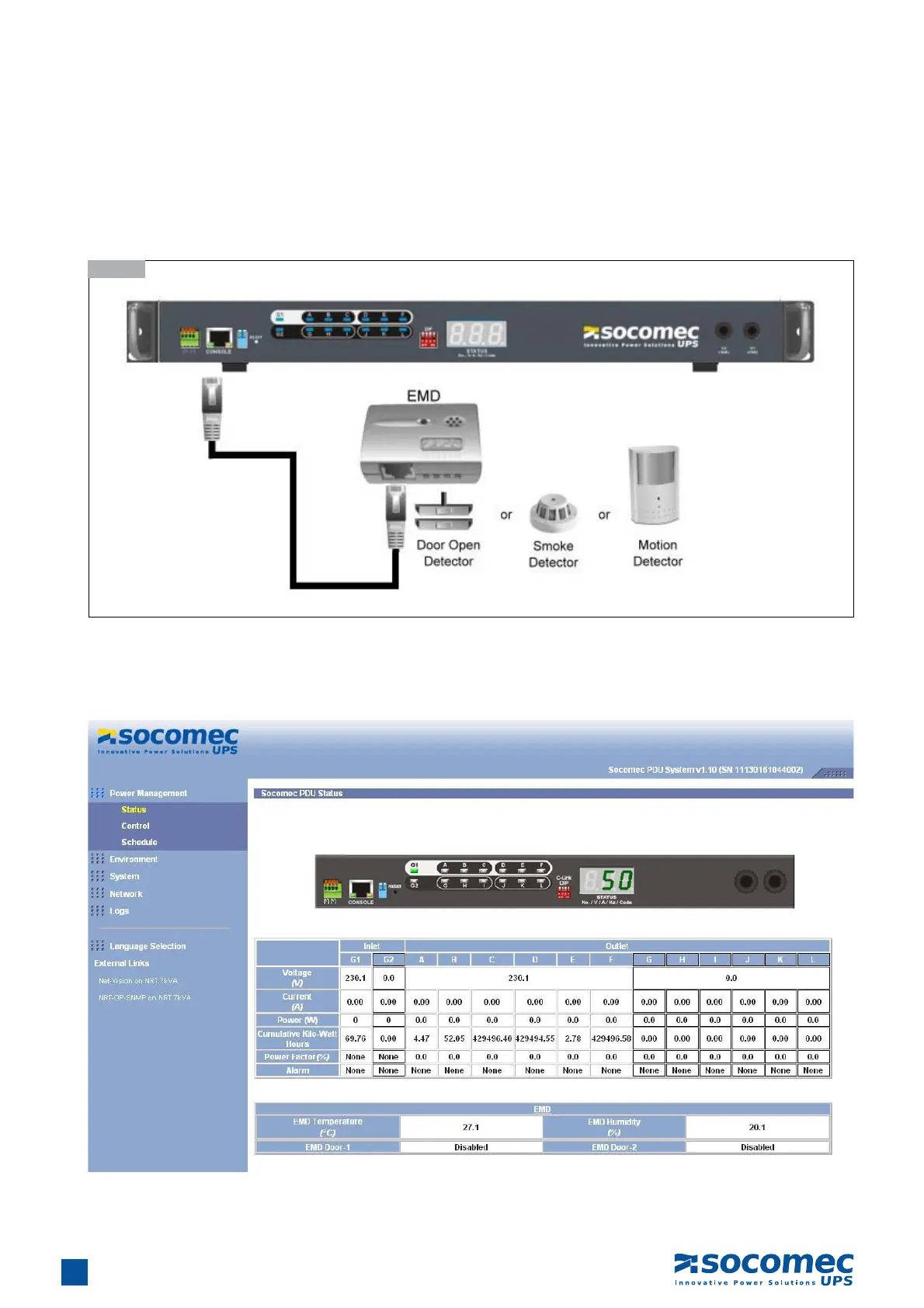
3.8. Connecting EMD
An Environmental Monitoring Device (EMD) that is connected to sensors for detecting temperature, humidity, water leaks etc. can
be connected to the iPDU with the console port. The EMD can also be connected to alarms or indicators and controlled through
the iPDU. Connect the EMD to the console port as shown:
3.8-1
After connecting to EMD, open a browser from a PC on the network. The temperature and humidity status is automatically displayed
on the iPDU II Status page.


 To Next Page