11
iPDU - Ref.: IOMPDUXXXX02-GB 00
ENGLISH
3. GETTING STARTED
3.5. Connecting Input Power
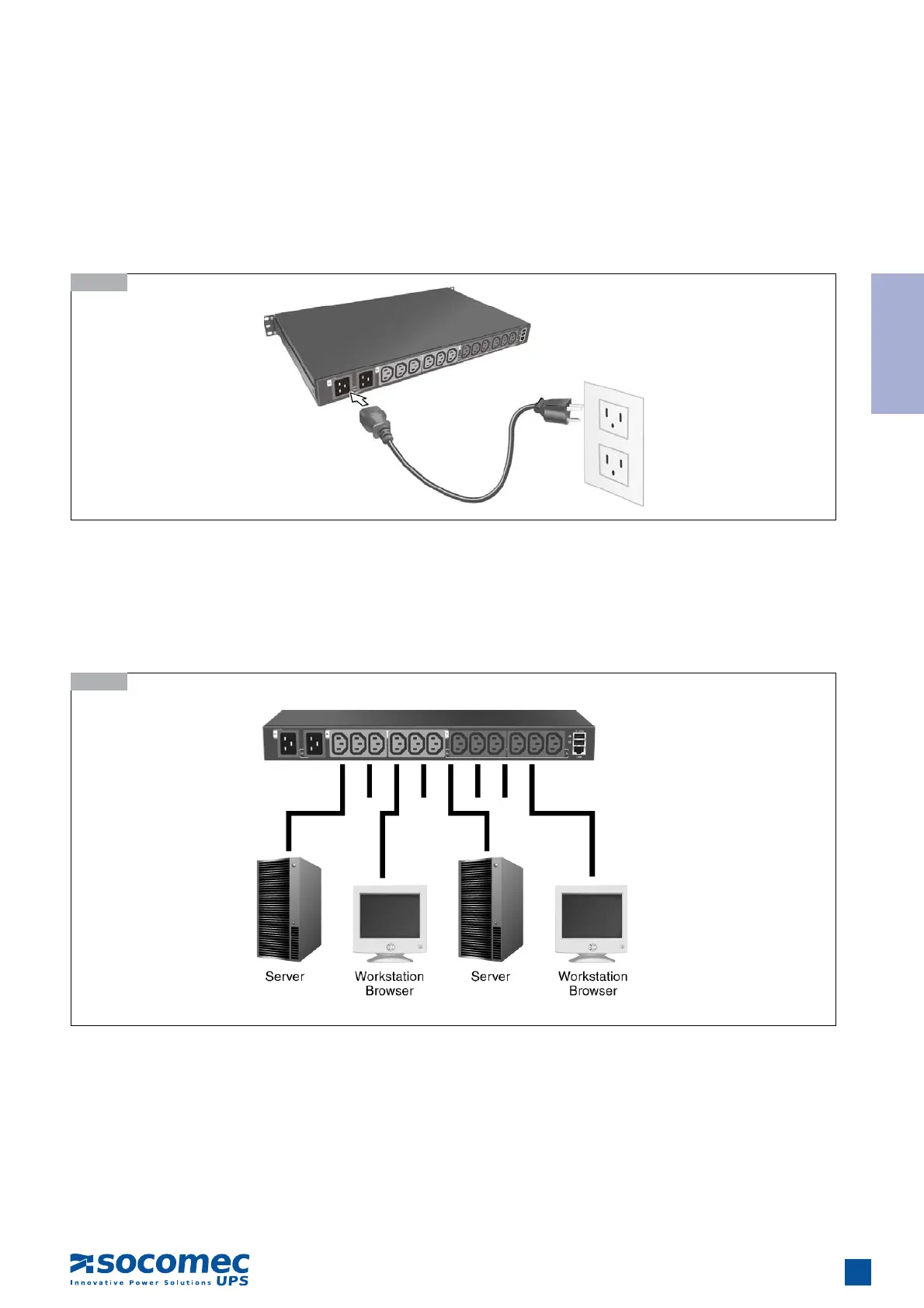
The 2-inlet model of the iPDU has two IEC C20 power inlets for supplying and managing power for the output devices. The 1-inlet
model has just one inlet for supplying power to all outlets. For each inlet, connect the power cable to the power inlet and plug the
other end into a power outlet as shown:
3.5-1
3.6-1
3.6. Connecting Output Devices
The iPDU has twelve power outlets for connecting devices such as workstations, servers, and printers. Their power on/off status
can be controlled remotely through the LAN and Console ports. Connect the power connectors of the devices to each of the power
outlets A to L with the power cables supplied with the devices as shown:
3.7. Connecting Digital Outputs
The iPDU provides two digital outputs to which users can connect switches, indicators, or other output devices that are normally
open or normally closed. Users can control the digital outputs remotely through the console or over the LAN/WAN.


 To Next Page