22
iPDU - Ref.: IOMPDUXXXX02-GB 00
5. USING THE WEB INTERFACE
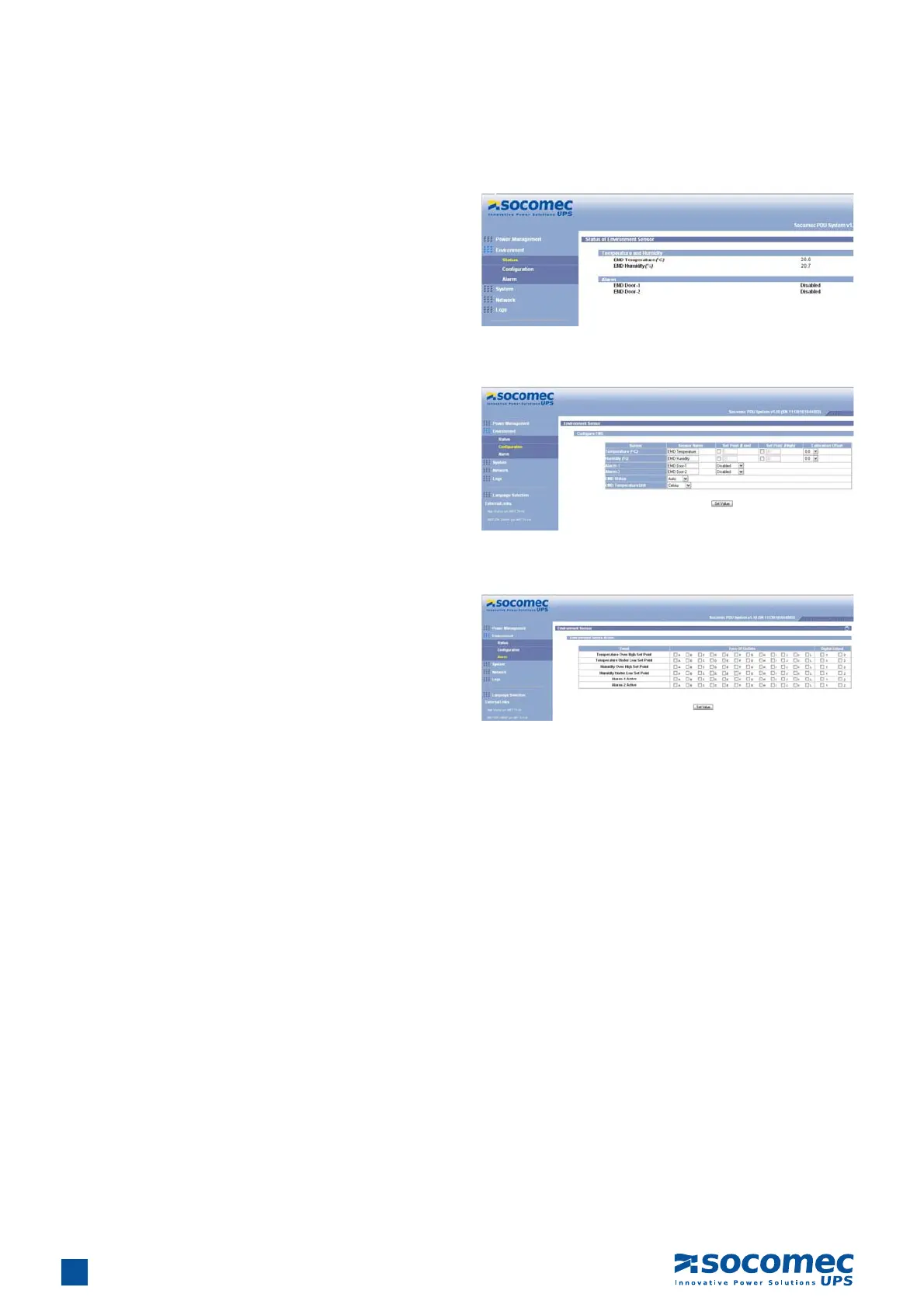
5.3.3. Status
Click Status under Environment menu to see the status of
the EMD connected to the iPDU. The menu page displays the
temperature and humidity of the environment sensor, as well as
the open/close conditions of the EMD alerts.
5.3.5. Alert
Click Alert under Environment menu to configure the EMD
connected to the iPDU. This menu enables users to specify
which EMD events andalert conditions cause which power
outlets to be turned off.
5.3.4. Confi guration
Click Configuration under Environment menu to configure the
EMD connected to the iPDU. This menu enables users to set up
the sensor names, high and low set points, calibration offsets
for the sensors, as well as alert names and normal conditions.


 To Next Page