To Next Page
R
Rachel PinedaSep 13, 2025
What to do if Sofar solar 3K-6KTLM-G2 Inverter displays SDfault?
- JJamie AnthonySep 13, 2025
Please replace the SD card.

What to do if Sofar solar 3K-6KTLM-G2 Inverter displays SDfault?
Please replace the SD card.
 General
| Brand | Sofar solar |
|---|---|
| Model | 3K-6KTLM-G2 |
| Category | Inverter |
| Language | English |
Defines the manual's scope and the intended audience, including technicians and operators.
Explains the meaning of safety symbols like Danger, Warning, Caution, and Attention.
Provides essential safety guidelines for installation, operation, and maintenance of the inverter.
Details specific safety symbols and their implications for user protection.
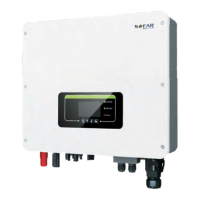
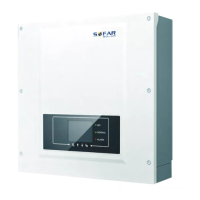
Outlines the physical size and external features of the SOFAR 3K~6KTLM-G2 inverter.
Explains the operational modules and internal workings of the inverter for optimal performance.
Illustrates the inverter's performance efficiency across various output power levels.
Provides a step-by-step guide and important notes for the physical installation of the inverter.
Details procedures for inspecting packaging and deliverables before commencing installation.
Summarizes inverter components, interfaces, and lists necessary installation tools.
Guides on selecting an appropriate and safe location for mounting the inverter.
Describes the safe procedure for handling and transporting the inverter to its installation site.
Covers the steps for mounting the inverter onto the wall and securing it.
Illustrates the sequence for connecting various cables to the inverter.
Details the procedure for establishing a proper protective ground connection for safety.
Explains how to safely and correctly connect the DC power input cables to the inverter.
Provides instructions for wiring the AC output power cables to the grid connection.
Describes how to connect RS485, CT, and logic interfaces for monitoring and control.
Outlines crucial safety checks required prior to starting the inverter's operation.
Details the steps to power on and initiate the inverter's operation after installation.
Describes the inverter's LCD screen, buttons, and indicator lights for user interaction.
Illustrates the typical display screens showing operational status and parameters.
Explains navigation through the inverter's main menu for settings and information retrieval.
Details the process for updating the inverter's firmware using an SD card.
Provides guidance on identifying and resolving common inverter faults and error codes.
Lists specific event codes, their descriptions, and recommended solutions for troubleshooting.
Covers routine maintenance tasks like cleaning the inverter and heat sink.
Details the correct methods for cleaning the inverter and heat sink for optimal performance.
Lists the DC input specifications, including voltage, current, and power ratings.
Details the AC output specifications, such as voltage, current, and power ratings.
Summarizes efficiency ratings, protection features, and communication standards supported.
Provides overall technical specifications like topology, temperature, and dimensions.
Outlines the factory warranty policy, terms, and conditions for Australia.
Explains the steps and required documentation for submitting a warranty claim.