January 26
th
, 2022 20
Powering-Up and Testing the Sol-Ark 5K
Check the voltage on each PV input circuit
A. Should be no higher than 500Voc Temp. corrected
B. DO NOT connect PV+ OR PV- to GND
C. Verify polarity (backward polarity shows 0V)
Check Grid Input Voltage
A. Measure L1 to Neutral and L2 to Neutral. Ensure 120Vac
B. Measure L1 and L2Ensure 240Vac
C. Check Neutral and Ground are ~0V AC
D. Verify L1 voltage on AC in/out is 0Vac with the main L1
connection in the panel Same for L2
Check Battery Voltage
A. Turn on the battery switch (if using a Lithium battery)
B. Turn on the built-in battery disconnect in the user area
C. The voltage should be 45Vdc-60Vdc
Provide Power to Sol-Ark
A. Turn on Grid Breaker and Load Breaker
B. Turn PV disconnect switch to the "ON" position
C. Press the ON/OFF Button on the front, and the blue light
should turn on
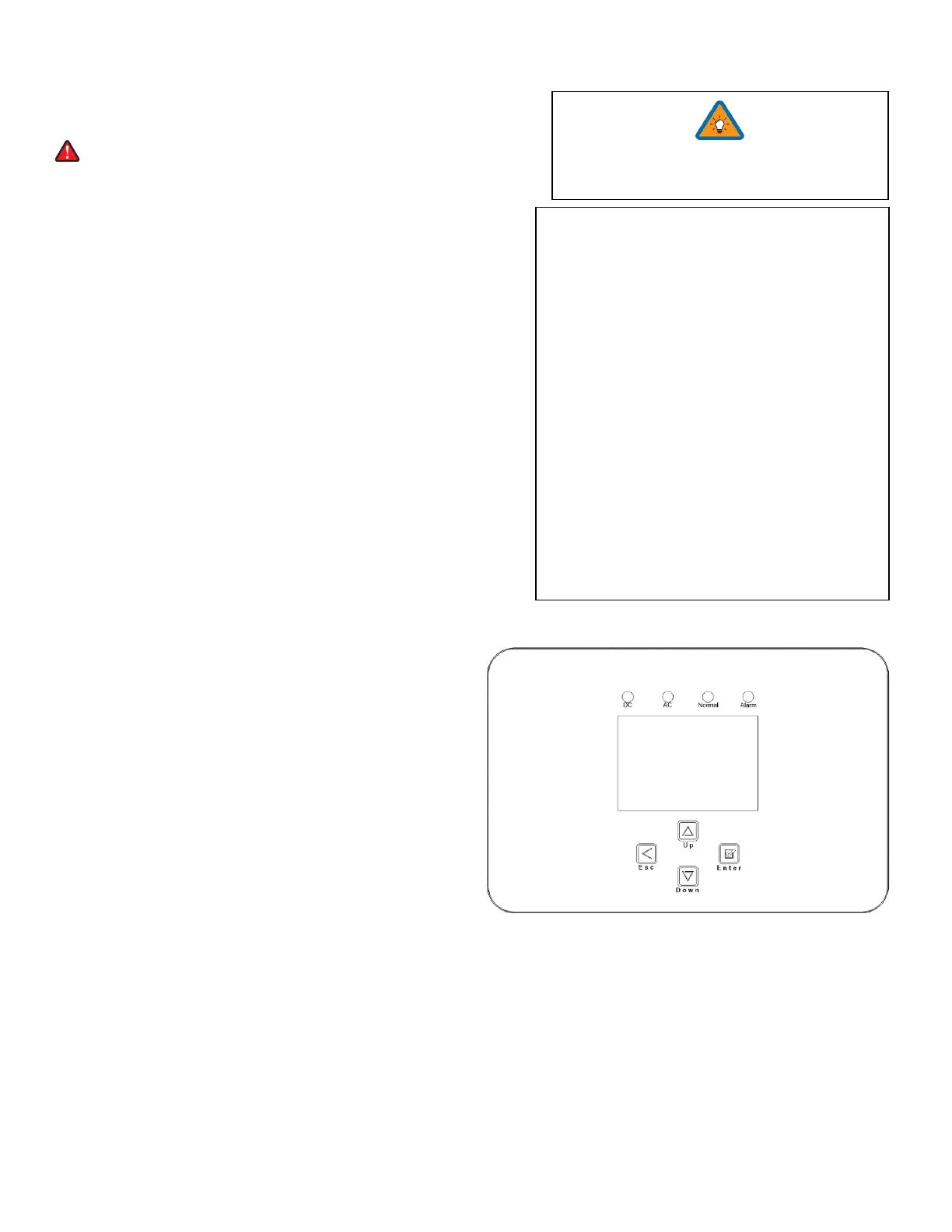
Indicator LED's
DC
A. Green = DC Solar Panels are producing
B. Off = Solar Panels are not producing
AC
A. Green = Grid (or Gen or AC Coupled) is Connected
B. Off = grid is not Connected
Normal
A. Green = Sol-Ark 5K is working properly
B. Off = Sol-Ark 5K is not working properly
Alarm
A. Red = Alarm, check the alarms menu
B. Off = No alarms
Turn ON with one of three sources of power:
1) PV 2) Grid 3) ON/OFF Battery
1. Turn on the Built-In battery disconnect
2. Make sure that Sol-Ark 5K is properly
connected to the batteries, panels, grid, etc.
(see system wiring diagram).
3. Turn on grid power breakers.
4. Press the power button on the front of the
unit.
5. Make sure Solar panel inputs are not
connected to Ground, then Turn on DC
disconnect switch.
6. Turn on load breakers.
7. Reverse the steps to turn off



 To Next Page