January 26
th
, 2022 23
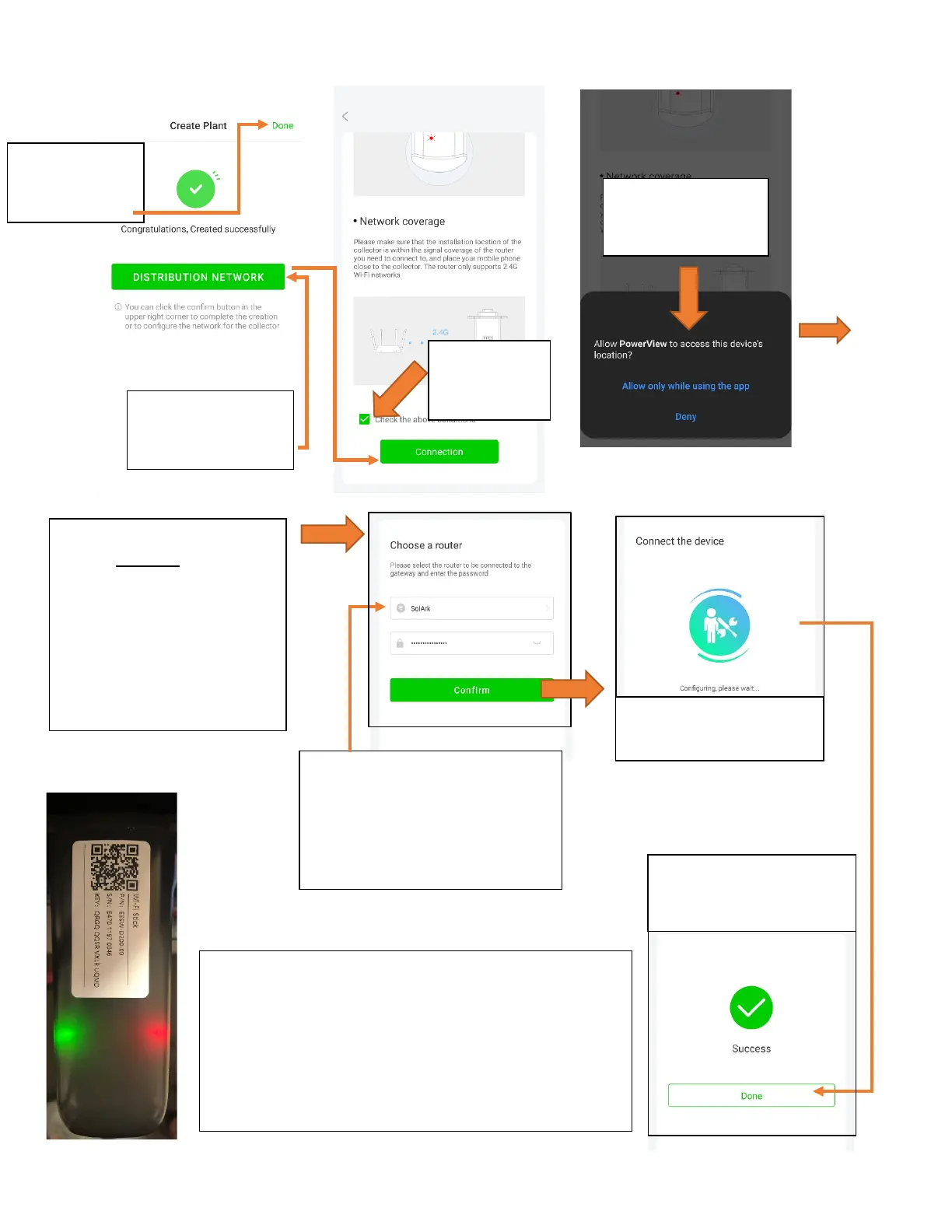
Connect the System to the Internet
Network to pair
confirm
conditions
Once you see this screen, go
to your DEVICE’S Wi-Fi
settings and connect to the
Wi-Fi network that starts with:
EAP-#####
Password: “12345678”
Return to app once connected
Select the local Wi-Fi network
that will be providing the internet
connection to the system
Do NOT select the dongle’s Wi-Fi
are not enabled, it
with 10.10.10.1,
select Done
The app will buffer for a
few seconds
It takes about 60sec for the lights to turn on after setup
Red LED
: Connected to Sol-Ark and has power
: Connected to Internet and Server
: Connected to router but not
server (usually a VPN or firewall issue)
confirmation once
connection is established



 To Next Page