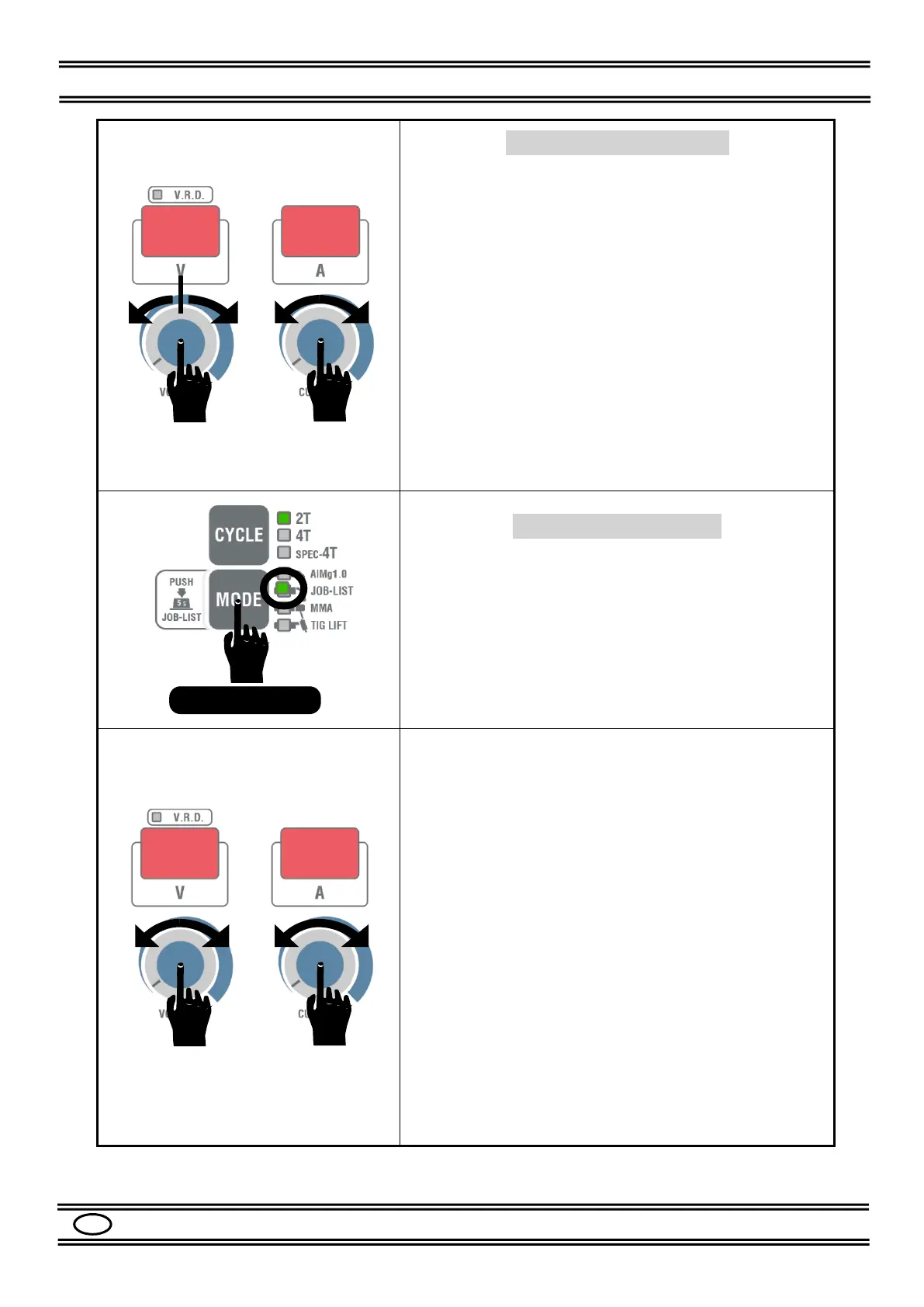
SYNERGIC Regulation
In ALMg1.0 and JOB-LIST MODE, the SYNERGIC
regulation is factory set. Submenu P19 set to OFF,
See Par. 8.5.
- Set the WELDING CURRENT with the knob (20).
- During welding, it is possible to correct the ARC
VOLTAGE by +/- 50% respect to the ideal value of the
synergic curve.
The correction is made by turning the knob (21)
anticlockwise to obtain a correction up to -50% and
clockwise to obtain a correction up to + 50%.
Press the knob (20) for at least 5 s to obtain a WIRE
SPEED adjustment, in this case adjust the desired m/min
on the right display.
Press again for at least 5 s to return to the CURRENT
setting.
JOB-LIST Regulation
The JOB-LIST library contains the program codes of the
weldable materials in pulsed MIG and non-pulsed MIG
(CV) mode.
In JOB-LIST MODE, press the MODE button (18) for at
least 5 s to enter the JOB-LIST menu.
If no action is taken for 5 s, the machine will automatically
exit the JOB-LIST menu.
The left display will indicate “JOB” and the right display the
JOB number.
Select the no. with the knob (20) and referring to Table 3.
The same table is shown in the spool holder compartment of
the machine.
Each program of the JOB-LIST consists of 3 digits, the
meaning of each digit is the following:
Bit 1: represents the MATERIAL of the welding wire, the
value ranges from 0 to 9.
Set it with the left knob (21).
Bit 2: represents:
0 = PULSED MIG
1 = non-pulsed MIG (CV)
2 = (Only for Cs-0 carbon steel), MIG not
pulsed (CV) with 100% CO2 gas
Bit 3: represents the DIAMETER of the welding wire:
1 = 0.8 mm wire
2 = 1.0 mm wire
3 = 1.2 mm wire
(- - -): it means that there is no program and can be used for
any software updates.


 To Next Page