8. FRONT PANEL OPERATION
By pressing the MODE button, it is possible to select four different welding modes: AlMg1.0, JOB-LIST,
MMA, TIG LIFT. See POS 18 on page 9.
By pressing the CYCLE button, it is possible to select the welding cycles controlled by the button on the
torch: 2-times, 4-times or 4-times Special, see Par. 8.4.
PLEASE NOTE: You can restore all the set values to the factory settings by proceeding as
described in Chap. 11.
8.1 ELECTRODE Settings (MMA)
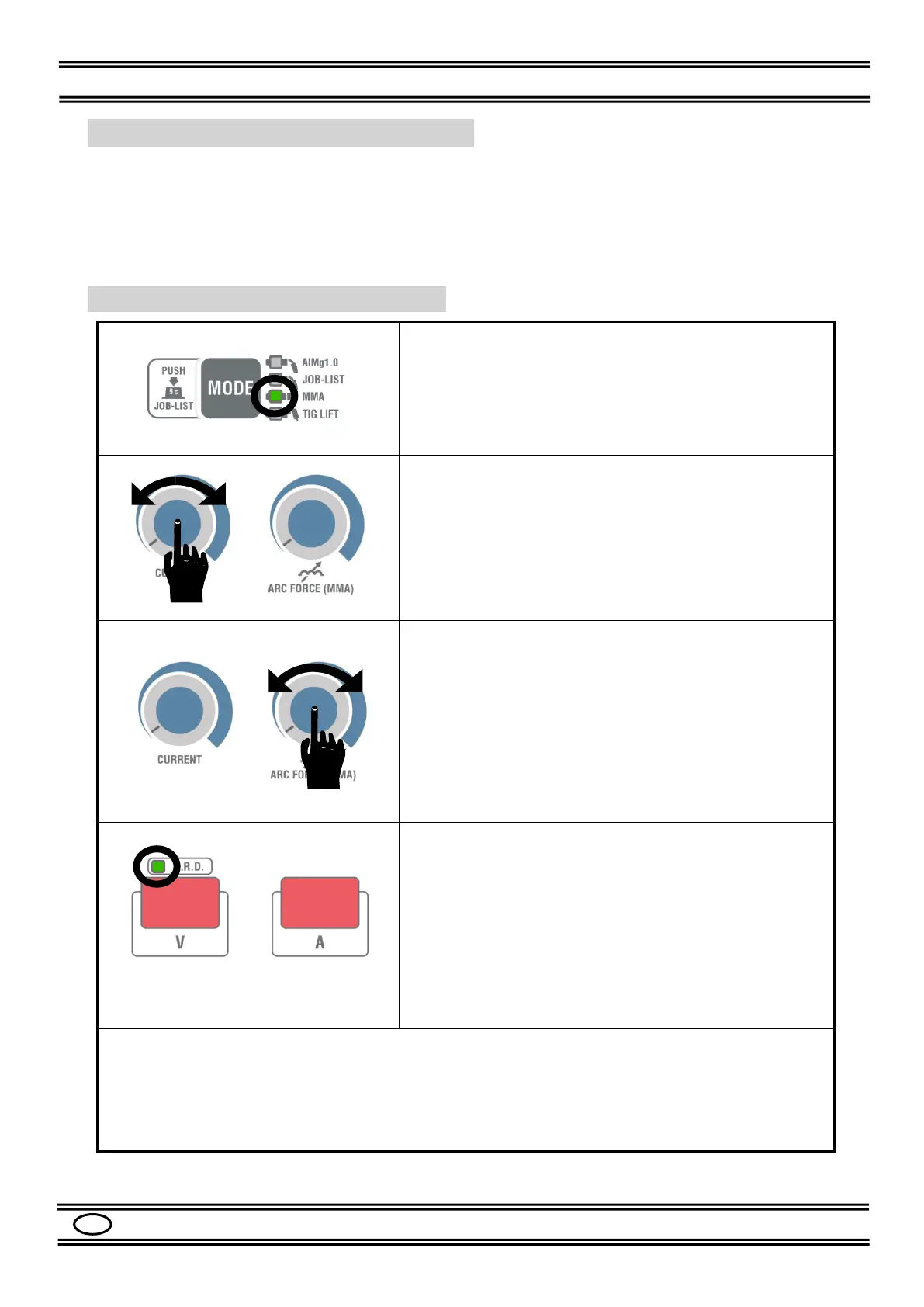
After installing as described in Par. 7.2, select the MMA
mode by pressing the MODE button.
Adjust the welding current with the knob (20), the value
will be shown on the display (16).
ARC FORCE: this function helps to improve the stability
of the electrode welding arc.
The current automatically increases by the set value
when the arc becomes too short.
It avoids sticking and shutdowns during welding.
To adjust the arc force, turn the knob (19) of Fig. 4.
The right display (16) will indicate the set value from 0 to
100 for about 2 s.
V.R.D. function (Voltage Reduction Device).
This function, if activated, reduces the no-load output
voltage of the machine to a safety value (<20V DC) in
compliance with the strictest international standards
LED on = VRD activated
LED off = VRD deactivated
*** In this machine version
the VRD is always active ***
Other functions can be adjusted as described in the parameters SUBMENU, see
Par.8.5.
See abbreviations H1, H2 and H3 in Table 4.


 To Next Page