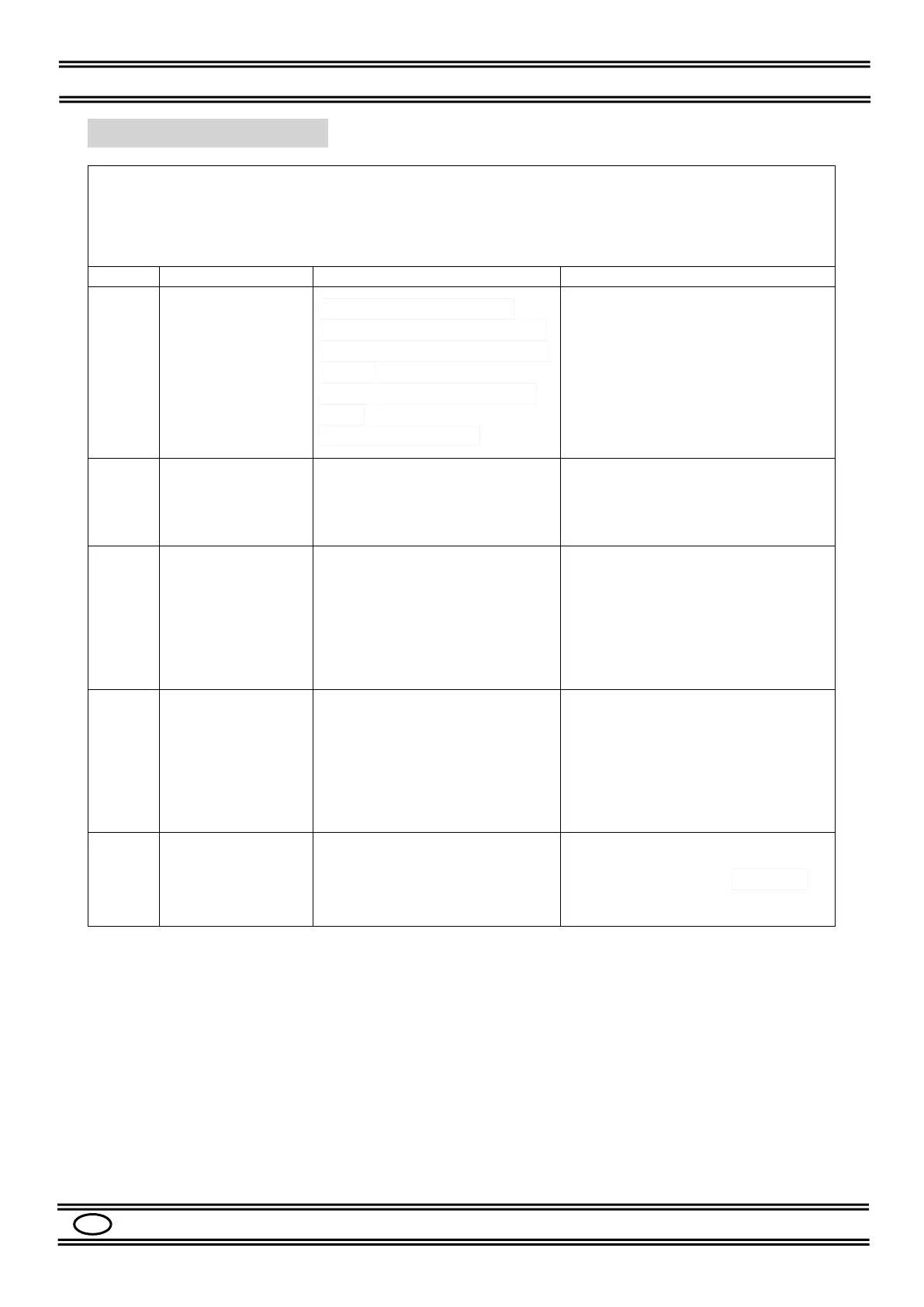
In the event of an anomaly or automatic machine protection, error codes will appear on the
front panel displays. Table 5 shows their meanings.
The numbers shown with the wording “(POS. xx)” refer to the spare parts list indicated in Chap.
15.
1. The trigger is damaged
2. The torch trigger is pressed
by mistake for a long time with
no load
3. Faulty torch trigger control
circuit
4. Display PCB faulty
1. Check the torch or replace it
2. Release the torch trigger
3. Check the torch trigger
connection wires
4. Replace display PCB (POS. 15)
The machine
always indicates
E15
The torch trigger control is
closed when the machine is
turned on
1. Check the torch or replace it
2. Check the torch trigger control
circuit
1. The welding current is
beyond the expected limit
2. Current probe faulty
3. Short circuit at the output
4. Display PCB faulty
1. Reduce the welding current
2. Check or replace the current
probe
3. Check the output cables or
secondary diodes
4. Replace display PCB (POS. 15)
Overtemperature
protection
or there is no
ventilation
1. Excessive temperature
inside the machine
2. Faulty fan control PCB
3. Fan damaged or blocked
1. Wait for the machine to cool
down
2. Repair or replace fan control
PCB
3. Check or replace the fan
(POS. 4)
Faulty display PCB
communication circuit
Replace display PCB (POS. 15)
Table 5: Error CODES
Important! If an error code other than those listed should appear, contact the service centre.
Communicate the error code and serial number of the machine.


 To Next Page