8.4 TORCH BUTTON CYCLE selection
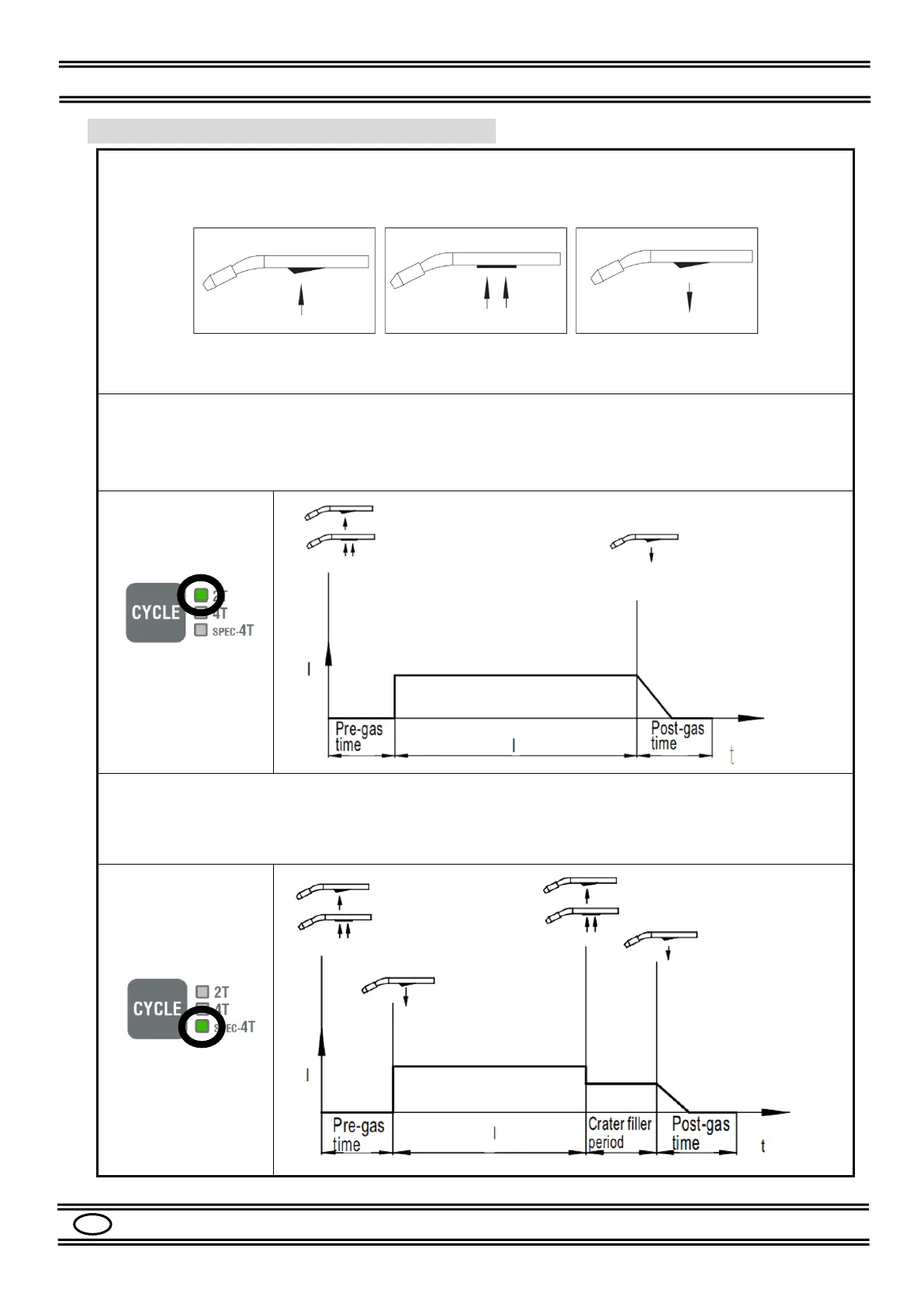
The operating cycle is divided into 2-times, 4-times and Special 4-times operations, controlled by the
torch button and selectable using the CYCLE button on the front panel.
Graphic symbols of the torch button (T.B).
T.B Pressure T.B Pressure Release of the T.B
keep pressed
2-TIMES cycles: press the CYCLE button and select the 2T LED.
In MIG / MAG mode, press the T.B. to start welding and release it to stop it; the current will quickly go
to 0.
Usually, the 2T function is used for short or quick welding.
4-TIMES cycle: press the CYCLE button and select the 4T LED.
In MIG / MAG mode, press and release the T.B. to start welding, press it and rerelease it to stop it.
Usually, the 4T function is used for durable welds.


 To Next Page