5.
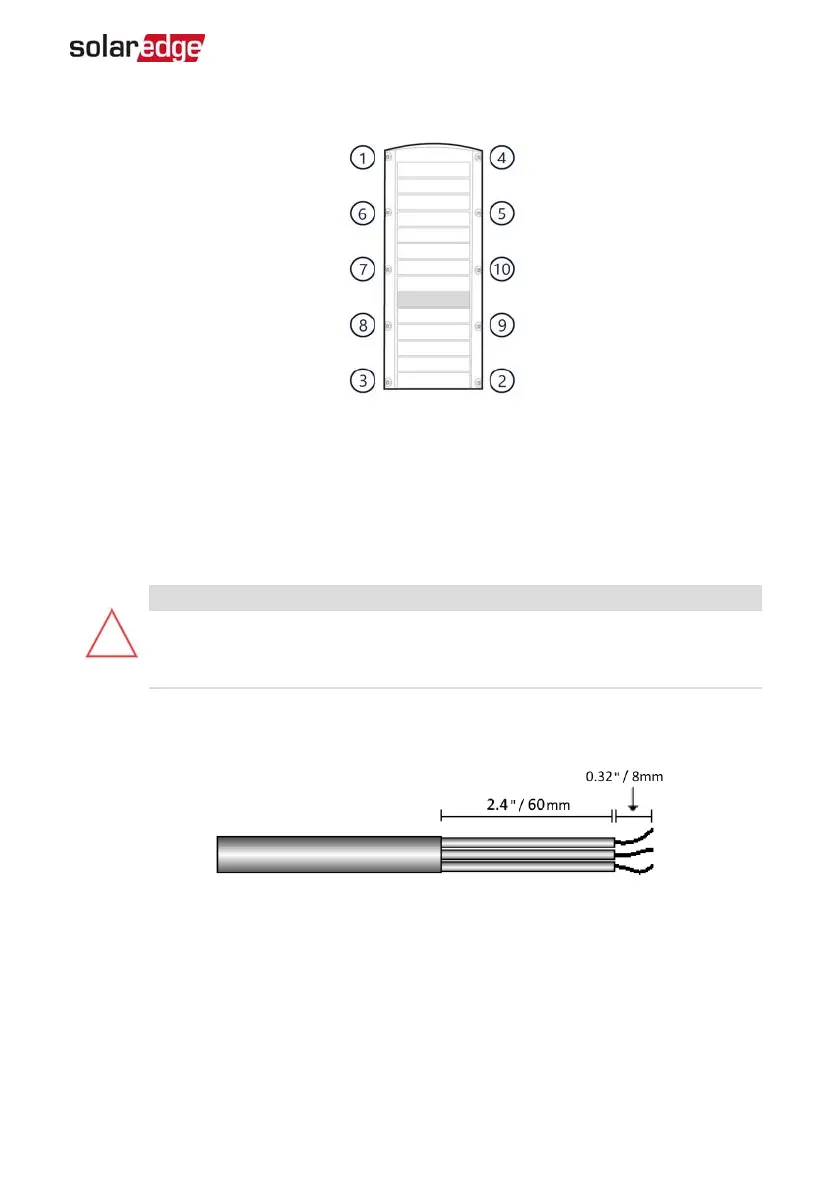
Release all bolts fully in the order, shown below.
6. Carefully remove the inverter cover.
Connecting the ACGrid
Use a five-wire cable. The maximum wire size for the input terminal blocks is 4 mm².
1. Turn OFF the AC circuit breaker.
2. Unscrew the ten Allen screws holding the inverter cover and remove the cover.
CAUTION!
When removing the cover, make sure not to damage internal components.
SolarEdge will not be held responsible for any components damaged as a
result of incautious cover removal.
3.
Strip 60 mm / 2.4'' of the external cable insulation and strip 8 mm / 0.32'' of the
internal wire insulation.
Figure 10: Insulation Stripping – AC Cable
Chapter 5: Connecting the Inverter 32
StorEdge Three Phase Inverter MAN-01-00648-1.3


 To Next Page
 Loading...