EasyManua.ls Logo

SolarMax 3000S - User Manual

SolarMax 3000S
64 pages
Print Icon
To Next Page IconTo Next Page
Loading...
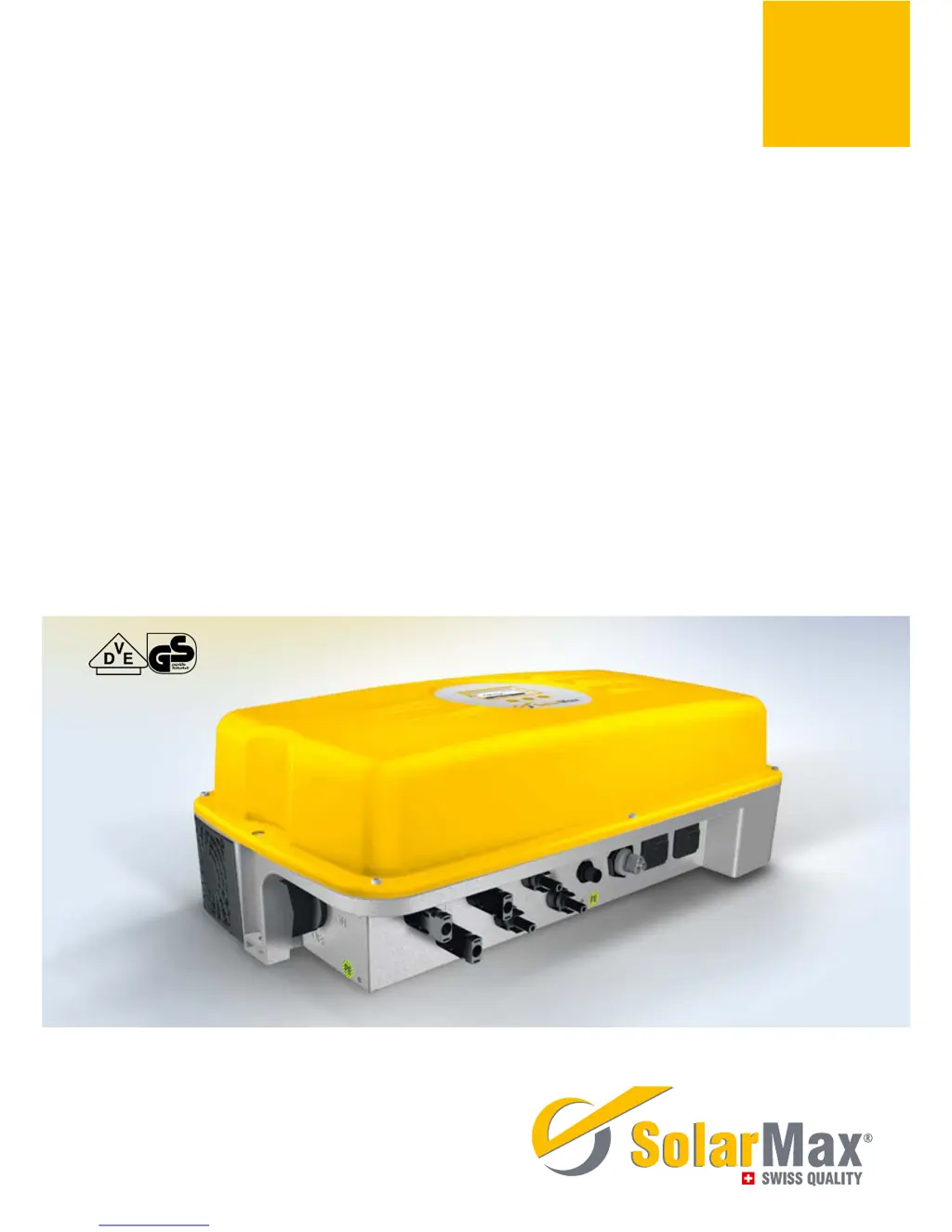
SolarMax S series
2000S /3000S /4200S /6000S
Instruction manual

Table of Contents

Other manuals for SolarMax 3000S

Questions and Answers

  • L
    lhicksSep 10, 2025
    What does it mean if my SolarMax 3000S Inverter displays 'Temp. limitation'?
    • E
      Eric FrancoSep 10, 2025
      If your SolarMax Inverter displays 'Temp. limitation', it indicates that the internal temperature is too high, and the device is reducing output. Check the function of the external fan, and inspect and clean the fan grille.
  • H
    Holly ScottSep 12, 2025
    What to do if the display on my SolarMax 3000S Inverter remains blank?
    • T
      Tracy VasquezSep 12, 2025
      If the display on your SolarMax Inverter is blank, there are several potential causes. First, ensure the DC insulation switch is turned on. If it is, check if the irradiance is too low and wait until it increases. Also, verify that the strings are properly connected to the PV generator. If none of these solutions work, it could indicate an internal failure.
  • M
    Melinda FosterSep 14, 2025
    Why does the status LED flash orange on my SolarMax Inverter?
    • A
      Adam WarrenSep 14, 2025
      If the status LED on your SolarMax Inverter is flashing orange, it could be due to temperature limitations. Try cleaning the fan grids and improving ventilation in the operations room.
  • J
    jaguilarSep 16, 2025
    Why does the graphics display flash periodically on my SolarMax 3000S Inverter?
    • M
      Miss Melissa MorrisSep 16, 2025
      The graphics display on your SolarMax Inverter might be flashing periodically because the irradiance is too low. Wait until the irradiance is high enough.

Summary

Introduction to the Instruction Manual

Manual Purpose, Audience, and Symbols

Explains the manual's scope, target users, and symbol meanings.

Safety Instructions

Safe Usage and Application Guidelines

Highlights critical safety rules and appropriate inverter application.

Product Description

Technical Configuration and Functions

Details internal configurations, safety, and control features for models.

External Features and Dimensions

Identifies physical components and overall size of the inverter.

Installation Procedures

Transport, Storage, and Site Selection

Guidelines for handling, storing, and choosing an installation location.

Mounting and General Installation

Step-by-step guide for mounting the inverter.

Electrical Connection Guidelines

Safe practices for connecting the inverter electrically.

Connecting to PV Array and Grid

Steps for connecting to the power grid and the PV plant.

Commissioning

Pre-Commissioning Checks

Essential inspections before starting the inverter.

Commissioning Procedure

Steps for initial setup and configuration of the inverter.

Operation

DC Isolating Switch and Startup

Explains the DC switch function and inverter startup process.

Shutdown and Display Operation

Procedures for safely shutting down and navigating the display.

Menu Navigation and Settings

Guide to using menus, buttons, and adjusting settings.

Measured Values and Statistics

Accessing real-time data and historical performance statistics.

Data Communication

Communication Systems Overview

Explains MaxComm platform, MaxTalk, MaxMonitoring, MaxWeb.

Interface Configuration

Settings for Ethernet interfaces (IP, Netmask, TCP Port).

Options

Accessory Components

Lists available optional accessory components for the inverter.

Operating Status

Status Messages and LED Indicator

Explains status messages and LED colors for inverter status.

Booting and Mains Operation Status

Details the inverter's status during boot-up and mains operation.

Troubleshooting

Service Center Contact Information

Details required information for contacting the service center.

Diagnosis and Corrective Steps

Tables detailing problems, causes, and solutions.

Maintenance and Removal

Plant Operator Inspections

Routine checks to be performed by the user.

Removal Procedure

Procedure for safely removing the inverter.

Disposal

Environmentally Compliant Disposal

Guidelines for environmentally compliant disposal of the inverter.

Specifications

Input and Output Values

Technical parameters for input and output electrical characteristics.

Efficiency Curves and Derating

Graphs showing efficiency and temperature-related output reduction.

Country Specific Settings

Configuration parameters tailored for different national grids.

Guarantee

Warranty Terms and Conditions

Details the product warranty period and coverage.

Certificate and Service

EC Declaration of Conformity

Statement of compliance with EU directives and standards.

SolarMax Service Center Details

Contact details for the SolarMax Service Center worldwide.

SolarMax 3000S Specifications

General IconGeneral
Nominal AC voltage230 V
Output Voltage230 V
WaveformPure Sine Wave
Protection FeaturesOvervoltage, Short circuit
Efficiency96.1 % (Max. Efficiency)

Related product manuals