124
Troubleshooting and Maintenance
General status
of inverter
• Check if there is any damage on the
inverter.
• Check if there is any abnormal sound
when the inverter is running.
Every 6 months
12.3.2 Replacement of Fans
When the fan is not rotating and the feedback speed of the fan is 0, the LCD screen will
display FAN1FAULT / FAN2FAULT / FAN3FAULT error. Refer to the following steps for
replacement.
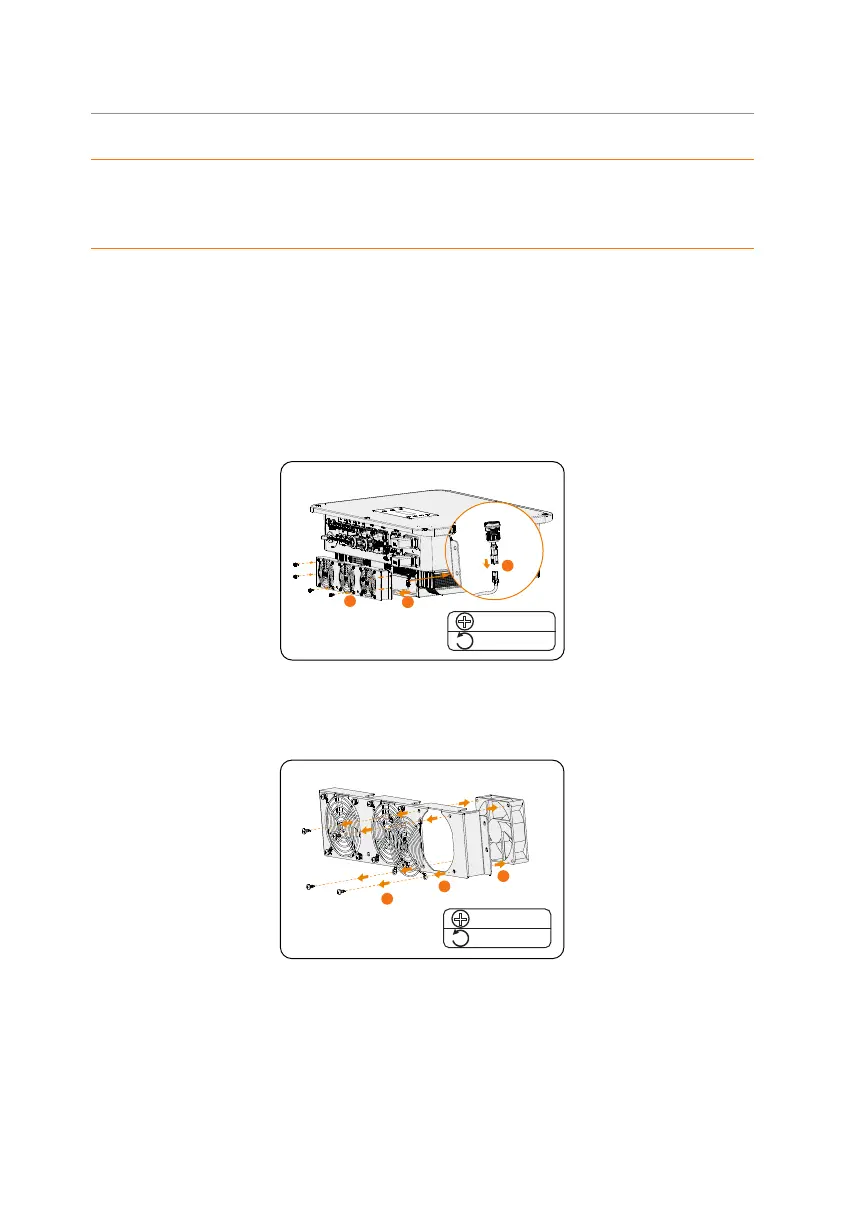
Step 1: Loosen the screw on the inverter with cross screwdriver,
remove the outer casing
of the inverter, proceed to disconnect the terminals that are connected to the
fans.
2.0± 0.2 N·m
1
2
3
M5
Figure 12-1 Disconnect the fans connectors
Step 2: Loosen the screws on the fan assembly and after disassembling it, replace the
fans. Before replacement, make sure that the new fan can operate normally.
1
2
3
2.0± 0.2 N·m
ST4.8
Figure 12-2 Replace the fan
Step 3: After replacing the fan
,
proceed to reassemble the components in their respective
order.



 To Next Page
 Loading...








