138
Appendix
②
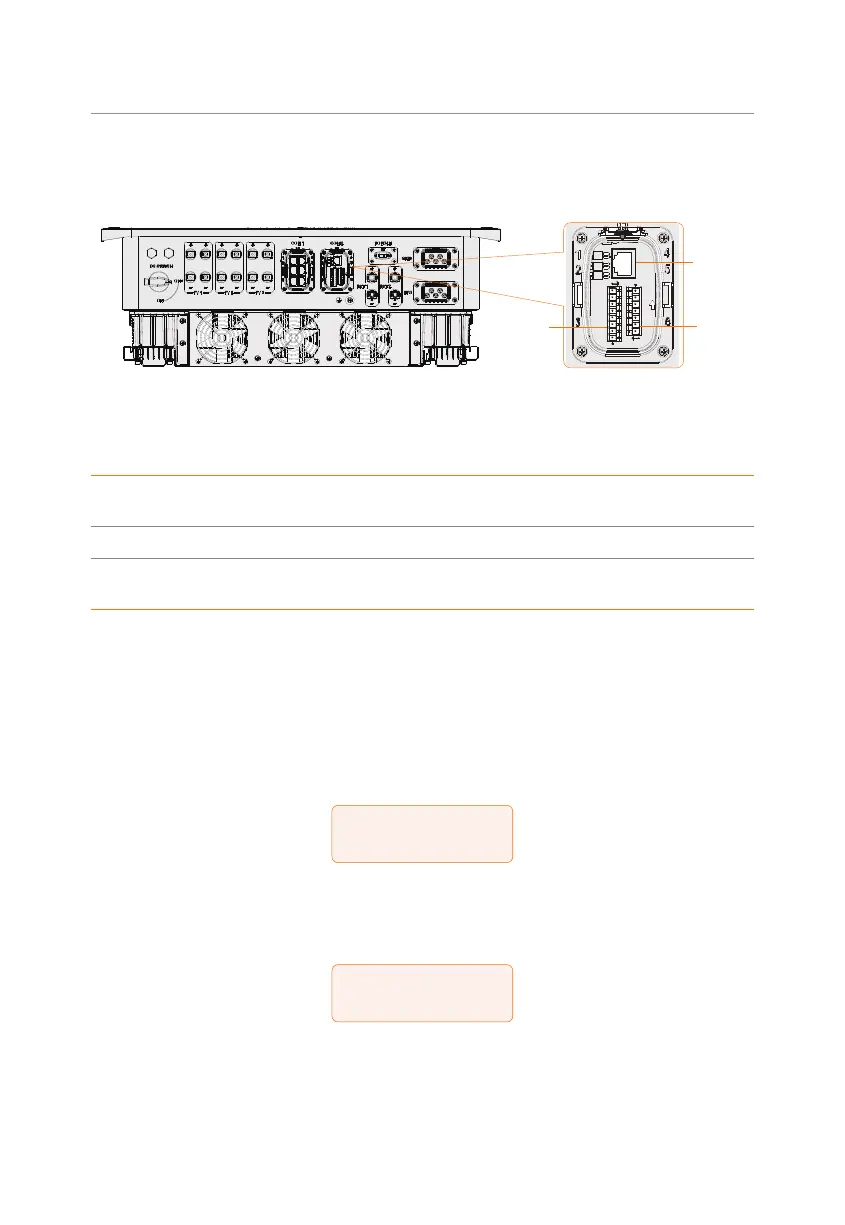
Inverter connection for dry contact mode
• Connection terminal-DIO terminal
Meter/CT
DIO
Ripple
control
Figure 15-3 Connection terminal for generator
• Connection pins-Pin 1 and Pin 2
Table 15-1 Connection pins for generator
Application
Generator dry
contact output
System switch dry
contact input
Reserved
Pin 1 2 3 4 5 6 7
Assignment DO_1 DO_2 DI_1+ DI_1- DI_2+ DI_2-
GND_
COM
• Connection steps
Please refer to "8.7.4 DIO Communication Connection" for specific wire making and
connection.
③
Inverter settings for dry contact mode
Setting path: Menu>Setting>Advance Setting>ExternalGen
a. Select and enter ExternalGen interface and select Dry Contact.
=====ExternalGen=====
>Function Control
Dry Contact
b. Set the relative parameters in accordance with actual needs.
»
MaxChargePower: Maximum battery charging power from generator. (0-
30000 W, 5000W by default).
=====ExternalGen=====
>MaxChargePower
5000W
»
Start Gen Method: Reference SOC and Immediately can be selected.
Reference SOC: Turn on/off generator according to the set Switch on/off
SOC. Immediately: Turn on /off the generator when grid status changed.



 To Next Page
 Loading...








