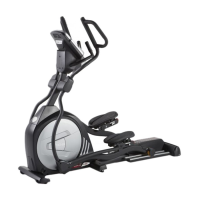
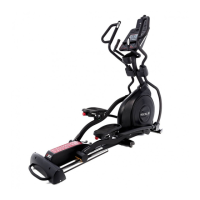
• UNPACKING THE UNIT
1. Using a razor knife (Box Cutter) cut the outside, bottom, edge of box along the dotted Line.
Lift Box over the unit and unpack.
2. Carefully remove all parts from carton and inspect for any damage or missing parts. If
damaged parts are found, or parts are missing, contact your dealer immediately.
3. Locate the hardware package. The hardware is separated into four steps. Remove the tools
first. Remove the hardware for each step as needed to avoid confusion. The numbers in the
instructions that are in parenthesis (#) are the item number from the assembly drawing for
reference.
STEP 1: Incline Rail Assembly and Console Mast
1. Install the Incline Rail Assembly (2) into the U-channel bracket of the Main Frame (1).
Secure with the six bolts & associated hardware as follows: From the sides install
two 3/8"x1-1/2" Hex Head Bolts (107) with two 3/8"x19mm Flat Washers (142) and
two 3/8"x7T Nylon Nuts (134). From the top install four 5/16"x2-1/4" Hex Head Bolts
(108), four 5/16" Split Washers (158), four 5/16"x20 Flat Washers (157) and four Star
Washers (151), as shown in figure 1, and tighten with the 13/14 mm Wrench (159)
and 12/14 mm Wrench (162).
2. Locate the Console Mast (12) and Console Mast Cover (72) and slide the Cover
onto the Mast as far as it will go. Make sure the Console Mast Cover is facing the
correct way. At the top opening of the Main Frame of the elliptical is a computer cable
(47). Unravel and straighten out the cable and feed it into the bottom of the console
mast tube and out of the top opening. Install the Console Mast (12) into the receiving
bracket on the top of the Main Frame. Pull slightly on the computer cable at the top
of the mast while installing. This will ensure the cable does not get pinched and
shorted during console mast assembly.
3. Put one 3/8" x 2T Split Washer (155) onto the 3/8" x 2-1/4" Long Hex Head Bolt (101)
and install through the left side of the receiving bracket into the Console Mast (12).
Put the two 3/8" x 23 Curved Washers (156) onto the two 3/8" x 3/4" Short Hex
Head Bolts (106) and install through the front of the console mast. Using the
13/14m/m Wrench, tighten the three bolts, and the fourth bolt which is pre-installed,
firmly. These bolts should be tightened as much as you possibly can.
4. Plug all of the connectors into the back of the console; Computer Cable (47), two
Hand pulse Cables (52) and Resistance switch wires (55). Secure the Console (46)
on the console mounting plate with four M5xl0m/m Phillips Head Screws (117).
9 E25 / E35 Elliptical


 To Next Page