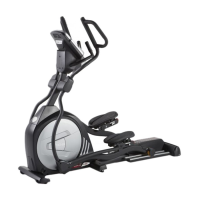
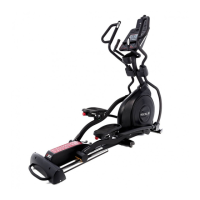
Maintenance:
1. Wipe down all areas in the sweat path with a damp cloth after each workout.
2. If a squeak, thump, clicking or rough feeling develops the main cause is most likely one of
two reasons:
i. The hardware was not sufficiently tightened during assembly. All bolts that were
installed during assembly need to be tightened as much as possible. It may be
necessary to use a larger wrench than the one provided if you cannot tighten the
bolts sufficiently. I cannot stress this point enough; 90% of calls to the service
department for noise issues can be traced to loose hardware or the rear rails
being dirty.
ii. Dirt build-up on the rear rails and polyurethane wheels are also a source of noise.
Noise from build-up on the rails can cause a thumping sound that you would
swear is coming from inside the main body of the machine because noise travels,
and is amplified in the tubing of the frame. Clean the rails and wheels with a lint
free cloth and rubbing alcohol. Stubborn build-up can be removed with your
thumbnail or a non-metallic scraper, like the back edge of a plastic knife. After
cleaning, apply a small amount of lubricant on the rails with your fingers or a lint
free cloth. You only need a thin coat of lubrication, wipe off any excess.
3. If squeaks or other noises persist, check that the unit is properly leveled before calling the
service department.
Maintenance Menu in console software:
The console has built in maintenance/diagnostic software. The software will allow you to
change the console settings from English to Metric and turn off the beeping of the speaker
when a key is pressed for example. To enter the Maintenance menu (may be called
Engineering mode, depending on version) press and hold down the Start, Stop and Enter keys.
Keep holding the keys down for about 5 seconds and the message window will display
"Engineering mode". Press the enter button to access the menu below. Press the up and down
keys to navigate the menu.
a. Key test (will allow you to test all the keys to make sure they are functioning)
b. Functions (Press enter to access settings, use up/dn keys to scroll)
i. ODO reset (reset the odometer)
ii. Units (Set to English or Metric display readings)
iii. Sleep mode (Turn on to have the console power down automatically
after 20 minutes of inactivity)
iv. Motor test (continually runs the tensioning gear motor)
v. Manual (Allows stepping of the gear motor)
vi. Key tone (Turn on or off the beep when a key is pressed)
vii. Calibration Allows you to calibrate the gear motor that sets the
workload. Press enter to calibrate and the motor will reset itself to make
sure that level 1 is set to the lowest resistance possible.
c. Security (Allows you to lock the keypad so no unauthorized use is allowed)
When the child lock is enabled, the console will not allow the keypad to
operate unless you press and hold the Start and Enter buttons for 3 seconds
to unlock the console.
d. Exit Select to exit engineering mode
Incline calibration: If there is a problem with the incline, try running the calibration. Press the
Incline up key and the Start key at the same time. Hold them down for 5 seconds and the
Incline calibration will start and run automatically. If the problem persists contact service.
34 E25 / E35 Elliptical


 To Next Page