19
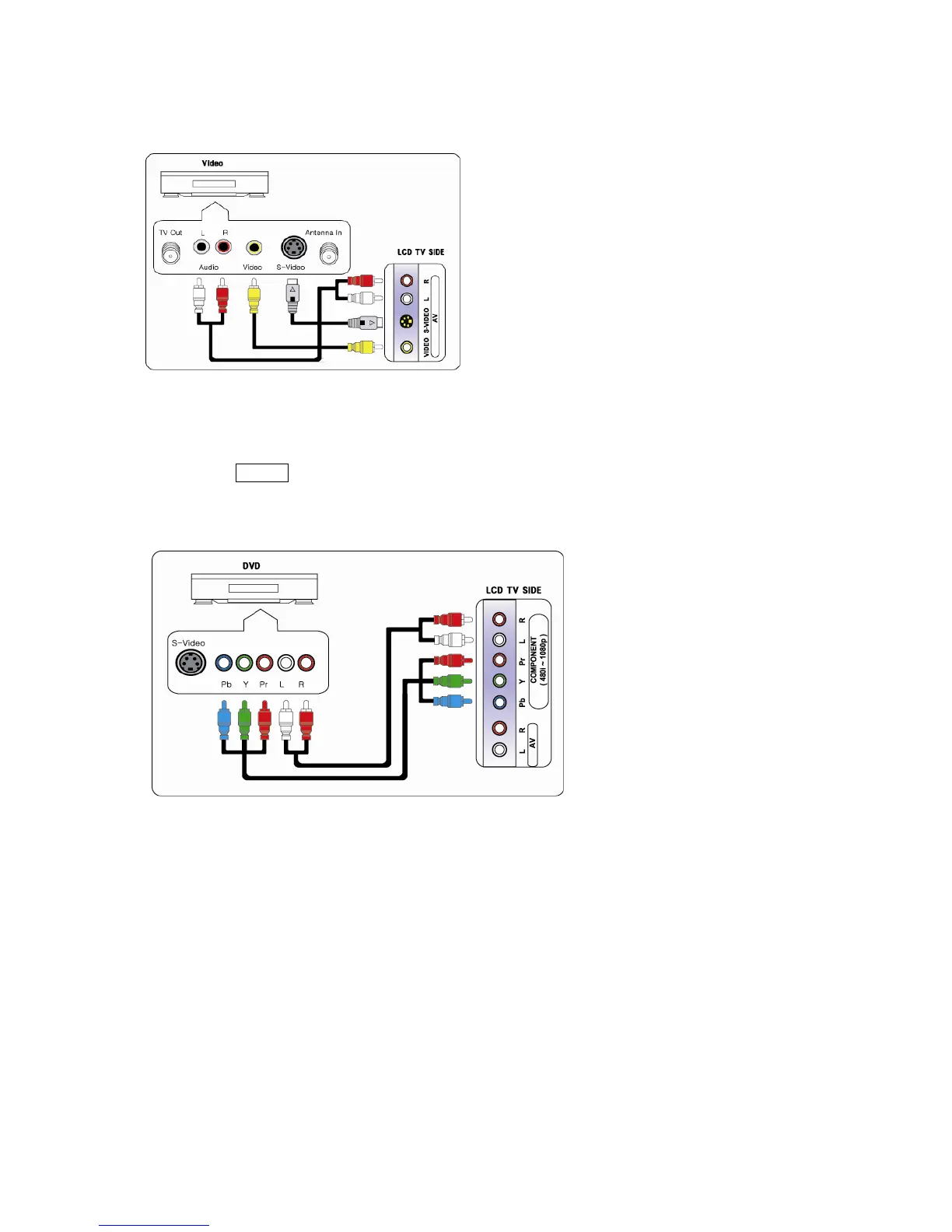
2-4. Connecting Video / S-Video
1. Connect Video/Audio cable and S-Video cable to video port of the TV and camcorder, game machines, VCR,
DVD player or Set-Top box.
2. Cables must be connected to ports of the same colors.
3. Video & S-Video use same audio line, so if you connect different external equipments with video & S-Video, you
can listen only one sound of two different equipment.
4. Press SOURCE button on the remote control and select Video or S-video.
# Video, S-Video and audio cables are not included.
2-5. Connecting DVD
1. Connect component cable to component ports of TV and DVD player, VCR, Set-Top box or camcorder.
2. Cables must be connected to ports of the same colors.
# Component and audio cables are not included.



 To Next Page