20
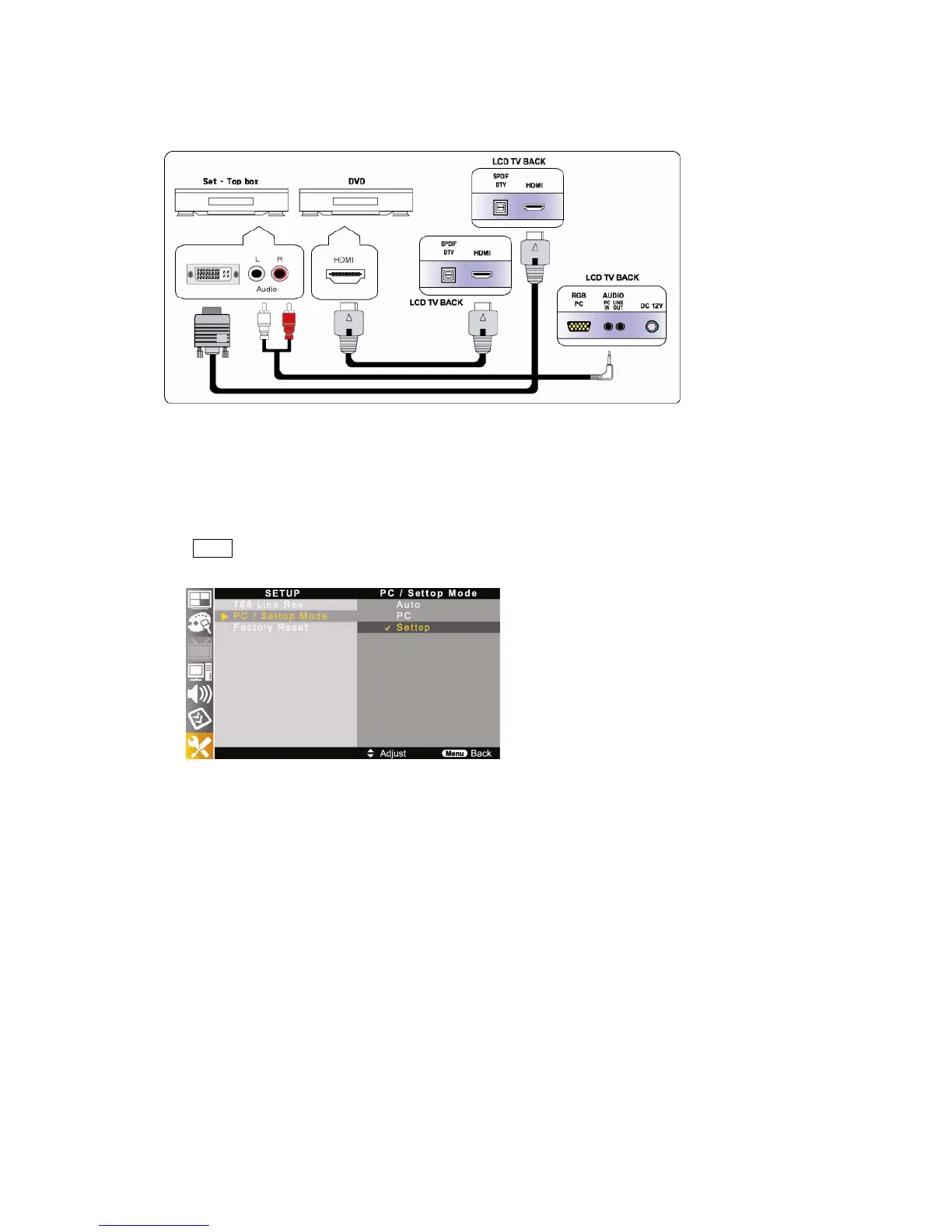
2-6. Connecting HDMI
1. Connect HDMI cable to HDMI ports of TV and DVD player, VCR, Set-Top box or camcorder.
2. If you would like to connect DVI of external equipment to the TV, you must use specific DVI to HDMI cable.
# HDMI and audio cables are not included.
▶ For watching digital (DVD, Camcorder, etc) signal ;
1. Press Source button on the remote control and select HDMI.
2. Go into SETUP menu (MENU-> SETUP-> PC/Settop Mode) and select <Settop>.
○
!
CAUTION :
1. HDMI does not support PCM (Pulse Code Modulation) type.
(It does not support 5.1 CH Dolby Surround.)
2. If you select Dolby system on your AV equipment, there will be no sound.
3. HDMI supports up to Ver. 1.1.



 To Next Page