24
CHAPTER 3. Remote Control
3-1. Use Remote Control
1) Changing Channels
①
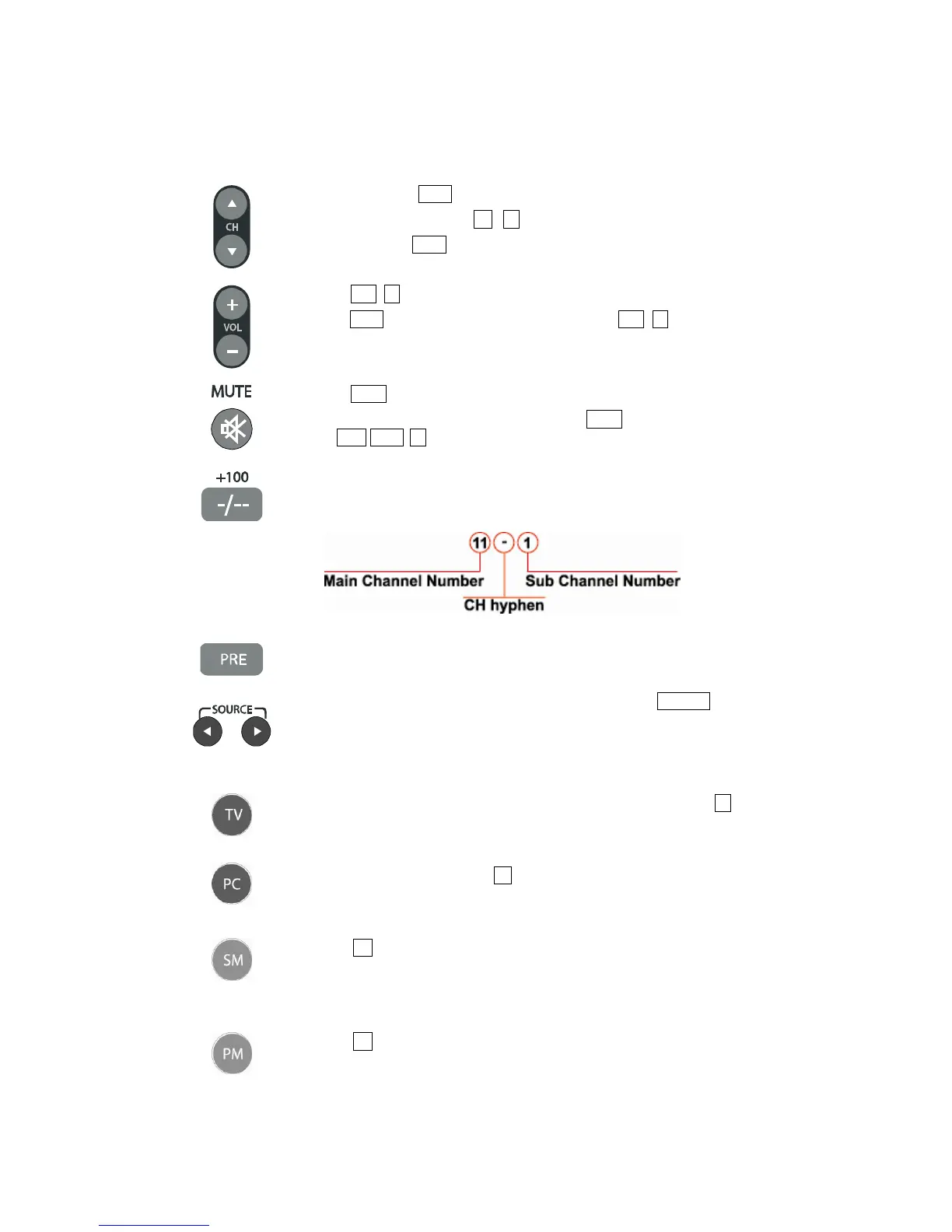
Using CH buttons (▲/▼) on the remote control to change channels.
②
Using remote control buttons 0-9, - (hyphen) to select channels.
③
Using CH button (▲/▼) on the TV for changing channels.
2) Changing Volume
①
Press VOL (+/-) buttons on the remote control to increase/decrease the volume.
②
VOL (◄/►) buttons on the TV operates the same as VOL (+/-) button on the
remote control.
3) Mute
①
Press MUTE button on the remote control and the sound is silenced.
②
The muting feature can be released by pressing MUTE button again or one of
the VOL (◄/►, +/-) buttons.
4) +100 / CH Hyphen (-)
①
Press this button on the remote control for selecting over CH 99.
②
On the DTV mode, you can select each channel with this button.
Press main channel number → CH hyphen → sub channel number.
5) Previous Channel
①
Return to the previous channel.
6) Source Selection
①
To view external source images, select the input source from SOURCE on the
remote control.
Toggle : TV → DTV → VIDEO → S-VIDEO → RGB → HDMI →
COMPONENT
7) TV/DTV Selection
①
To view analog TV or digital TV source image, select input source from TV on
the remote control.
Toggle : TV ↔ DTV
8) PC Selection
①
To select PC input source, press PC button on the remote control.
9) Sound Mode
①
Press SM button on the remote control for displaying the sound mode setting
menu
②
Toggle : Standard → Music → Movie → News → User
10) Picture Mode
①
Press PM button on the remote control for displaying the picture mode setting
menu.
②
Toggle : Standard → Soft → Dynamic → Movie1 → Movie2 → User



 To Next Page