37
CHAPTER 5. Picture Mode
5-1. Picture Mode Setting
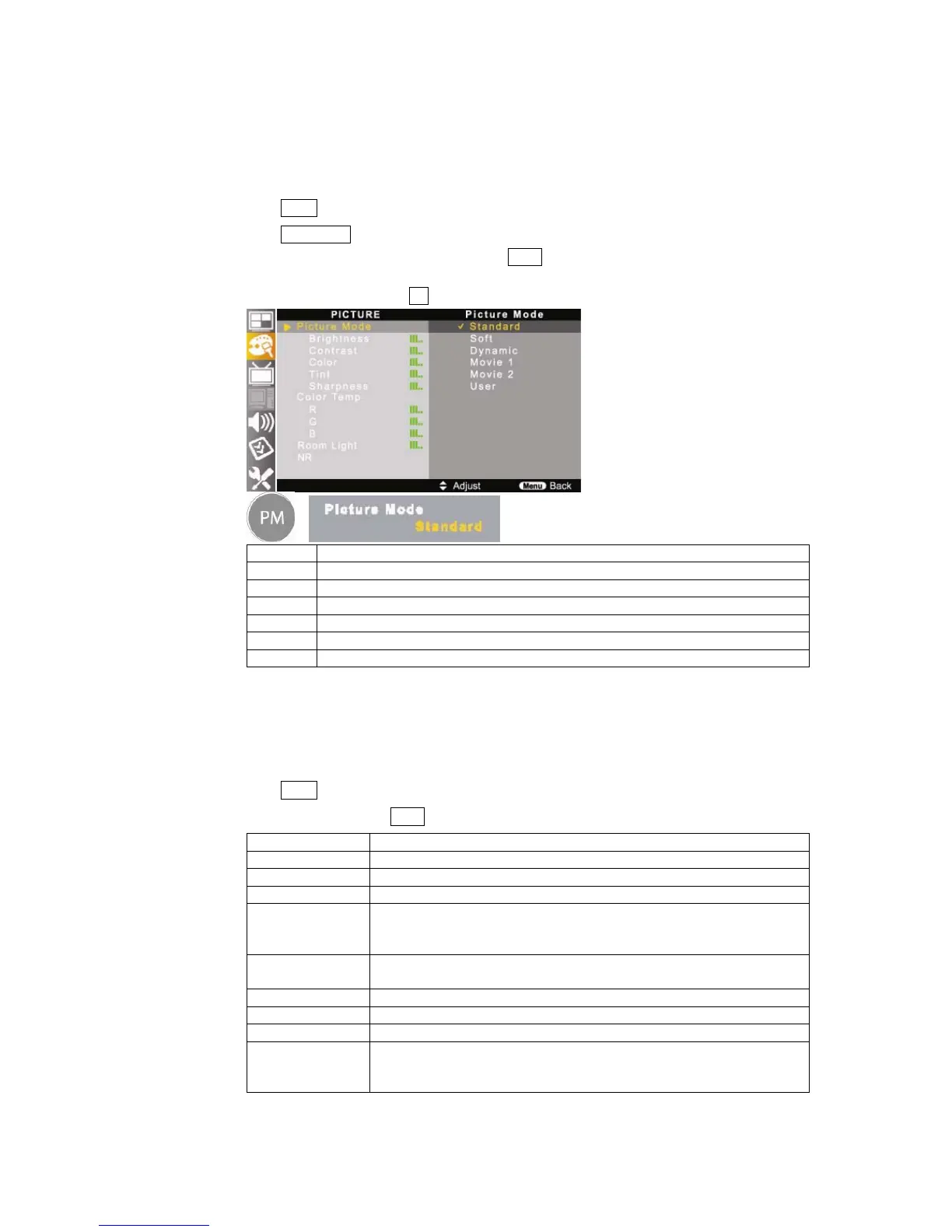
Adjust the picture to your preference with the following picture settings.
①
Press MENU button on the remote control.
②
Press ▲/▼//◀▶ buttons to move <PICTURE – Picture Mode>.
③
Select your preference picture mode by pressing ▲/▼ buttons.
Toggle : Standard – Soft – Dynamic – Movie1 – Movie2
④
Also, it can be set by pressing PM button on the remote control.
This mode is standard picture mode to watch the TV.
Soft This mode is soft picture mode to watch the TV a film in dark room or you feel too bright.
Dynamic This is sharp picture mode to watch the TV in bright room.
Movie1 This mode is better to watch bright screen picture.
Movie2 This mode is better to watch dark screen picture.
User This mode allows you to set to your preference status.
5-2. Picture Mode – <User> Setting
This function allows you to set the picture to your desired status by controlling each items.
Press MENU button on the remote control and move to <PICTURE – Picture Mode>.
Select <User> by pressing ▲/▼ buttons.
Item Description
Brightness Adjust screen brightness.
Contrast Adjust screen contrast.
Color Adjust screen color.
Tint Adjust screen tint.
If its level is close to red 50, skin tones become reddish.
If its level is close to green 50, skin tones become greenish.
Sharpness Adjust screen sharpness.
If its level is close to 100, the sharpness becomes sharper.
Color Temp Adjust screen color temperature to be natural.
R / G / B Adjust color temperature to the desired level.
Room Light Adjust screen brightness depends on the room brightness.
NR If the broadcast signal received by your TV is weak, you con activate the Digital
Noise Reduction feature to help reduce any static and ghosting that may
appear on the screen.



 To Next Page