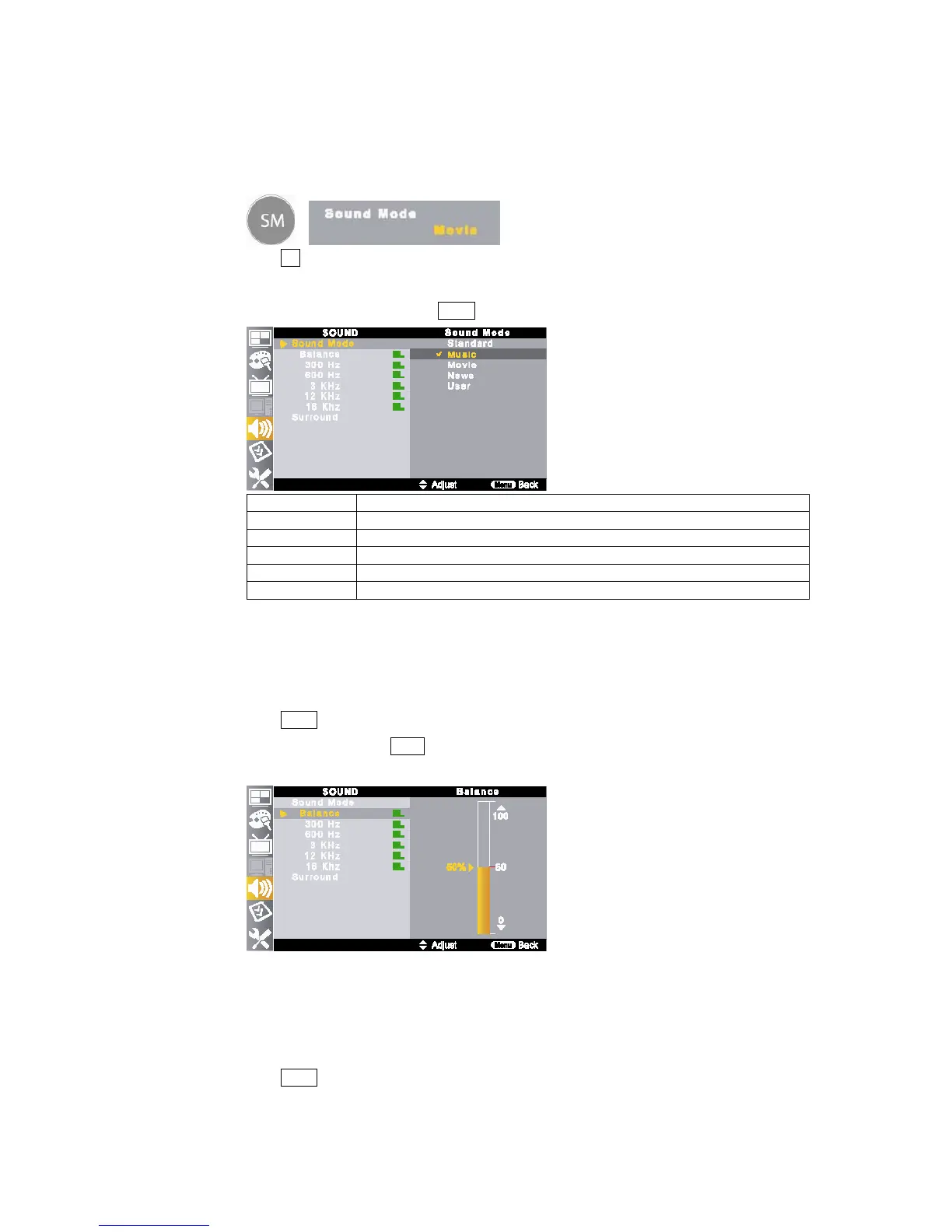
① Press SM button on the remote control.
②
Each press of this button, sound mode toggles <Standard → Music → Movie → News → User>.
③ Also, it can be selected by pressing MENU button on the remote control.
Item Description
Standard This mode is standard sound mode to watch the TV generally.
Music This mode is better to watch a music program.
Movie This mode is better to watch a movie program.
News This mode is better to watch a news program.
User This mode allows you to set to your preference status.
6-2. Sound Mode – <User> Setting
This function allows you to set the sound to your desired status by controlling each items.
① Press MENU button on the remote control and move to <SOUND – Sound Mode>.
② Select <User> by pressing ▲/▼ buttons.
③ Change each item (Balance, 300Hz, 600Hz, 3KHz, 12KHz and 16KHz) to your desired level.
6-3. Surround Sound Mode Setting
The surround sound feature expands the audio listening field wider and deeper to create exception sound quality
from the TV’s speakers.
① Press MENU button on the remote control and move to <SOUND – Surround>.



 To Next Page