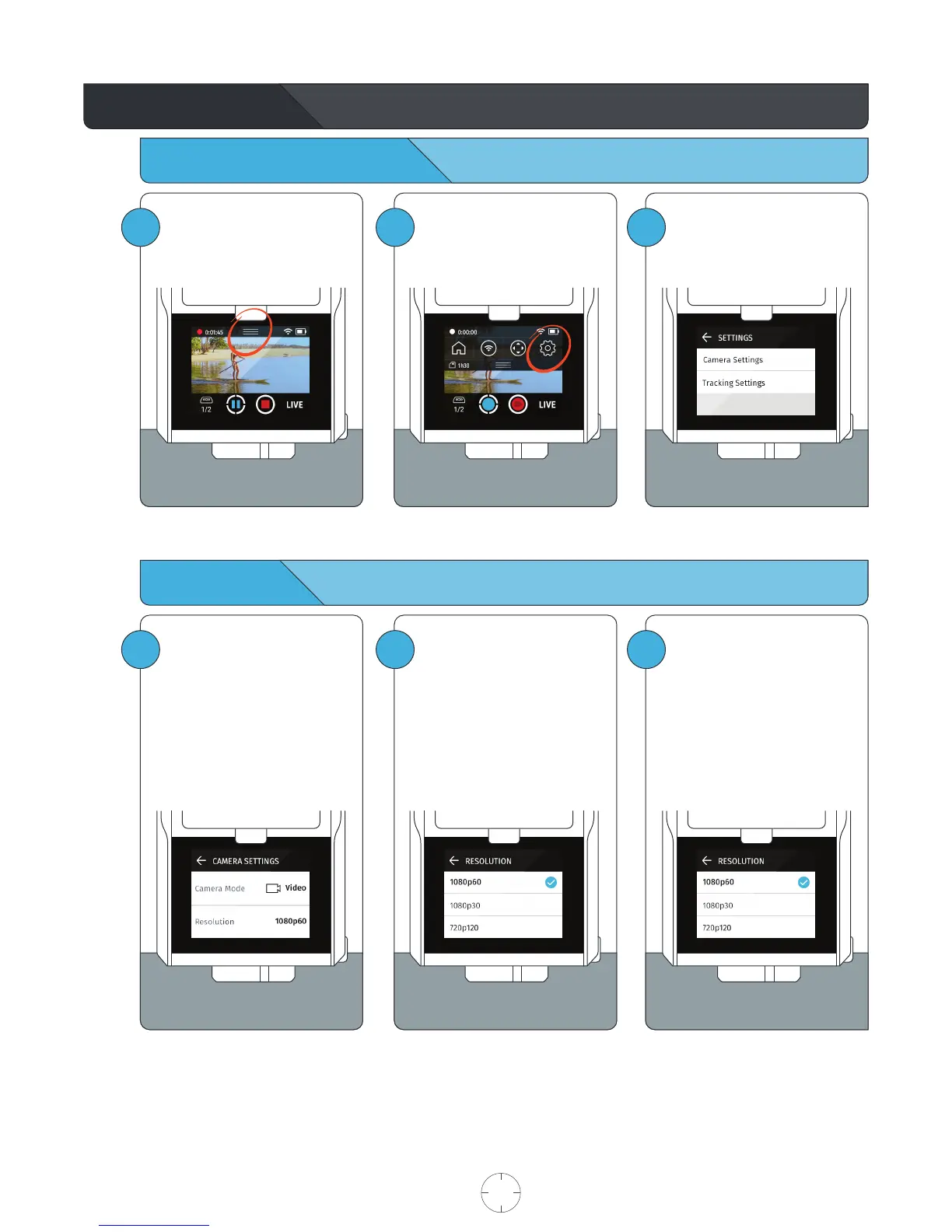
Access Camera Settings
Video Mode
Camera Settings
1
To Access Camera Settings
Tap the PULLDOWN MENU.
2
Select SETTINGS.
3
Select CAMERA SETTINGS.
1
By default, the Camera is set to
Video Mode with a resolution of
1080p60.
Within Camera Settings, tap
RESOLUTION to change the
record resolution.
2
Resolution Parameters
Optic65
4k30
1080p30
1080p60
1080p120
3
Optic25
1080p30
1080p60
720p120
Tap the BACK ARROW to exit
CAMERA SETTINGS.
USER MANUAL 15 SOLOSHOT.COM



 To Next Page