i
i
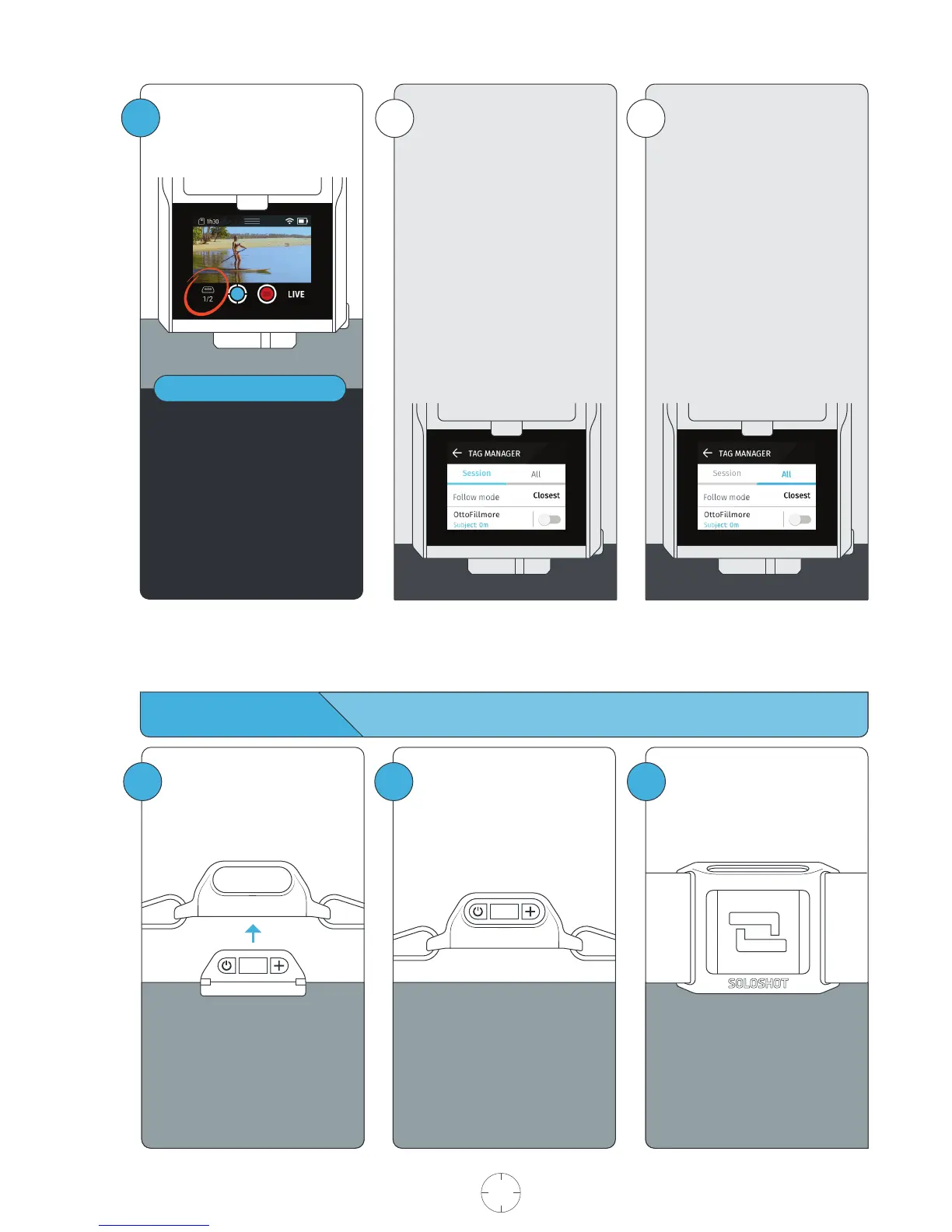
ALL: This list shows a history of
every Tag that has ever been
docked onto the Base, even if
they do not meet the pre-requi-
sites.
This allows you to view and
manage your history of Tag,
including the ability to forget
Tags.
SESSION: This list comprises of
Tags that the Base is currently
tracking, meets the pre-requisites
to be tracked, or has been
tracked in the current session.
The list starts out empty until a
Tag meets the pre-requisites.
Tags remain in the list until the
Base has been turned off, but will
remain in the ALL list.
1 2
Always wear the Tag with
button/screen side facing
upward.
3
Wearing the Tag
Always wear the Tag with
buttons facing upward.
Snap the Tag into the Armband
Clip with the button side aligned
with the clip window.
You will hear a distinct click
when Tag is in place. Check the
alignment and adjust if
necessary.
USER MANUAL 09 SOLOSHOT.COM
3
Tapping the Tag icon will take
you to the Tag Manager.
Below the icon are two numbers.
The numerator shows how many
Tags are currently being tracked in
your session.
The denominator shows how many
Tags are available to track. These are
Tags that are turned on, detected,
and within range of the Base.
NOTE



 To Next Page