2
NOTE
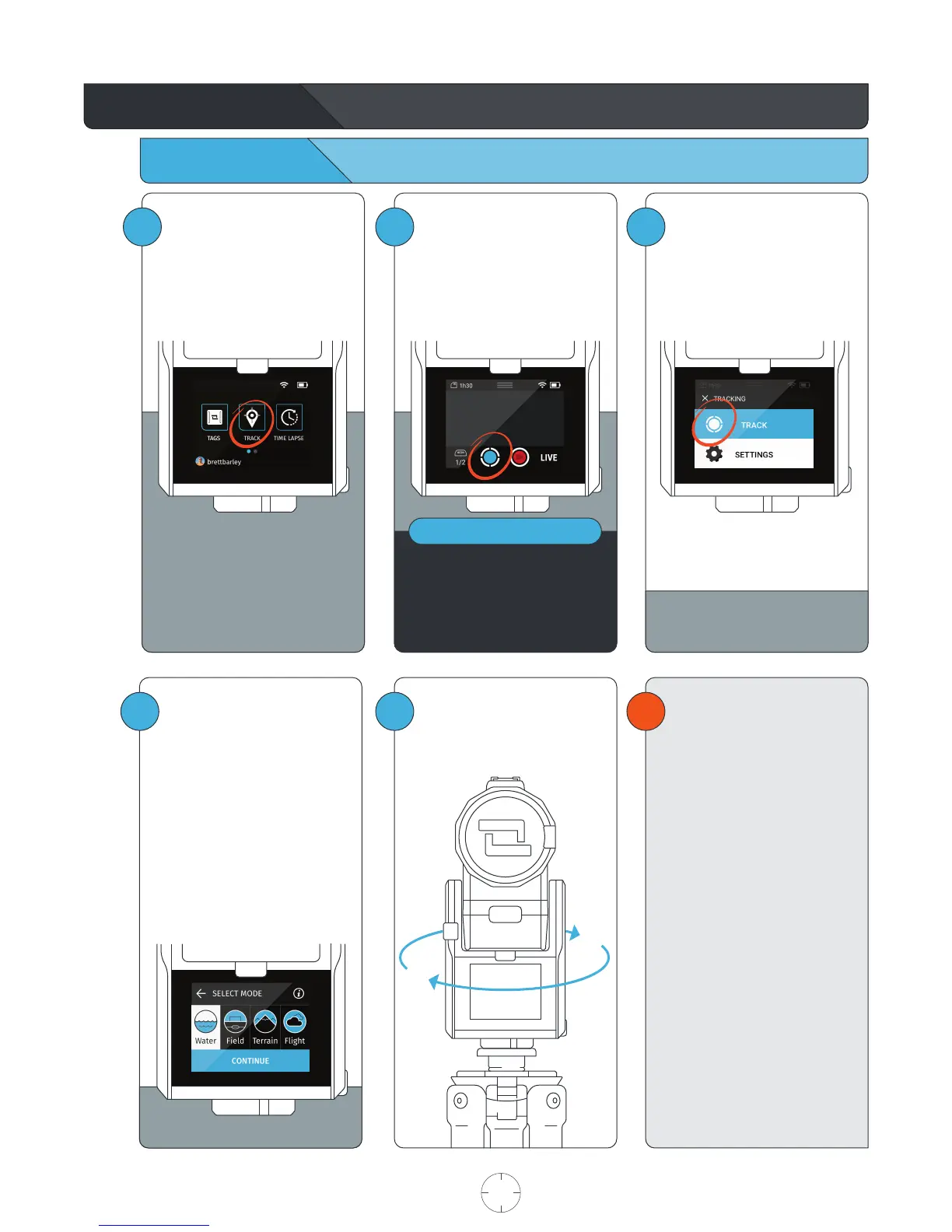
Using the Track App
Begin Tracking
1
Within the HOME SCREEN, tap
TRACK to enter the Track App.
3
Tap the TRACK button.
If “Ask to Track” was selected when
setting up your Tag or no Tag is
detected, follow the onscreen
instructions.
!
4
3
This is the tracking action sheet,
which allows you to either begin
tracking, or change tracking
settings.
Select TRACK.
The Base will spin for about
one minute as it calibrates the
sensors.
USER MANUAL 07 SOLOSHOT.COM
Choose TRACK MODE
See page 14 for information on
Track Modes.
Tap CONTINUE to begin
calibrating the system.
Before beginning your activity,
we recommend that you walk
back and forth in front of the
Camera a few times in the area
where you will be performing
your activity. This will allow the
Camera’s smart tracking system
to center you in the screen.



 To Next Page