Safety and Security
Home Screen
SOLOSHOT INC IS NOT
RESPONSIBLE FOR THEFT OR
DAMAGE TO YOUR SOLOSHOT3
AND ITS ACCESSORIES.
2
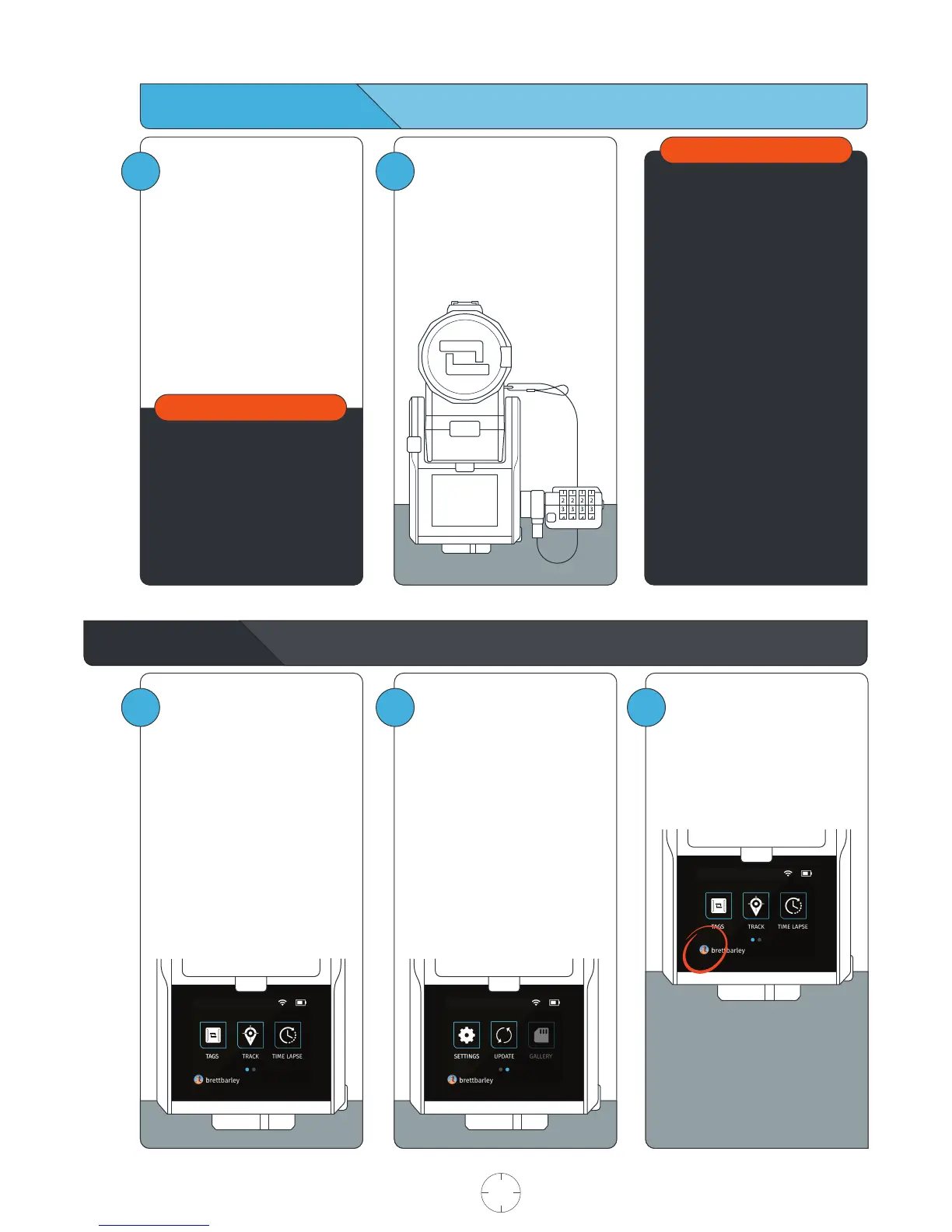
Use the k-lock accessory to
secure the Camera to the Base.
Available at soloshot.com.
1
Make sure the location you
choose for your SOLOSHOT3 is
safe and secure.
Be smart and creative when
selecting your setup location and
leaving your Base and Camera
unattended.
Do not use SOLOSHOT near high
voltage power lines, radar/radio
jamming equipment, or telecom-
munications towers. To ensure
proper functionality of your
SOLOSHOT, stay at least 500m
(0.3mi) away from these areas.
IMPORTANT
1
Tags: Select Tags that you would
like to track from the TAG
MANAGER.
Track: Start/stop tracking, toggle
record on/off, trigger single
photos or bursts, adjust tracking
and camera settings, quickly
manage your Tag(s), and live
stream.
Time Lapse: Capture a series of
photos at preselected intervals.
2
Settings: Manage Wi-Fi, format
the SD card, access current
software version and more.
Update: Install the most recent
software updates on the Base,
Tag and/or Camera. When
updates are available, the user
will be notified upon entering
the Update App.
Gallery: Playback your video
and photos on the touchscreen.
[Coming soon]
3
Account: Manage your
SOLOSHOT account on the Base.
IMPORTANT
USER MANUAL 06 SOLOSHOT.COM



 To Next Page