MAINTENANCE
COMPULSORY MAINTENANCE
Critical maintenance operations are generated by the PLC and displayed on the home screen.
Weekly maintenance
➔ Clean the bottom of the tank of the storage unit with a cloth soaked in disinfectant.
➔ Clean the screen using a compress soaked in alcohol in screen cleaning mode (c.f. Operator menu section
Cleaning the screen).
Quarterly maintenance
➔ Thorough cleaning of internal surfaces of the storage compartment using a cloth soaked in contact
disinfectant in unit cleaning mode (c.f. Operator menu section Cleaning the unit).
➔ Clean the endoscope hangers by soaking in disinfectant solution.
Semi-annual maintenance
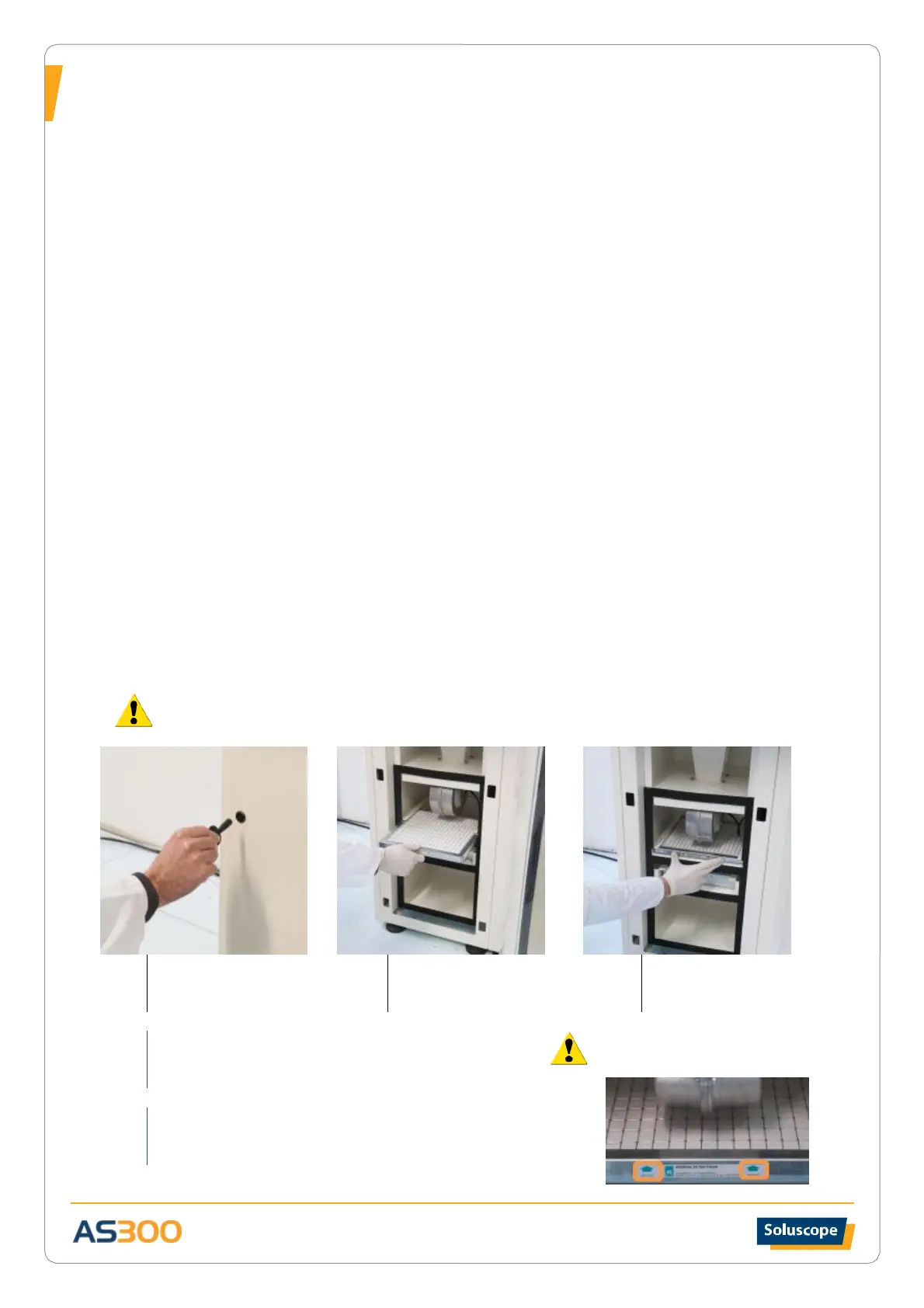
➔ For AS300V2 and AS300x2 versions: change the intermediate filter and the anti-dust pre-filter
➔ For AS300TR version: change the combined pre-filter
Annual maintenance
➔ Meet with your technician trained by Soluscope in order to perform preventive maintenance: check
pressure, flow, temperature and humidity gauges.
➔ Change absolute terminal filter.
REPLACING THE INTERMEDIATE FILTER AND ANTI-DUST PRE-FILTER
This procedure is performed by technicians during the semi-annual maintenance.


 To Next Page