HEAD NURSE FUNCTIONS
At the time of commissioning and whenever necessary when using the AS300 cabinet, certain functional
parameters must be set.
These operations enable: the identification of personnel authorised to use the storage cabinet, the
identification of material prior to storage, setting the time.
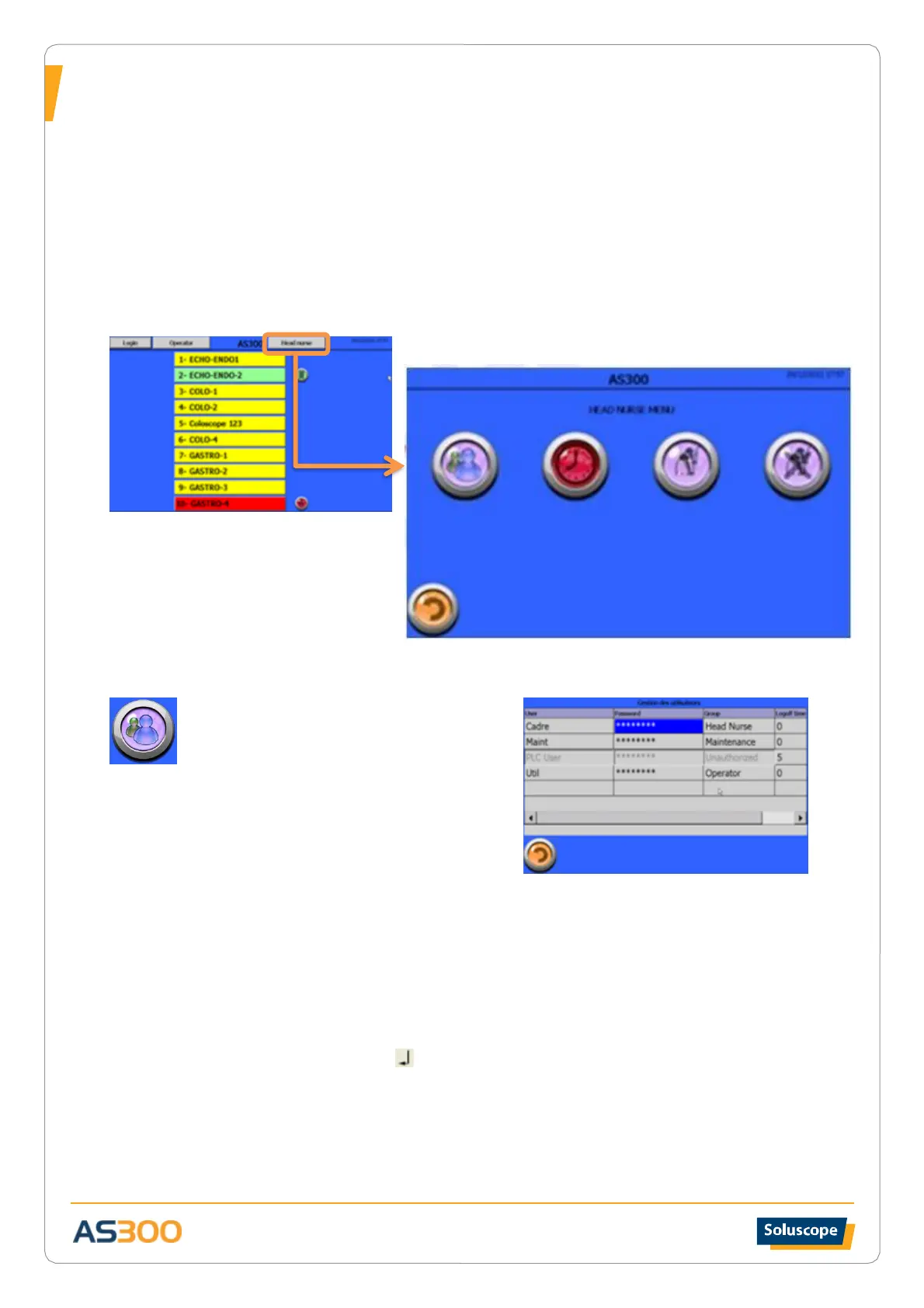
Head Nurse menu
Start the identification process using the barcode reader (or RFID system) and the badge associated with the
Head Nurse level.
USER REGISTRATION
Setting authorised users
Users are listed in alphabetical order. The
maximum capacity is 50 users.
Users are divided into four groups with restricted
access according to the level:
• Administrator level: Reserved for a
Soluscope technician
• Maintenance level: Access restricted to
technical and operator maintenance functions
• Head nurse level: Access to settings and operator menus
• Operator level: Authorised access limited to insertion and removal functions
To add a user:
When the list on the screen is full, press the navigation bar on the right of the screen and select
the last empty box at the bottom left in the User column.
• Perform TWO DOUBLE CLICKS on the empty box in the User column until a white box
appears. Using the alphanumeric keyboard, type a name or abbreviation printed on the
ID badge and validate:
• Perform TWO DOUBLE CLICKS on the empty box in the Password column, scan the
badge corresponding to the name or icon selected. Confirm the password by scanning a
second time.
• Press the Group box to display the drop-down menu, select the access level to attribute
to this user.
Editing/deleting a user


 To Next Page