USE OF THE STORAGE CABINET AS300
D0716C-EN
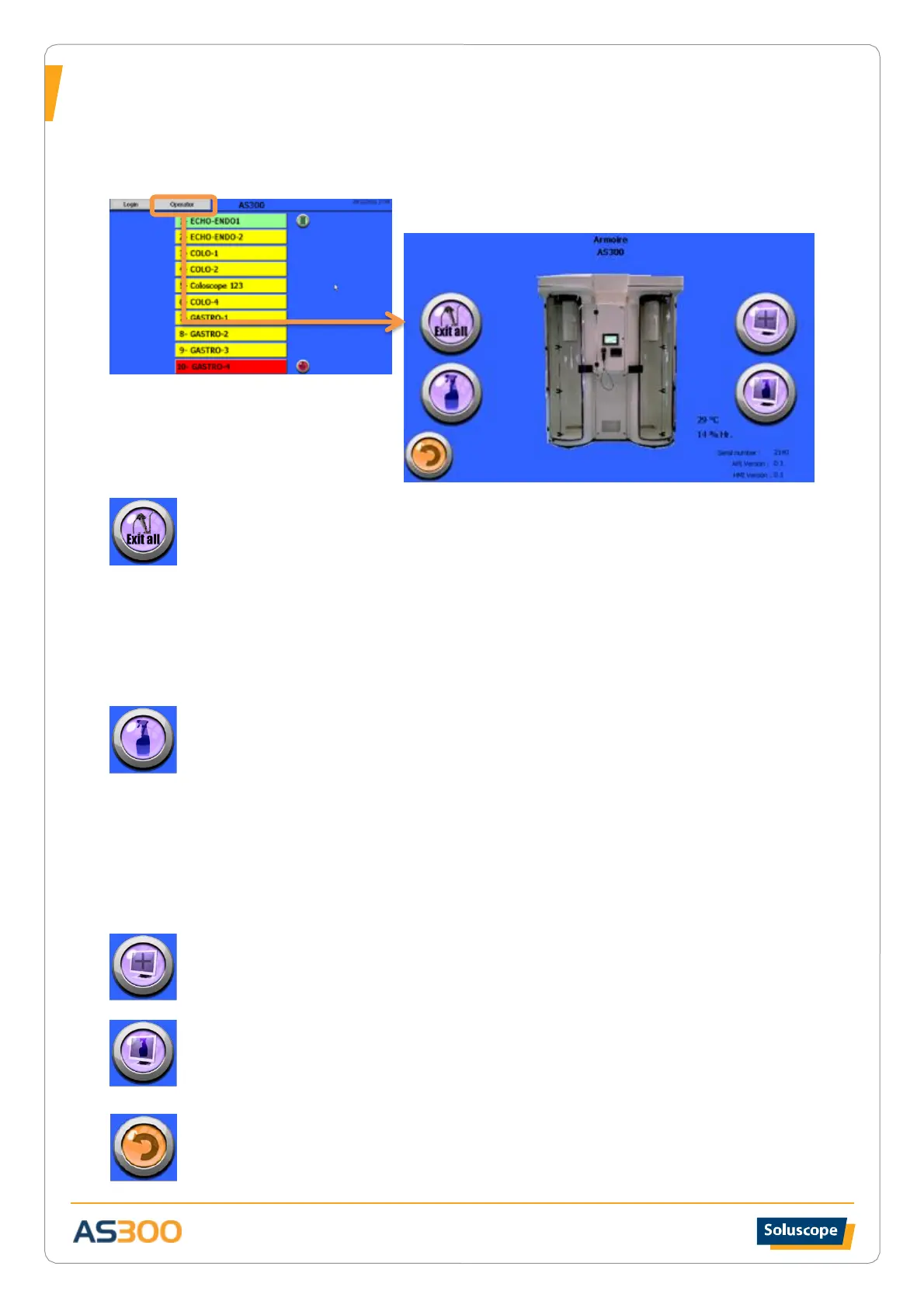
Operator Menu
Start the process of identification using the barcode reader (or RFID system) and the badge associated with the
Operator level.
EMPTYING THE CABINET
Button to start the complete emptying procedure of the storage compartment.
This procedure must be started if you need to access the endoscope inventory following a
system failure or before launching a cleaning protocol.
1. Open the door.
2. Remove the endoscopes one by one from their positions and disinfect them.
3. Pressing the door contact for a few seconds enables the plate to rotate, providing
access to all endoscopes.
A ticket is automatically printed with the operator name and the date and time as well as the list
of all endoscopes in the cabinet.
CLEANING THE UNIT
Button to start a unit cleaning protocol
This procedure must be carried out for the quarterly cleaning of the storage compartment and
endoscope rack.
If the storage compartment is not empty, proceed to empty it or to remove all the endoscopes.
Pressing the door contact enables the plate to rotate thus providing access to all hangers two by
two. Continue until all the hangers are removed. At the end of the procedure the door will
remain open for cleaning procedure.
When cleaning is done press the door contact to re-introduce the hangers two by two. Follow
the instructions on the screen.
A ticket is automatically printed with the operator name, date and time of cleaning.
CALIBRATING THE SCREEN
This button allows starting a screen calibration protocol. Follow the instructions on the screen.
CLEANING THE SCREEN
This button deactivates the touch screen functions.
Wait for the grey band to scroll on the screen.
Automatically returns to the home screen.
EXIT
Press to return to the home screen.


 To Next Page