the filtration ventilator in normal operation. It is set on start up in order to obtain an
overpressure of 10Pa in the storage compartment (approximately 65%. For information, 100% =
255 m3/hr)
Temperature and humidity delay: Set the delay value before signalling that the temperature
and humidity threshold has been exceeded inside the storage compartment. The factory setting
is 1800 seconds
Maximum temperature threshold: Set the value enabling selection of the maximum acceptable
temperature inside the storage compartment. The factory setting is 40°C
Maximum humidity threshold: Set the value enabling selection of the maximum acceptable
humidity inside the storage compartment. The factory setting is 70%
Accessing the settings function automatically generates two tickets:
Settings before: Initial settings present in the console.
Settings after: Settings that modify the initial settings.
A complete list of alarms is available by pressing
OPERATOR CONSOLE
This function enables access to the software functions of WIN CC Flexible. These functions must
only be used in the presence of the technician Soluscope.
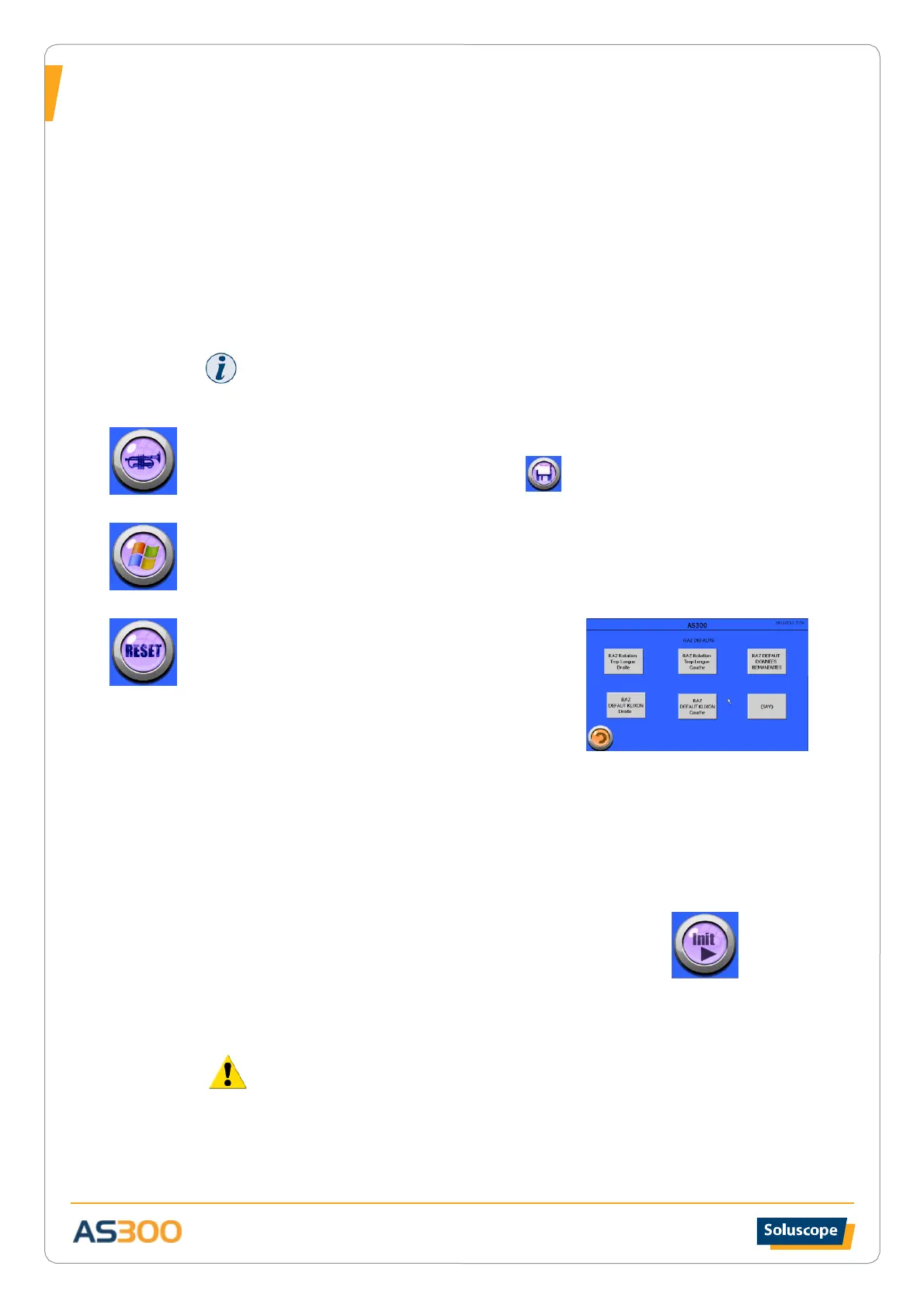
RESET FAULTS
RESET right/left rotation too long: The failure of a
magnetic sensor for positioning the rotating plate may
result in abnormal rotation of the carousel. In this case,
security measures are provided to limit the number of
rotations.
Similarly, if the rotating endoscope rack plate slows down
as a result of a blockage, it can affect the presentation of the sections upon door opening.
In this case the following alert messages appears on the screen: “FAULT ROTATION TOO LONG”
Proceed as follows:
• Carry out a “false insertion” of an endoscope into section 1 if it is empty in order to
open the door without setting off the rotation or proceed to remove the endoscope
stored in section 1 if it is occupied.
• Reposition the endoscope and close the door.
• Proceed as described in maintenance menu to open the “Maintenance” screen.
• Return to the maintenance menu screen and press the INIT button
Rotate the carousel to position 4 and then back to position 1
RESET FAULT STORED DATA: This function allows you to calibrate the console to the default
manufacturer settings.
All calibration data entered into the PLC will be erased.
SAV: This button provides access to the after-sales service functions exclusively accessible to the
manufacturer.


 To Next Page