8
© 2013 Somfy SAS. All rights reserved. 09/2013
GB
7. USE
8. ADDITIONAL SETTINGS
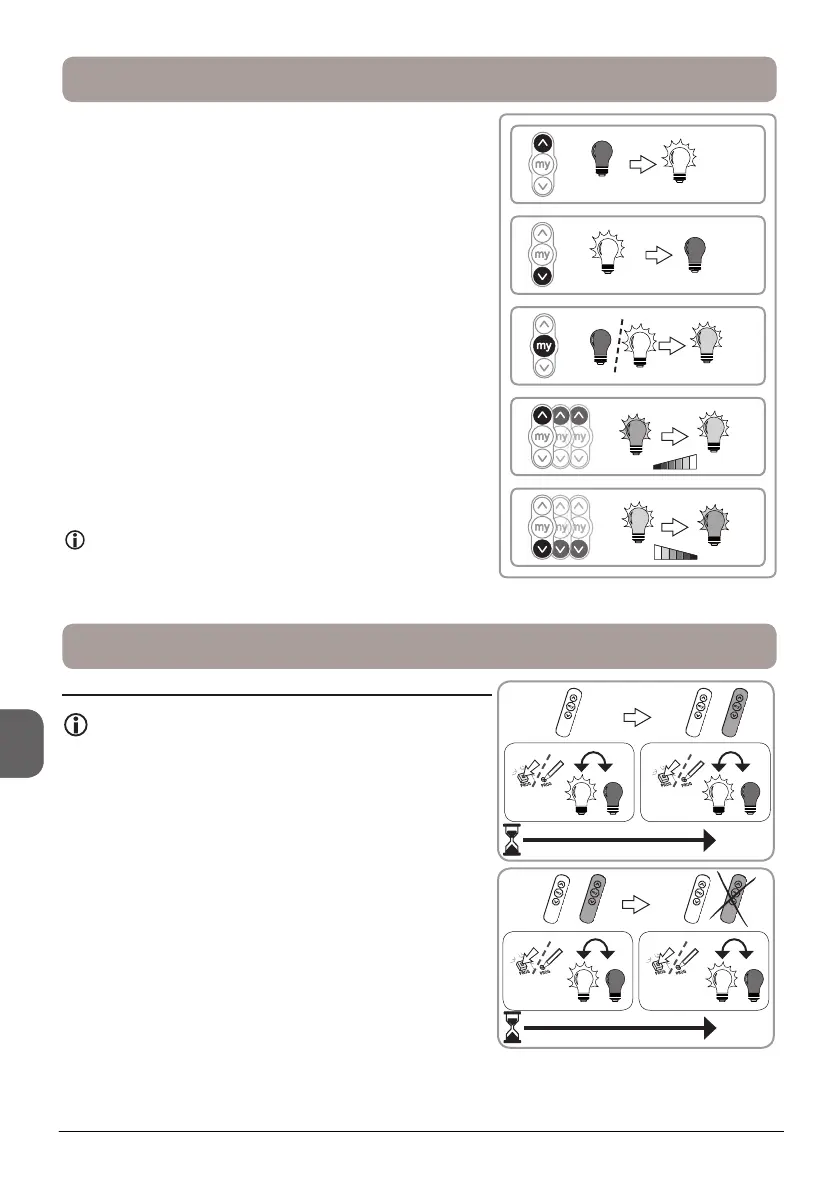
1) To switch on the light:
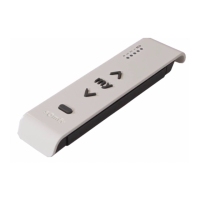
- Press the Up button.
2) To turn off the light:
- Press the Down button.
3) To immediately switch on at the pre-set «my» favourite light
intensity (default 50%):
- Press the «my» button.
4) To increase the light intensity:
- Press and hold the Up button until the desired light intensity
is reached.
5) To reduce the light intensity:
- Press and hold the Down button until the desired light inten-
sity is reached.
When you reach «night-light» level, hold down the Down
button to turn off the light.
1
2
3
4
5
A maximum of 9 control points can be programmed
in a Lighting receiver Varaition io.
1) Press the PROG button on the programmed control
point (a) until the light goes on then goes off: the Lighting
receiver Variation io is now in programming mode for 10
minutes.
2) Briey press the PROG button on the Somfy local io
control point (b) to be added/deleted: the light goes on then
goes off; the io control point is added or deleted.
8.1. Adding/Deleting Somfy io local control points
PROg. B
a
a
b
10 min.
+
1 2
PROg. A
2 sec.
0.5 sec.
PROg. B
a
a
b
b
10 min.
++
1 2
PROg. A
2 sec. 0.5 sec.


 To Next Page
 Loading...