OPERATING THE EQUIPMENT
DAS Firmware Upgrade Procedure
STEP 12
23 Wait for the Producing Test Report window to clear and return to the WTT
screen.
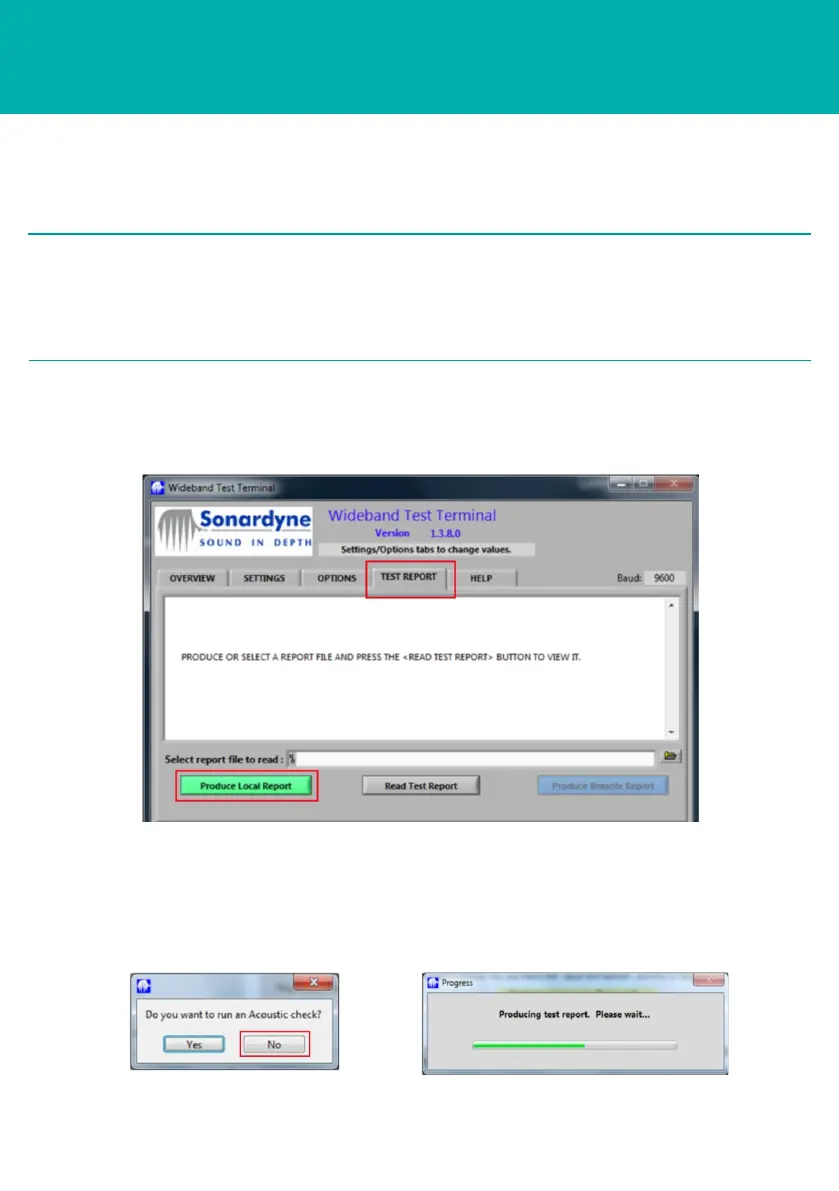
22 When the Produce Local Report is selected, an Acoustic Check window will
appear. Select No.
20 To view a Test Report detailing the firmware upgrade, select the Test Report tab.
21 Select Produce Local Report.
If only one Comms Port connection has been used, then close the DAS program
by selecting Exit Program, disconnect the DAS connection from the Comms Port
and replace it with the CPU connection on the Dual Test Cable. Open the WTT
program by double clicking the icon.
2 NOTE



 To Next Page