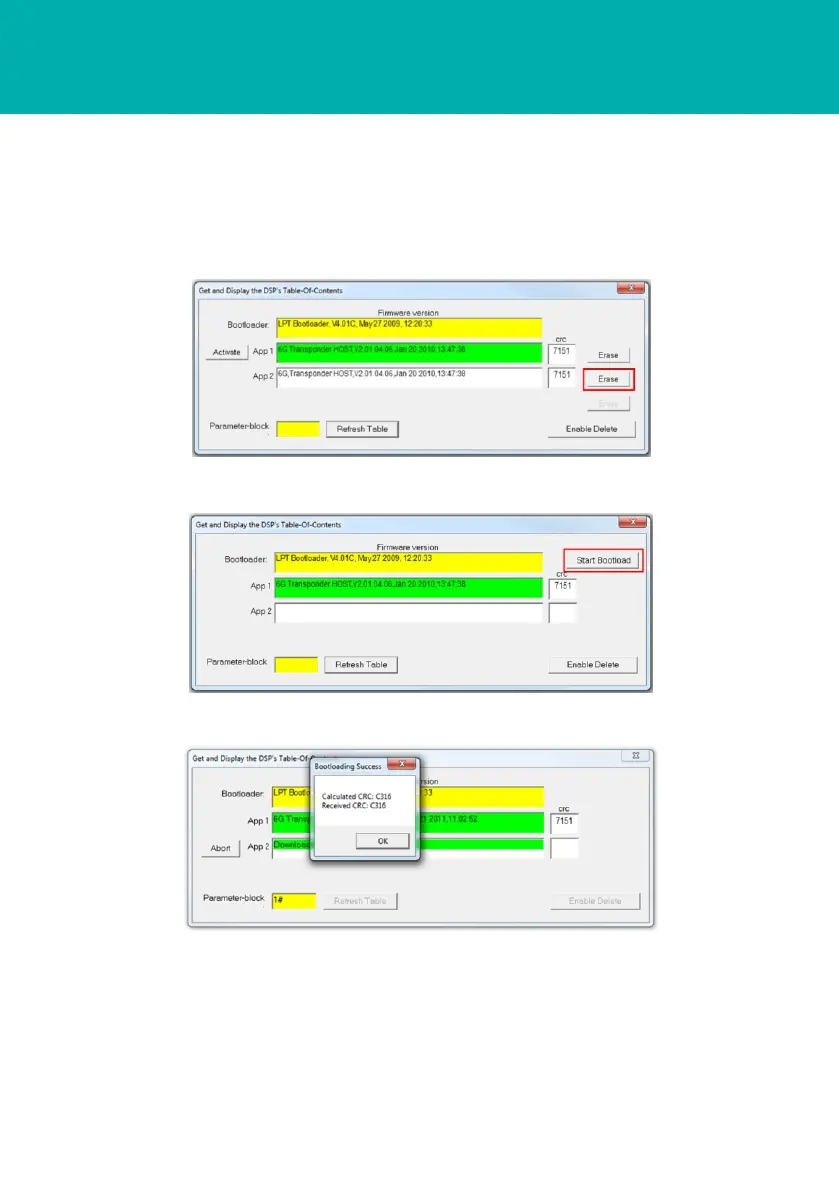
19 When the upload is complete a Bootloading Success window will appear.
20 Click OK.
21 The new uploaded program will appear in the selected App window.
22 Close the Get and Display the DSP’s Table of Content window.
23 To confirm the new firmware is working, click on TOC and the new firmware should
be displayed highlighted in green.
24 Close all windows.
18 A percentage uploading bar will scroll across the App.
OPERATING THE EQUIPMENT
HOST Firmware Upgrade Procedure
STEP 7
17 Click Start Bootload to start uploading the new firmware.
16 Click Erase next to the app to be deleted.



 To Next Page