OPERATING MANUAL MPI-530-IT version 1.06
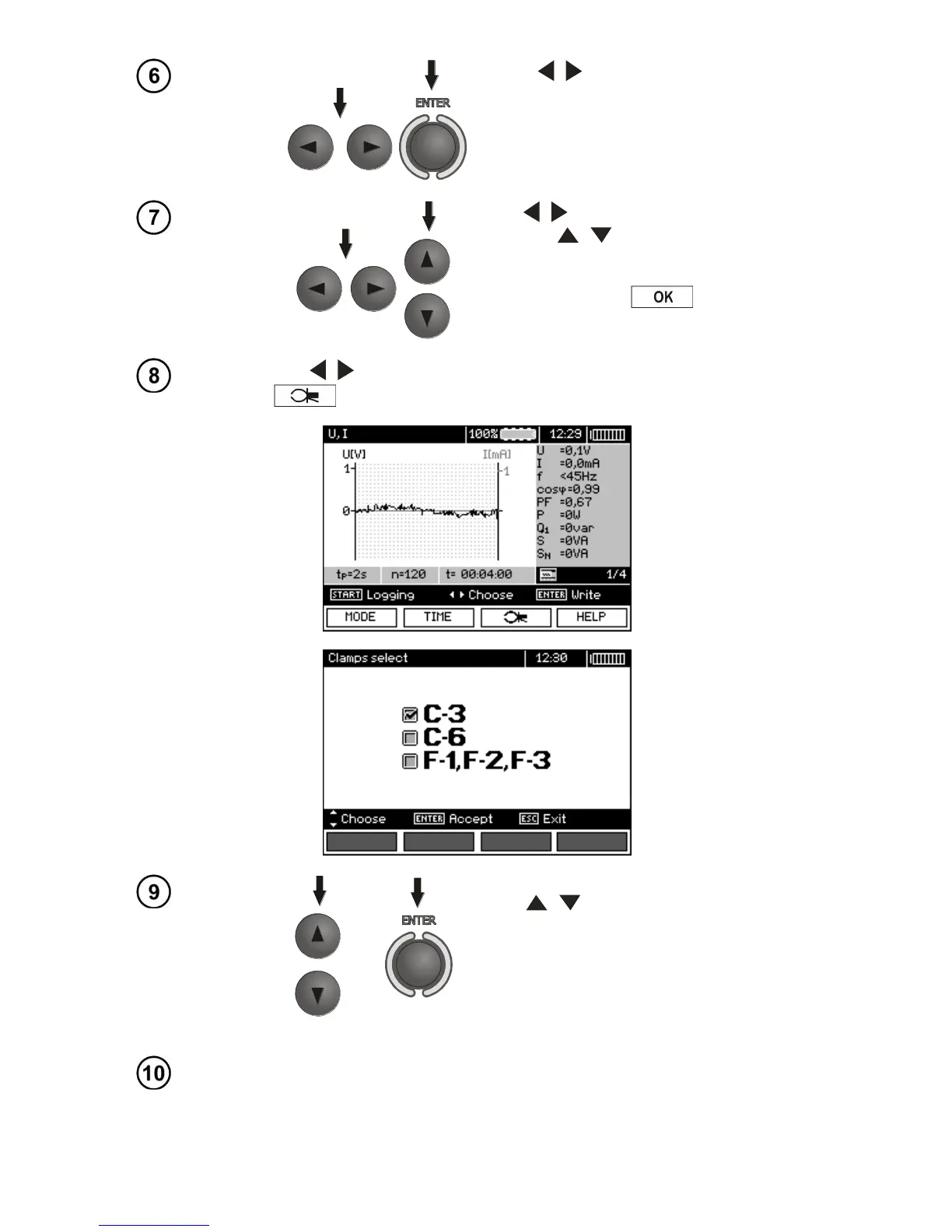
Use , and ENTER to select the
sampling period.
Use , to select the number of samples,
then use , to set the number of sam-
ples - the recording time is calculated basing
on the sampling time and the number of
samples. Press F4
to enter the
measurement screen.
Use ,
to change the appearance of the setting bar. Press F3
to enter the selection of clamp type.
Use , to select the type of clamps,
press ENTER to approve.
Connect the device according to the drawing (example of measurement
on a motor).


 To Next Page