OPERATING MANUAL MPI-530-IT version 1.06
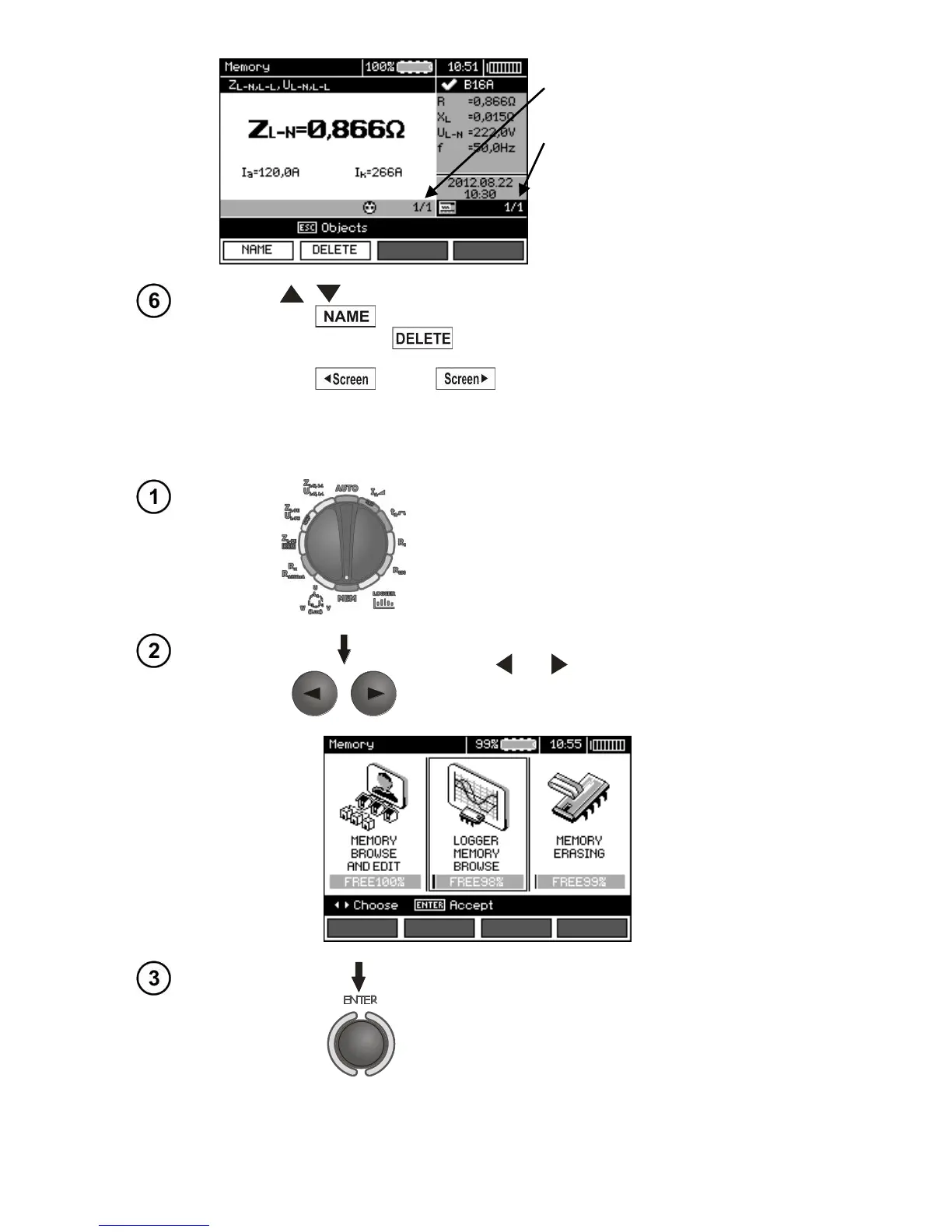
The number of measuring point /
number of all measuring points.
The number of measurement type /
number of all measurements types
at that point.
Use , to change the measuring point.
Press F1 to enter the editing of the measuring point name and to
change it. Press F2 to delete a chosen measuring point with all its
results.
Press F3 and F4 to display all individual types of results for
a given point.
4.4 Browsing the recorder memory.
Set the rotary switch of function selection at
MEMposition.
Use and to select "LOGGER MEMORY
BROWSE".


 To Next Page