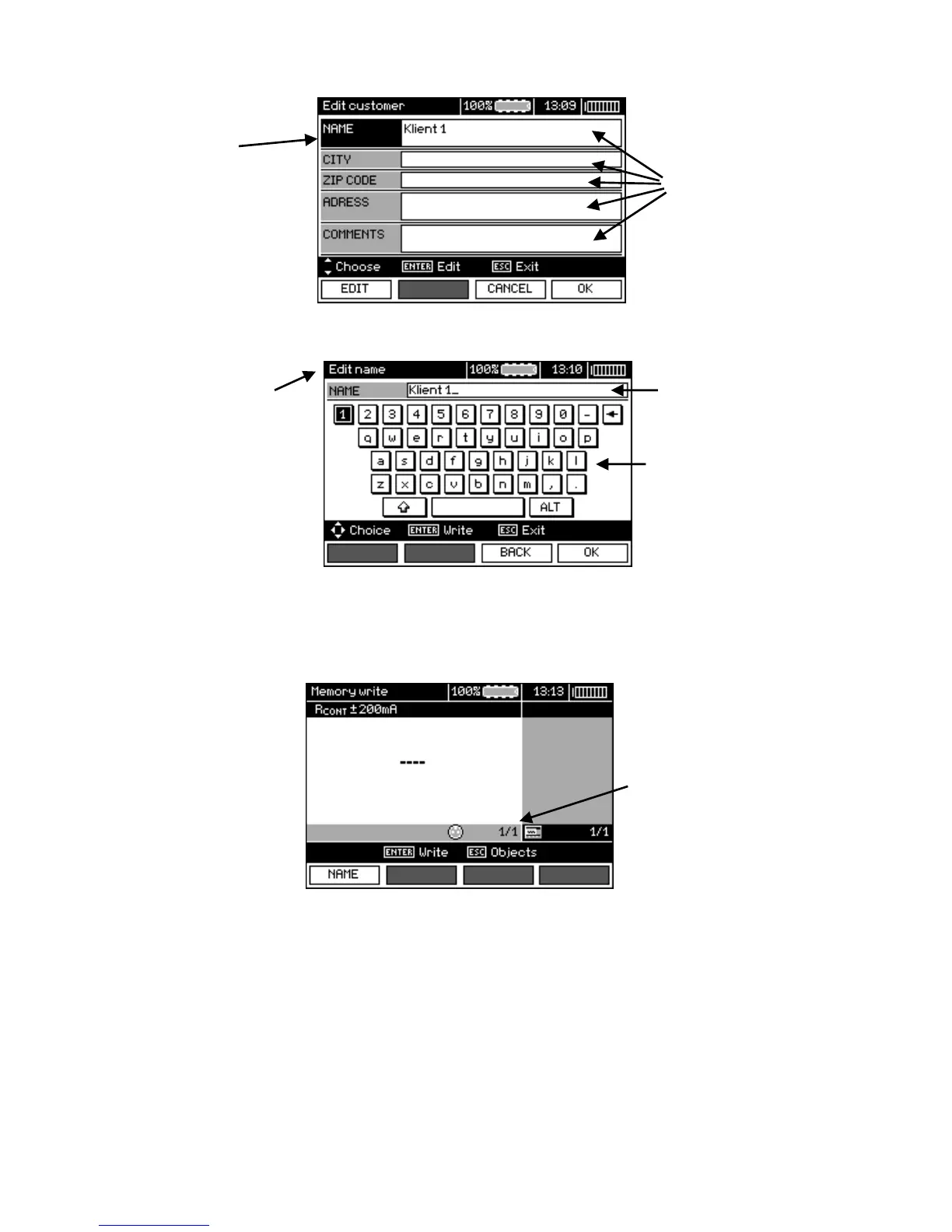
To obtain larger fonts set the cursor on Shift and press ENTER.
To obtain special (Polish) fonts set the cursor on ALT and press ENTER.
Window for entering the measurement result
Note:
- Results of measurements performed for all measuring functions can be stored in one memory cell.
- Only the results of the measurements started by pressing START key button can be stored in the
memory (except autozeroing in low-voltage measurement of resistance).
- Complete set of results (main result and supplementary results) for a given measuring function, pre-
set measurement settings, date and time of the measurement are stored in the memory.
- Cells unsaved are not available.
- It is recommended to delete the memory after reading the data or before performing a new series of
measurements that may be stored into the same memory cells as the previous ones.


 To Next Page