Page 33
dressing any number of boxes, so if you have more than Series 300 unit attached, you can
work with multiple DSP Graphs.
3.2.2 Process Menu
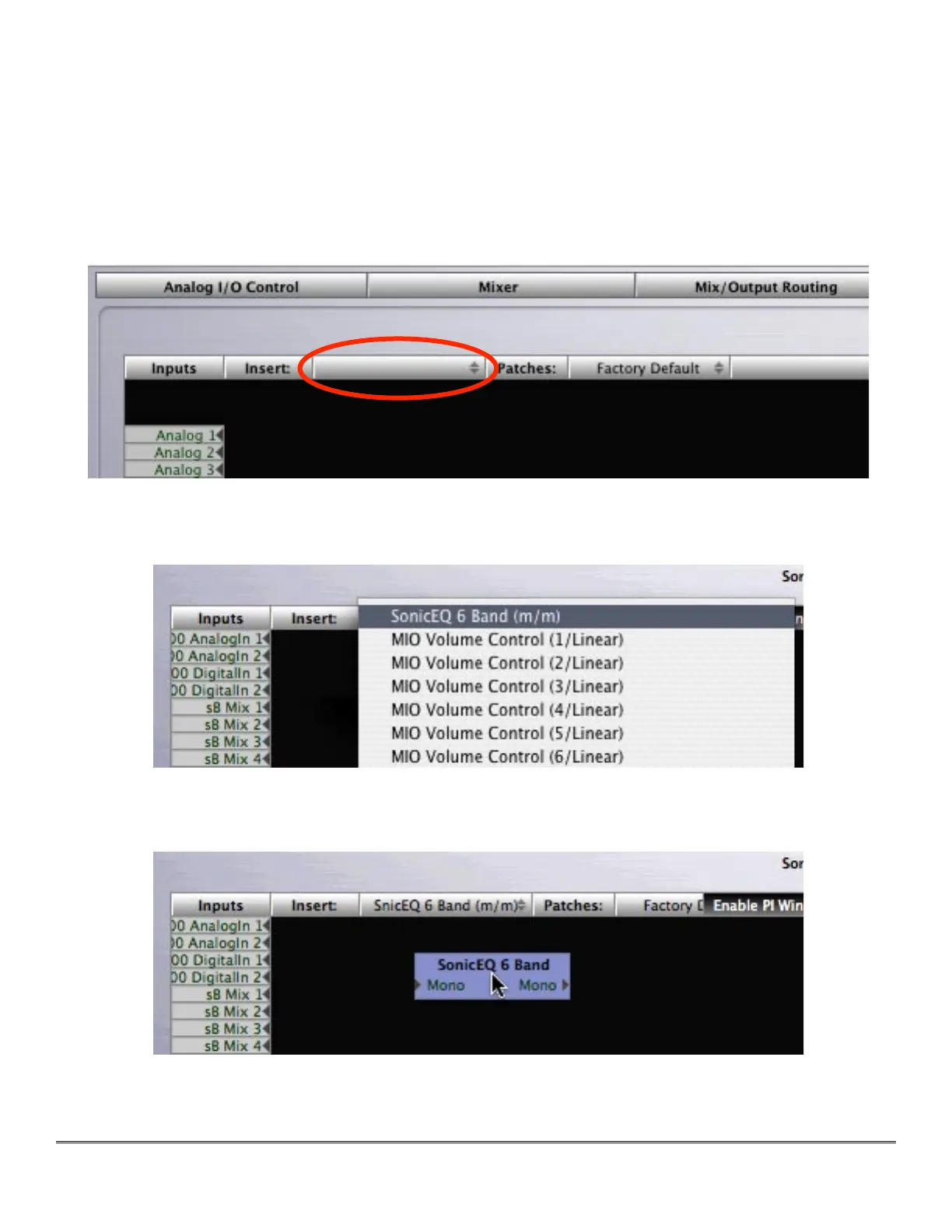
The Process menu contains all of the signal processing blocks that are available. When you
select a process from this menu, a new instance is created on the selected DSP, and you may
drag the instance to a convenient location onto the black Graph area.
Figure 7 — The Process menu
Figure 8 — A portion of the Process menu with Sonic EQ selected
Figure 9 — Positioning the newly selected process instance on the Graph



 To Next Page