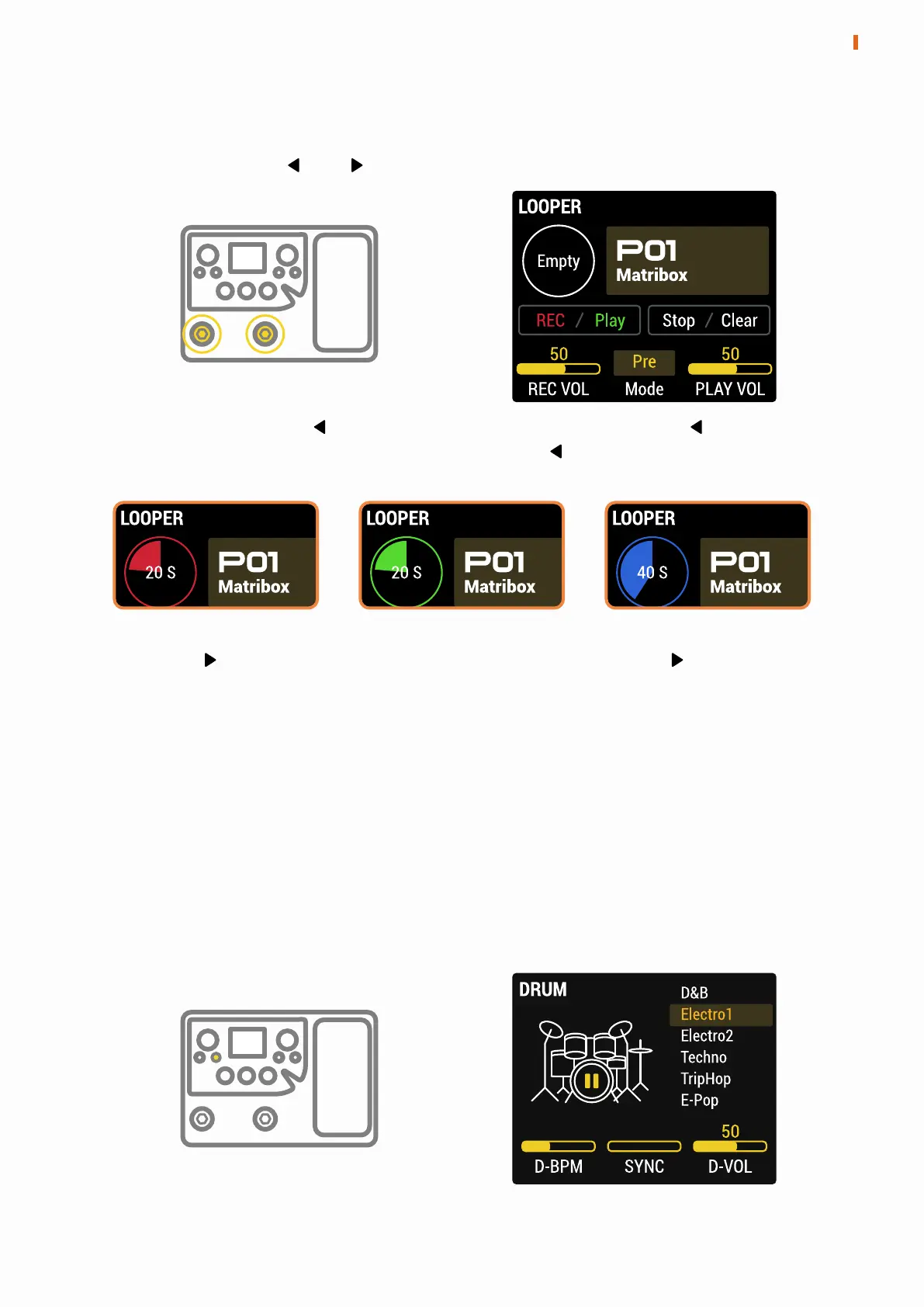
LOOPER
Press and hold the and footswitches together to enter the LOOPER.
In this menu, press the footswitch to start recording, press the footswitch
again to end recording and playback. Press the footswitch when playing
to overdubbing.
Press the footswitch to stop everything. Press and hold the footswitch
to clear all.
The preset can be switched by turning the PARA knob.
Looper has two modes:
Pre mode, the looper will record mono audio without any effects, up to 90
seconds;
Post mode, the looper will record stereo audio with effects, up to 45 seconds.
Recording Playing
Overdubbing
DRUM
Press and hold the DRUM button to enter the DRUM menu. The rhythm style,
speed and volume of the drum machine can be set here.
When Sync is turned on, the speed of drum machine can be synchronized
with the preset BPM.
9
LOOPER / DRUM
120 OFF


 To Next Page