PANEL INTRODUCTION
1
2
3
4
5
6
7
8
8
8
9
10
9
1
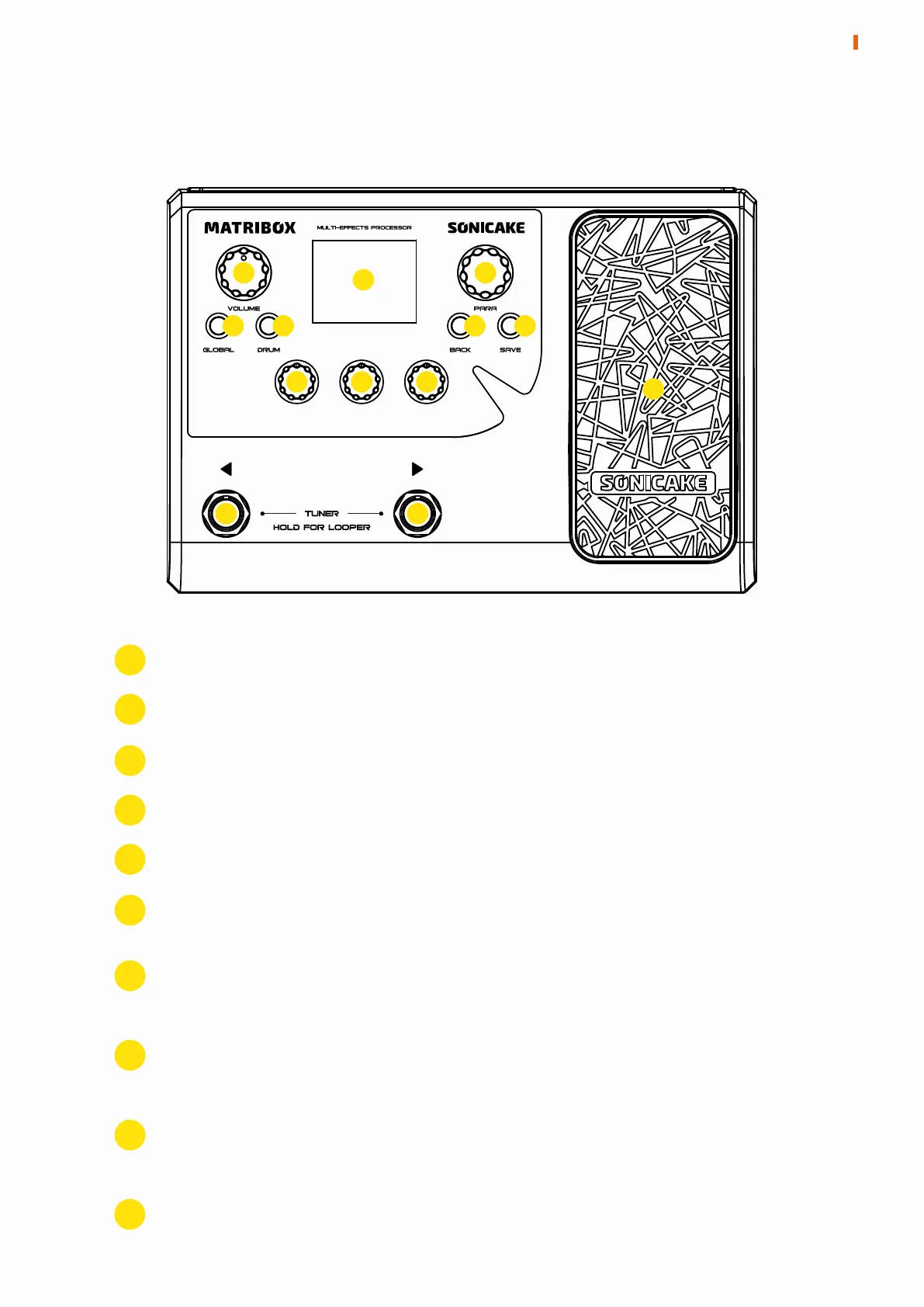
Controls the master volume
To display preset information and other operational information
Can be turned or pressed to adjust parameters or change menus
Press to enter the Global menu
Press to turn on/off the drum machine, hold to enter the Drum menu
Press to return to the previous menu
Press to enter the Save menu to store changed parameters, rename or
copy presets
2
To adjust the parameters at the bottom of the screen, each menu has
different functions
To switch presets forward or backward; press together to enter the
tuner; long press together to enter the looper
3
4
5
6
7
8
9
3
PANEL INTRODUCTION
To control effect parameters or volume, and press the toe hard to
switch the pedal function
10


 To Next Page