WORKING MODES
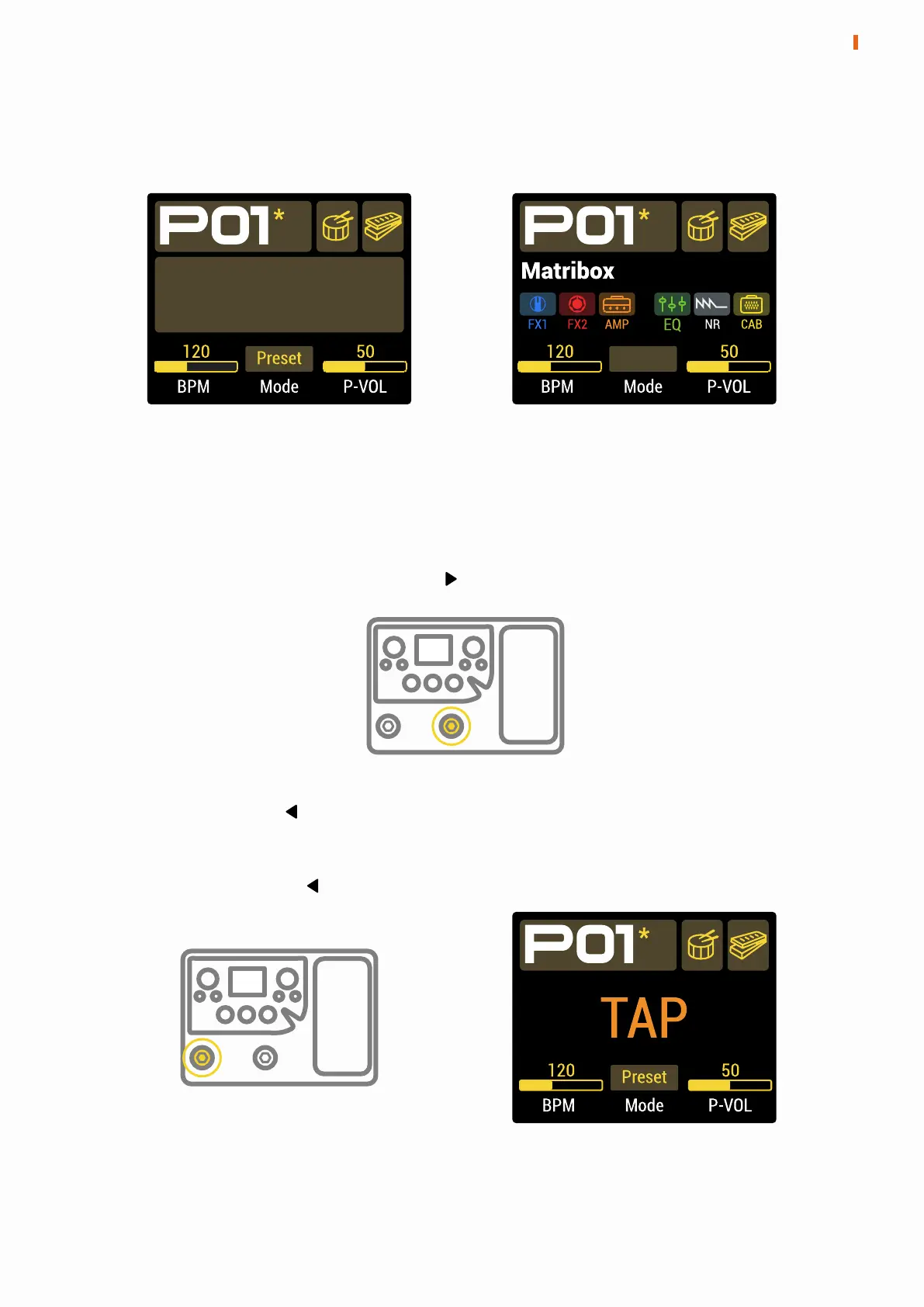
Matribox has two working modes, with different functions for footswitches.
Press any footswitch in Preset Mode to switch presets.
Press any footswitch in Stomp Mode to switch the on/off status of the
corresponding module, and the corresponding module of the footswitch can
be set in the effects editing menu.
Matribox
Preset Mode Stomp Mode
Stomp
In the main menu, press and hold the footswitch to switch between Preset
Mode and Stomp Mode.
6
WORKING MODES
Press and hold the footswitch will change the footswitches function to Tap
Tempo. The Tap Tempo function enables the footswitches to set preset BPM
via tap. At this time, the screen will flash to display the current BPM.
Press and hold again footswitch to exit this function.


 To Next Page