EFFECTS EDITING MENU
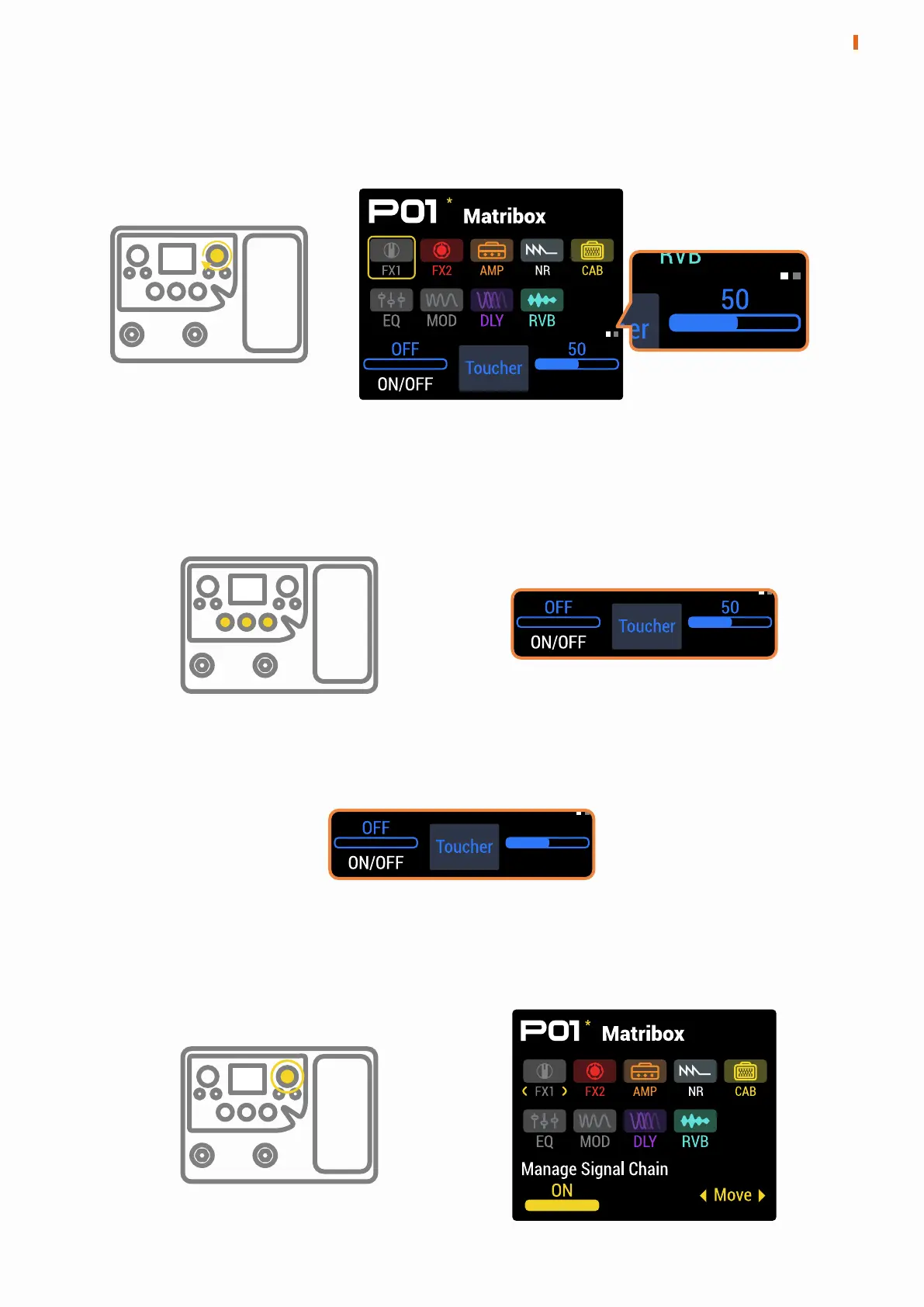
Press the PARA knob in the main menu to access the Effects Editing menu.
Under this menu, turn the PARA knob to select the module to be edited and
press the PARA knob to turn the parameters of the current module to the
next page. The upper right corner of the parameters bar displays the
number of pages for the current module parameters.
Range
The three knobs at the bottom of the screen correspond to the three
parameters in the screen parameters bar. Use them to switch modules
on/off, switch effects, and adjust effects parameters.
If you enter the Effects Editing menu in the Stomp mode, the FS Switch option
will appear in the parameters bar, and any footswitch can be selected to
control the current module on/off state.
In this menu, press and hold the PARA knob to adjust the effect chain.
7
EFFECTS EDITING MENU


 To Next Page