Matribox
MAIN MENU
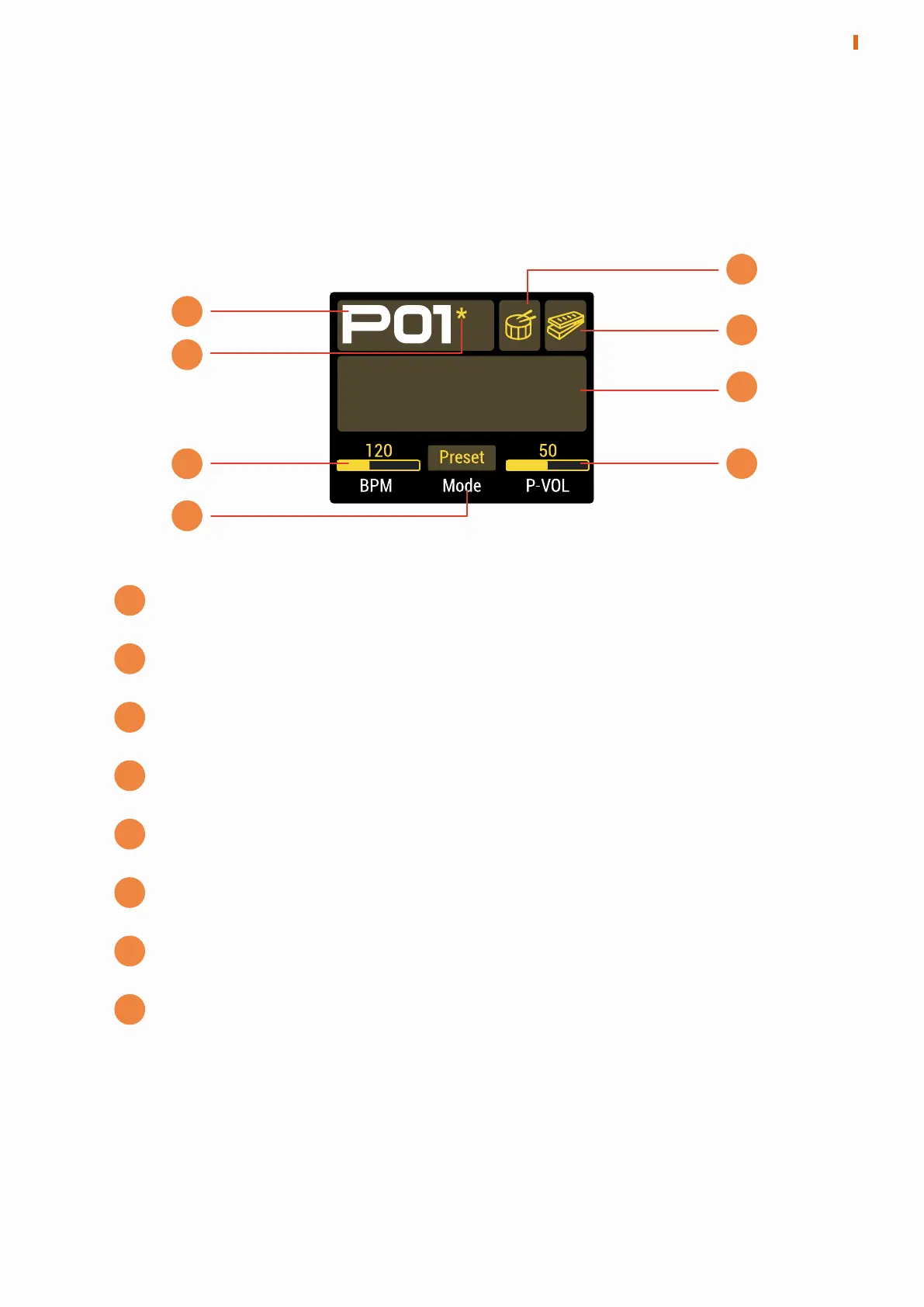
The first menu displayed after the device is powered on is used to display the
main information of the device.
A
Preset number: Form P01-P99 (user preset) to F01-F99 (factory preset)
Preset state: If it appears, this preset has been changed
Drum state: Light or dark indicates the drum is on or off
EXP state: Light or dark indicates the EXP pedal is on or off
Preset information: Display different preset information
BPM: Current preset BPM, can be adjusted from 40 to 250
Mode: Select Preset or Stomp working modes
P-VOL: Current preset volume
B
C
D
E
F
G
H
A
B
C
D
E
F
H
G
5
MAIN MENU


 To Next Page