Page 22 Scenario A: NAT/Route Mode Gateway
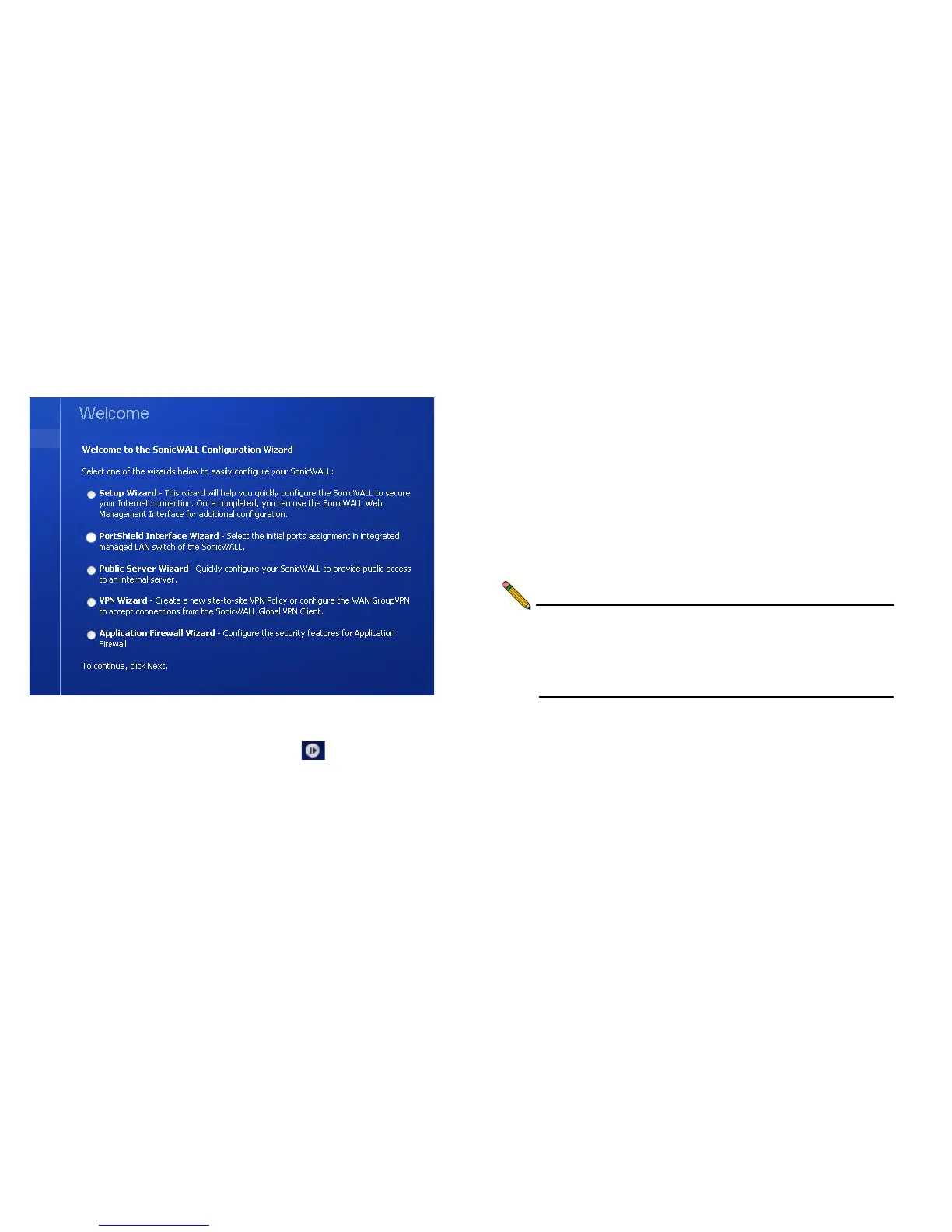
3. The SonicWALL Setup Wizard launches and guides you
through the configuration and setup of your SonicWALL
NSA appliance.
The Setup Wizard launches only upon initial loading of the
SonicWALL NSA management interface. You may access
the wizard by clicking on the Wizards icon in the
toolbar.
4. Follow the on-screen prompts to complete the Setup
Wizard.
Depending on the changes made during your setup
configuration, the SonicWALL may restart.
Troubleshooting Initial Setup
If you cannot connect to the SonicWALL NSA appliance or the
Setup Wizard does not display, verify the following
configurations:
• Did you correctly enter the management IP address in your
Web browser?
• Are the Local Area Connection settings on your computer
set to use DHCP or set to a static IP address on the
192.168.168.x/24 subnet?
• Do you have the Ethernet cable connected to your
computer and to the X0 (LAN) port on your SonicWALL?
• Is the connector clip on your network cable properly seated
in the port of the security appliance?
Note: Some pop-up blockers may prevent the launch of the
Setup Wizard. You can temporarily disable your pop-up
blocker, or add the management IP address of your
SonicWALL (192.168.168.168 by default) to your pop-
up blocker's allow list.



 To Next Page