Item
(Fig. 3)
Designation Function
12 Light
n Press briefly: switch sonoroLIGHT on/off.
n Press and hold: connect sonoroLIGHT.
– Flashes while connecting
– Lights up when connected
n Press and hold: Increase/decrease the brightness of sonoroLIGHT gradually.
13 Standby Switch the device on/off. Stop the alarm.
14 Previous
n Press: Navigate the menu entries. Search FM/DAB stations, previous track in CD,
USB, Relax Music, Demo Sound modes
n Press and hold: fast forward
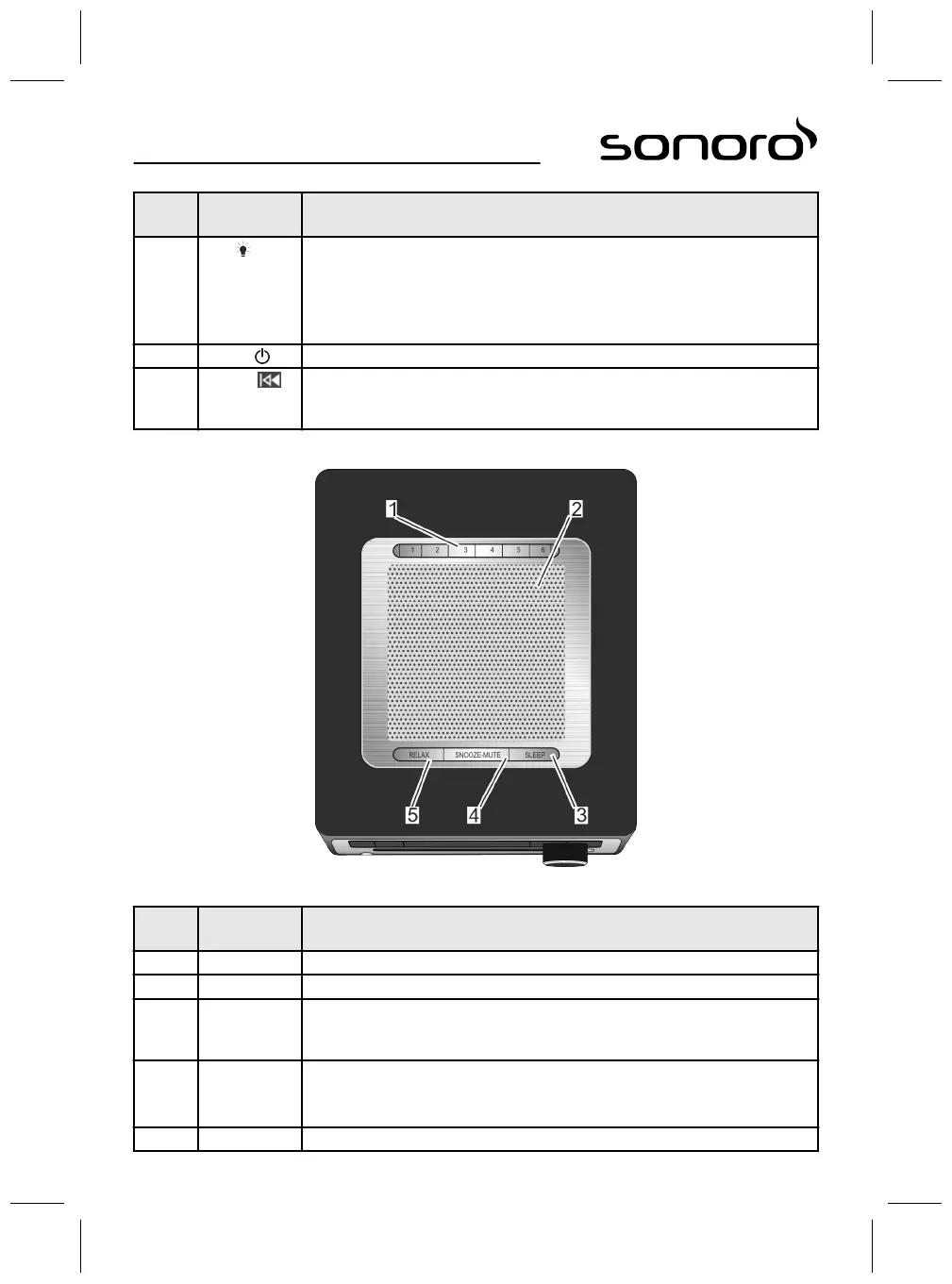
Top view
Fig. 4: Top view
Item
(Fig. 4)
Designation Function
1 Memory 1–6 Station memory (favourites).
2 Speaker Speaker opening.
3 SLEEP
n Press briefly: switch the auto disconnect (Sleep Timer) function on/off.
n Press and hold: [Sleep Timer] menu to set the time the device will be switched
off automatically.
4 SNOOZE MUTE
n Press briefly (in playback mode): Switch mute on/off.
n Press briefly (in Alarm mode): start the snooze function.
n Press and hold: [Snooze Setting] menu to set the snooze time.
5 RELAX Call up relax mode.
52



 To Next Page