101
Using the shooting function
Except for exposure mode M, the exposure is automatically selected
(Automatic exposure).
Based on the exposure acquired by the automatic exposure, you can
perform exposure compensation by shifting the exposure to either the +
side or the – side, depending on your preference. You can make the entire
image brighter by shifting to the + side. The entire image becomes darker
when you shift it to the – side.
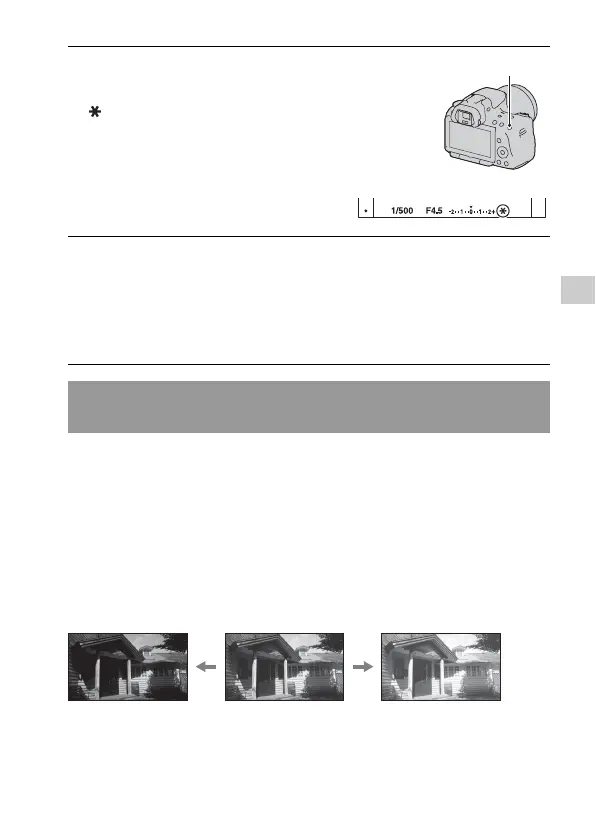
3 Press the AEL button to lock the
exposure.
(AE lock mark) appears.
AEL button
4 While pressing the AEL button, focus on the subject, and shoot
the subject.
• If you continue to shoot with the same exposure value, press and hold the
AEL button after the shooting. The setting is canceled when the button is
released.
Using brightness compensation for the entire image
(Exposure compensation)
Adjust in the –
direction
Base exposure
Adjust in the +
direction



 To Next Page