49
Before your operation
You can set up the basic settings for the camera as a whole or execute
functions such as shooting, playback, or other operations.
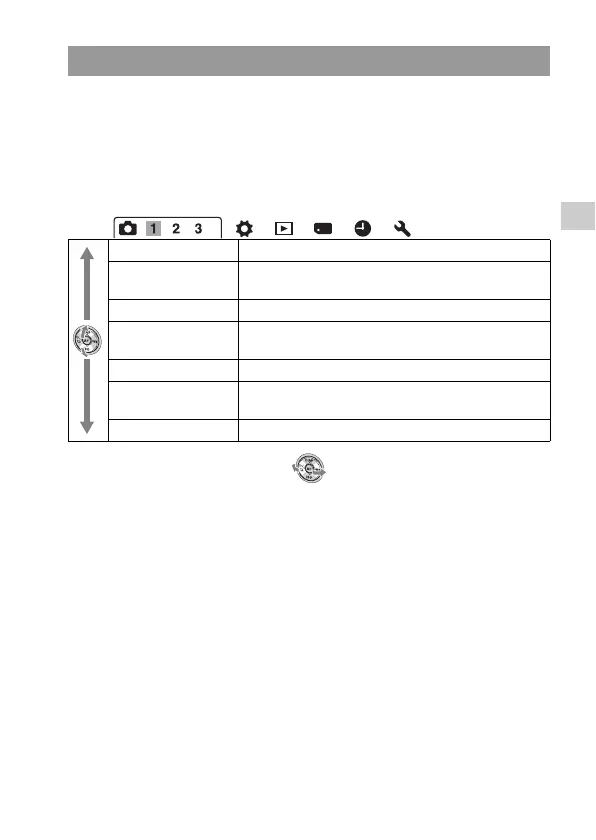
Press the MENU button, select the desired page with b/B on the control
button, and select the desired item with v/V.
Recording menu
The functions selected by the MENU button
Image: Size (141) Selects the size of still images.
Image: Aspect Ratio
(143)
Selects the aspect ratio for still images.
Image: Quality (143) Sets the images quality for still images.
Movie: File Format
(82)
Selects the movie file format.
Movie: Size (142) Selects the size of the recorded movie frame.
Movie: Audio Rec.
(82)
Sets whether or not to record audio when shooting a
movie.
SteadyShot (57) Sets SteadyShot.



 To Next Page