211
Creating a movie disc
Viewing images on a computer
• An Internet connection environment is required when creating a DVD-Video (STD)
disc for the first time.
You can use 12 cm discs of following type with “PlayMemories Home.”
For Blu-ray disc, see page 210.
• Always maintain your PlayStation®3 to use the latest version of the
PlayStation®3 system software.
• The PlayStation®3 may not be available in some countries/regions.
You can create a disc with a Blu-ray disc recorder etc.
The disc type you can create depends on the device used.
Notes
• For details on how to create a disc, refer to the operating instructions of the device
you use.
• To copy movies recorded with the [60p 28M(PS)]/[50p 28M(PS)] setting to a Blu-
ray disc, a device compatible with the AVCHD Ver 2.0 format is required. To play
back the created Blu-ray disc, a device compatible with the AVCHD Ver 2.0 format
is required.
Discs you can use with “PlayMemories Home”
Disc type Features
DVD-R/DVD+R/DVD+R DL Unrewritable
DVD-RW/DVD+RW Rewritable
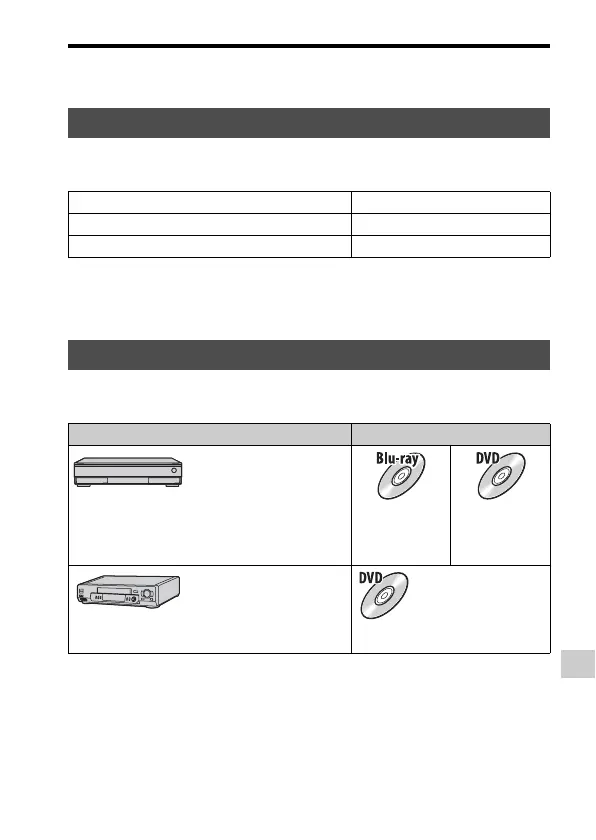
Creating a disc with a device other than a computer
Device Disc type
Blu-ray disc recorder: To
create a Blu-ray disc or
DVD with standard image
quality (STD)
High-definition
image quality
(HD)
Standard
definition
image quality
(STD)
HDD recorder, etc.: To
create a DVD with
standard image quality
(STD)
Standard definition image quality
(STD)














 To Next Page