59 (E)
Chapter 3 Appendix
D
F/F1
F2
G
E1
E2
E3
E4
E5
D1
D2
E(1/2)
E(2/2)
D21 D211(1/2) D211(2/2)
E11
F3
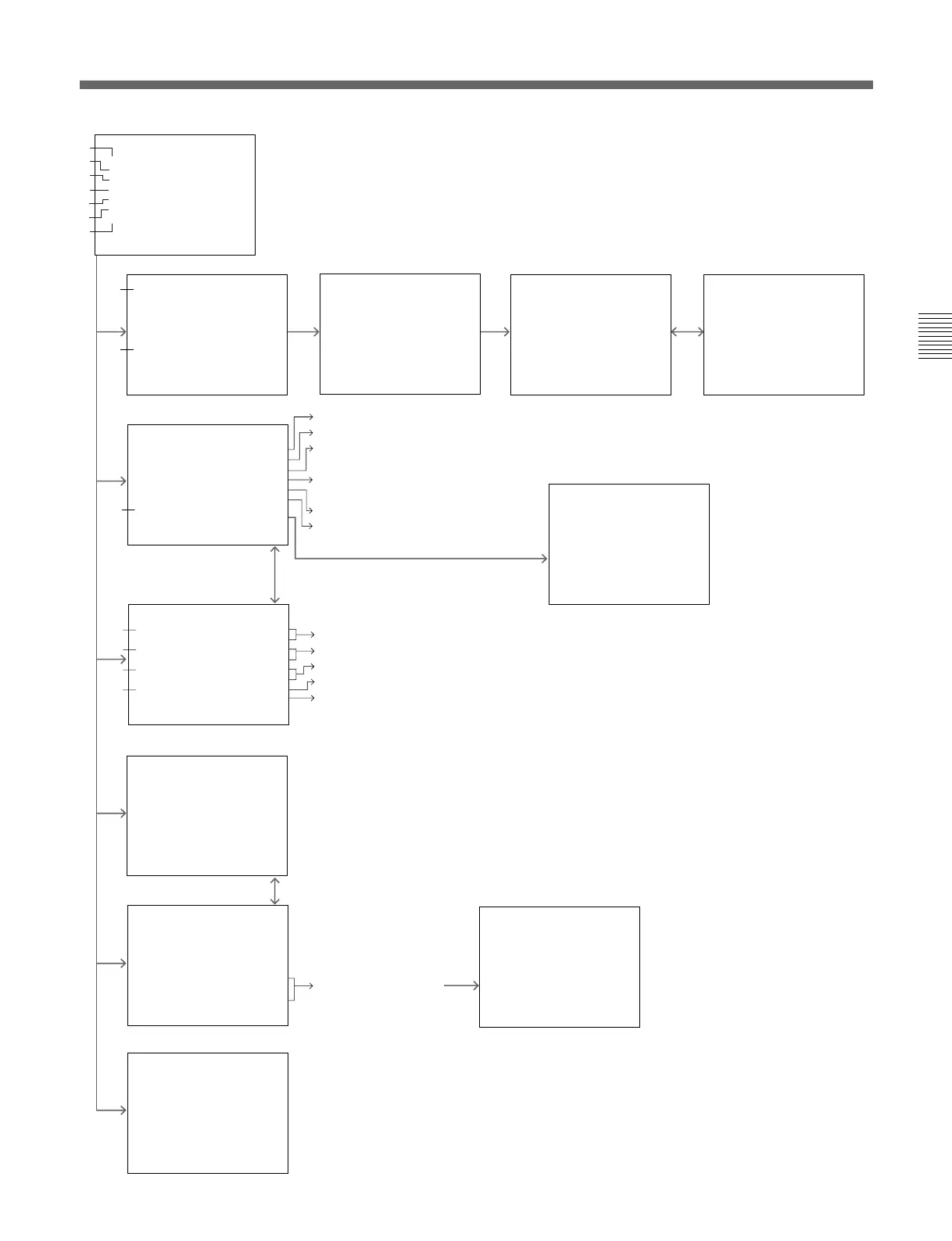
:Data about the installed
optional board is displayed.
:Select the display mode of the signal format and display position.
:Select the display mode of the channel number and display position.
:Select the display mode of the channel name and display position.
:Select the caption display mode.
:For qualified service personnel
:Select the power-up condition.
:Select the power-up input channel.
:Set the time between power-up and the
beginning of degaussing.
:Select the CONT/BRT settings in the
COLOR TEMP ADJ.
:Set the short-cut function to the F2 key.
:Set the automatic color control.
You can copy the INPUT
CONFIG menu and SYSTEM
CONFIG menu (except
DEGAUSS DELAY) from the
monitor which you assign the
address No.
MAIN MENU
Use for adjusting the position, size
and geometry of the picture.
CONTROL PRESET ADJ...
MENU
COLOR TEMP ADJ...
INPUT CONFIG...
REMOTE...
SYSTEM CONFIG...
STATUS...
ALIGNMENT...
p
A
B
C
D
E
F
G
ES RIAL REMOTE
REMOTE
MONITOR ADDRESS 001
GROUP ADDRESS 001
ARALLEL REMOTE OFF
ARALLEL REMOTE CONFIG.
p
P
P
REMOTE CONFIG
1PIN...CH1
2PIN...CH2
3PIN...TALLYRED
4PIN...TALLY GREEN
5PIN...EXTSYNC
6PIN...UNDERSCAN
7PIN...16:9
8PIN...4:3MARKER
p
PIN...
↓
CH 01
----
UNDER SCAN
16:9
H DELAY
VDELAY
EXT SYNC
APERTURE
p
↓
M ONO
B LUE ONLY
1
PIN...
↓
R OFF
G OFF
B OFF
4:3 MARKER
CAPTION VISION
TALLY RED
TALLY GREEN
DEGAUSS
p
↓
P OWERO FF
1
YSTEM CONFIG(1/2)
↓
STANDBY MODE OFF
DEFAULTCH...LAST
DEGUSS DELAY 000
CONT/BRT HOLD OFF
COL TEMP SHORT-CUT OFF
ACC SWON
CONFIG COPY...
p
↓
S
YSTEM CONFIG(2/2)
↓
FORMAT DISPLAY AUTO
POSITION BOTTOM LEFT
CHNOAUTO
POSITION TOP RIGHT
CH AMEAUTO
POSITION TOP LEFT
CAPTIONOFF
MAINTENANCE...
p
↓
S
N
COPY FROM
MONITOR ADDRESS 001
p
9 1 1 YPBPR
H SL IN FORMAT NAME
STATUS (1/ 2)
1 1 1 YPBPR PROG
2 2 1 NTSC PAL
3 3 2 D1-SDI
4 1 1 YPBPR
5 2 NTSC,PAL
6 2 1 NTSC,PAL
7 1 1 YPBPR
8 3 1 D1-SDI
2
C
↓
↓
STATUS (2/2)
ODEL NAME BVM-D9H5U
ERIALNO2001234
PERATION TIME 000123H
OFTWARE VERSI N 1.00
SLOT1 COMPONENT
SLOT2 NTSC,PAL
SLOT3 D1-SDI
O
M
S
O
S
↓
↓
p
LOT1 COMPONENT
ODEL NAME BKM-129X
ERIALNO9071501
S
M
S
ALIGNMENT
VSIZE 00
V CENTER 00
HSIZE00
HPHASE 00
HPIN 00
HKEY00
p






 To Next Page