10 (E)
Chapter 1 Overview
Location and Function of Parts
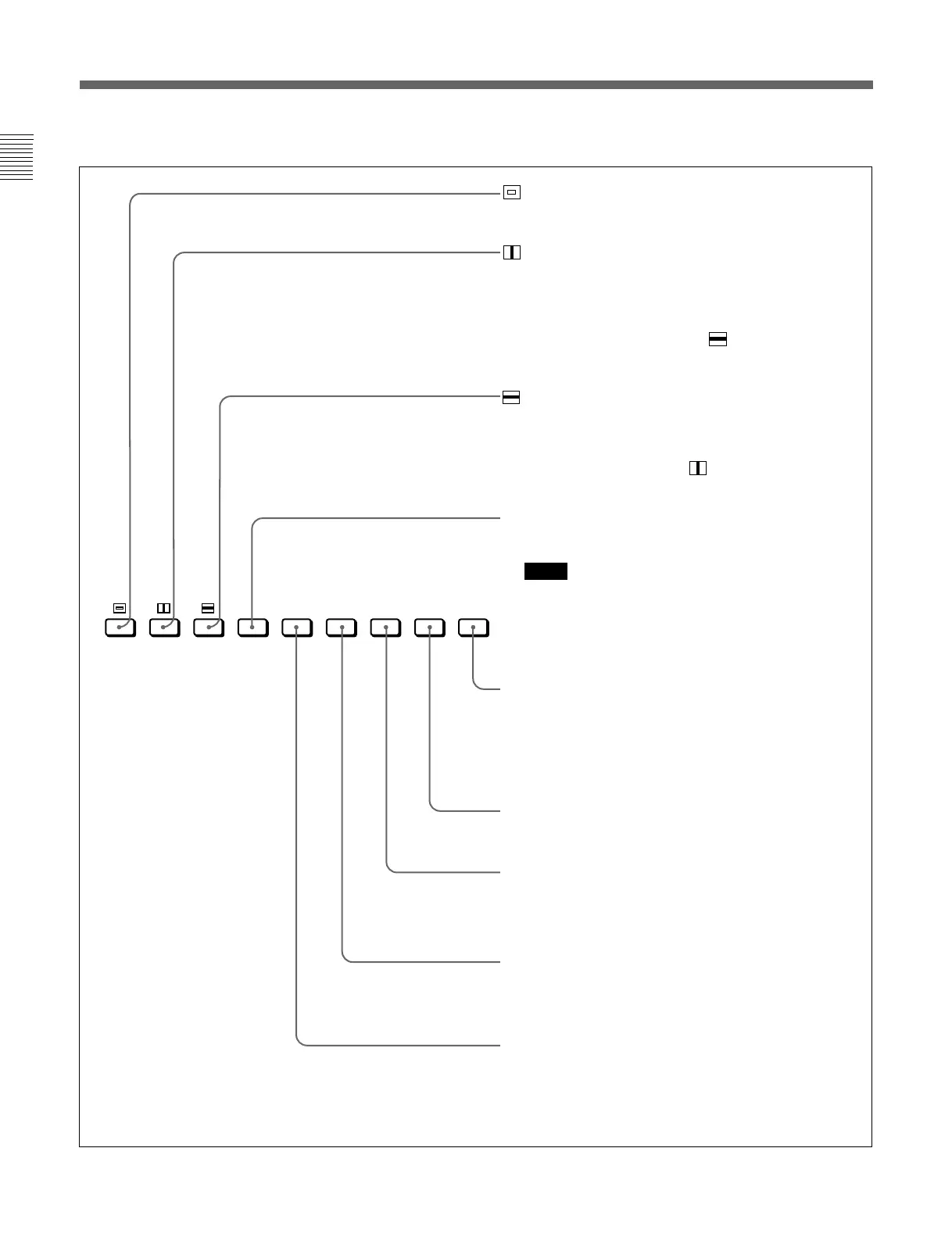
(Underscan) button: When this button is pushed in (ON),
the picture is underscanned by 3%, and four ends of the
raster is displayed on the screen.
(H delay) button: When this button is pushed in (ON), the
picture moves horizontally, and a horizontal sync signal
appears approximately one quarter in the left edge of the
screen.
• The brightness of the picture increases automatically, and it
makes it easy to check the sync part.
• If it is pressed together with the button, a pulse cross
picture is displayed.
(V delay) button: When this button is pushed in (ON), the
picture moves vertically, and a vertical sync signal appears
approximately in the center of the screen.
• The brightness of the picture increases automatically, and it
makes it easy to check the sync part.
• If it is pressed together with button, a pulse cross
picture is displayed.
MONO button: When this button is pushed in (ON), a
monochrome picture is displayed. When the buttons is off,
the monitor switches automatically color mode.
Notes
• The MONO button does not function with the RGB signal
input.
• When the NTSC or PAL color signals are received and
color burst signals are not input, the monitor does not
switch to color mode.
ADDRESS button: When this button is pushed in (ON), the
ADDRESS menu appears on the screen. By using the
ADDRESS menu, operation conditions for multiple monitors
are set.
For more information about the ADDRESS menu, see
“Selecting the Monitor to Control — ADDRESS Menu” on
page 45(E).
F2 button: When this button is pushed in (ON), you can access
directly the MANUAL menu of the level 1 of the COLOR TEMP
ADJ menu, if the short-cut function is assigned to this button.
F1 button: When this button is pushed in (ON), the characters
disappear from the monitor on the MANUAL menu of the level 1
of the CONTROL PRESET ADJ menu, the MANUAL menu of the
level 1 of the COLOR TEMP ADJ menu, and the ALIGNMENT
menu.
COMB button: This button does not function with this monitor.
However, when the BKM-127W NTSC/PAL Input Adaptor
(optional) is installed and the NTSC or PAL color signals are
received, the monitor can be used with the comb filter turned on.
APT (aperture) button: When this button is pushed in (ON), the
frequency response can be modified. The degree of
modification is set with the menu. (When RGB signals are
input, the button does not function.)
Function buttons in SHIFT OFF mode (LEDs of function buttons in green)
16:9 SYNC R G B
MONO APT COMB
F3
F1
F4
F2
MARKER
ADDRESS
B ONLY






 To Next Page